
Most operators are in the same spot right now. Orders come in from one system, staff juggle another, the menu lives somewhere else, and nobody gets a clean view of what's driving bigger checks or slower service. You don't have a technology problem. You have a coordination problem that leaks revenue all day.
The fix isn't buying more software. It's choosing hospitality technology solutions that reduce friction for guests, remove repetitive work from staff, and make your menu pull more revenue from the same traffic.
If your current setup makes servers answer basic menu questions, forces managers to patch reports together by hand, or turns QR ordering into a clunky PDF experience, you're leaving money on the table.
Table of Contents
- Why Your Hospitality Tech Strategy Matters Now More Than Ever
- The Core Hospitality Technology Stack Explained
- Measuring the Real Business Benefits and ROI
- How to Implement and Integrate Tech Without Chaos
- Your Vendor Selection Checklist
- Navigating Privacy Security and Compliance
- The Future of Hospitality and Your Next Steps
Why Your Hospitality Tech Strategy Matters Now More Than Ever
Most owners feel buried by options. POS vendors promise efficiency. Ordering platforms promise convenience. Loyalty tools promise retention. In practice, many venues end up with a stack of disconnected tools that create more admin work and more staff stress.
Start with the pain, not the platform. If food costs are climbing, your team is stretched, and service slows down at peak times, your tech decisions should solve those problems first. Good hospitality technology solutions don't add complexity. They remove it.
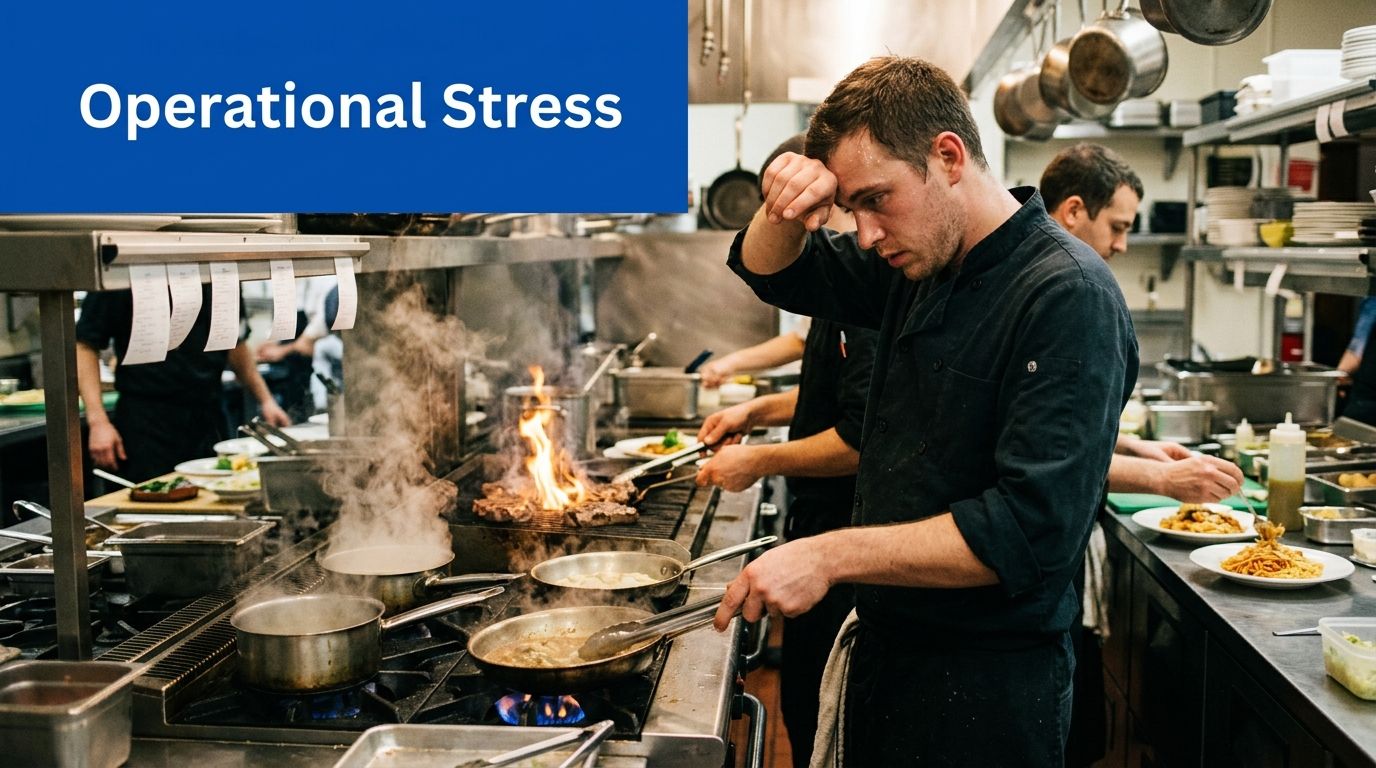
The industry is moving fast because operators have to. The global smart hospitality market was valued at USD 36.48 billion in 2024 and is projected to reach USD 236.20 billion by 2032, growing at a CAGR of 26.30%, reflecting a shift toward digitalization driven by staff shortages and the need for operational efficiency, according to Data Bridge Market Research on the smart hospitality market.
Technology should solve pressure points
A smart stack helps in very practical ways:
- Fewer repetitive questions: Digital menus answer ingredients, modifiers, and add-ons before staff get pulled away.
- Less bottleneck at the table: Better ordering and payment flow means fewer delays waiting on basic tasks.
- Cleaner decision-making: Managers stop guessing which items deserve promotion and which ones drag margin.
- Lower staff friction: Teams spend less time re-entering orders, fixing errors, and chasing simple requests.
Practical rule: If a tool doesn't help you sell more, serve faster, or reduce staff strain, it's a distraction.
Strategy beats software shopping
I've seen operators buy based on demos and regret it later. Slick features don't matter if the system doesn't fit your service model. A café needs speed and simplicity. A full-service venue needs menu guidance, timing control, and smoother handoffs between front and back of house. A multi-location group needs consistency and centralized visibility.
The right approach is simple. Identify your biggest operational leak. Then choose technology around that leak. That's how you build a system that earns its keep.
The Core Hospitality Technology Stack Explained
Your stack is your operating system. When it's built properly, the guest experience feels smoother and the staff day feels lighter. When it's patched together badly, every shift gets harder than it should be.
Start with the transaction layer
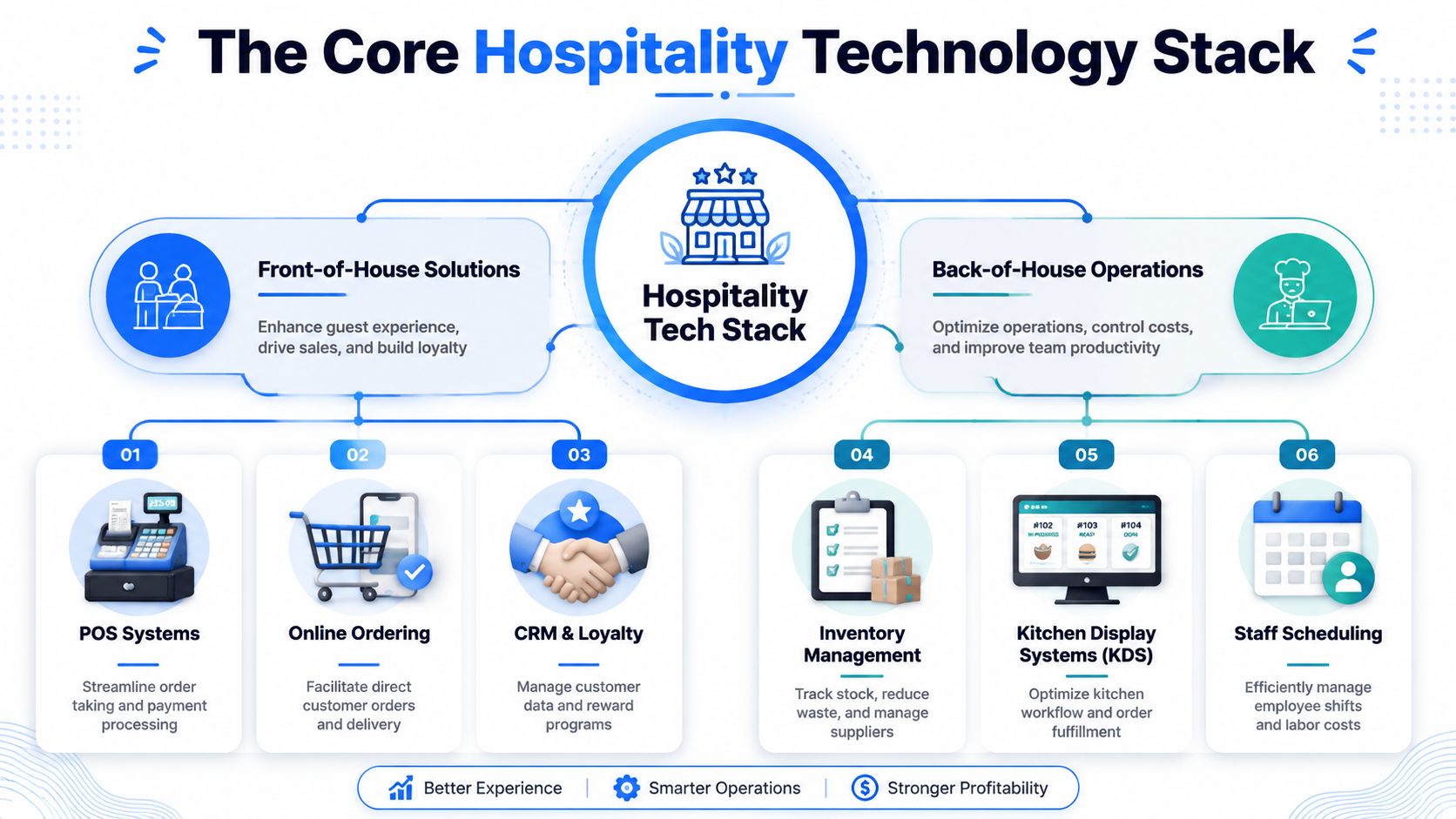
POS systems are still the hub for orders, payments, modifiers, and sales records. For restaurants, the POS should be fast, stable, and easy for new staff to learn. For venues that also handle stays or mixed hospitality operations, PMS tools sit higher in the stack and connect room, service, and guest data.
What matters most is not the logo on the dashboard. It's whether the system shares data cleanly with the rest of your tools.
A useful stack usually includes:
- POS: Captures transactions and pushes data downstream.
- PMS: Important for accommodation-led operators that need one operational core.
- Payments: Must be smooth for guests and easy to reconcile for finance.
- CRM and loyalty: Stores guest preferences, visit history, and campaign response.
- KDS: Replaces shouted tickets and paper clutter with cleaner kitchen flow.
- Analytics: Tells you what's selling, when demand shifts, and where service gets stuck.
If you're evaluating hardware and ordering workflows, this tablet-based POS setup guide is a useful example of what modern front-of-house flexibility should look like.
Turn the menu into a selling tool
Many operators still underperform. They invest in a POS, then treat the menu like a static file. That's backwards. The menu is one of your most direct revenue levers.
QR and digital ordering platforms should do more than display items. They should help guests discover profitable combinations, present add-ons at the right moment, and reduce confusion around modifiers or dietary details.
A few things matter a lot here:
- Speed: Fast-loading digital menu pages under 3 seconds are critical for AOV growth because slow pages increase abandonment, according to Splitit's guide to average order value.
- Mobile-first design: Most guests won't tolerate pinching around a PDF.
- Good product presentation: Clear categories, sharp images, and intuitive navigation support impulse add-ons.
- Built-in upsell logic: Relevant pairings outperform random suggestions.
A bad QR menu feels like extra work. A good one feels like a helpful server who never forgets the upsell.
Run the kitchen and the business with cleaner data
Kitchen Display Systems matter because calm kitchens make better service possible. A KDS reduces paper noise, clarifies order priority, and cuts the back-and-forth that burns time during the rush.
Analytics platforms matter because sales data without interpretation doesn't help much. You need to see which items pull strong attach behavior, which categories stall, what time periods justify extra coverage, and where guests abandon the order flow.
Here's a practical way to think about each layer:
| Tool category | Main job | What to look for |
|---|---|---|
| POS | Process orders and payments | Stable integrations and simple staff workflows |
| QR ordering | Raise check size and reduce ordering friction | Fast load speed, mobile UX, upsell prompts |
| CRM and loyalty | Bring guests back | Useful segmentation and easy campaign execution |
| Payments | Close the transaction cleanly | Low friction and reliable reconciliation |
| KDS | Improve kitchen flow | Clear routing and real-time visibility |
| Analytics | Show what's working | Item-level and shift-level decision support |
| PMS | Coordinate broader hospitality operations | Open connections with other core systems |
The best stacks don't feel “advanced.” They feel obvious. Staff know where to look. Managers trust the numbers. Guests move through service without friction.
Measuring the Real Business Benefits and ROI
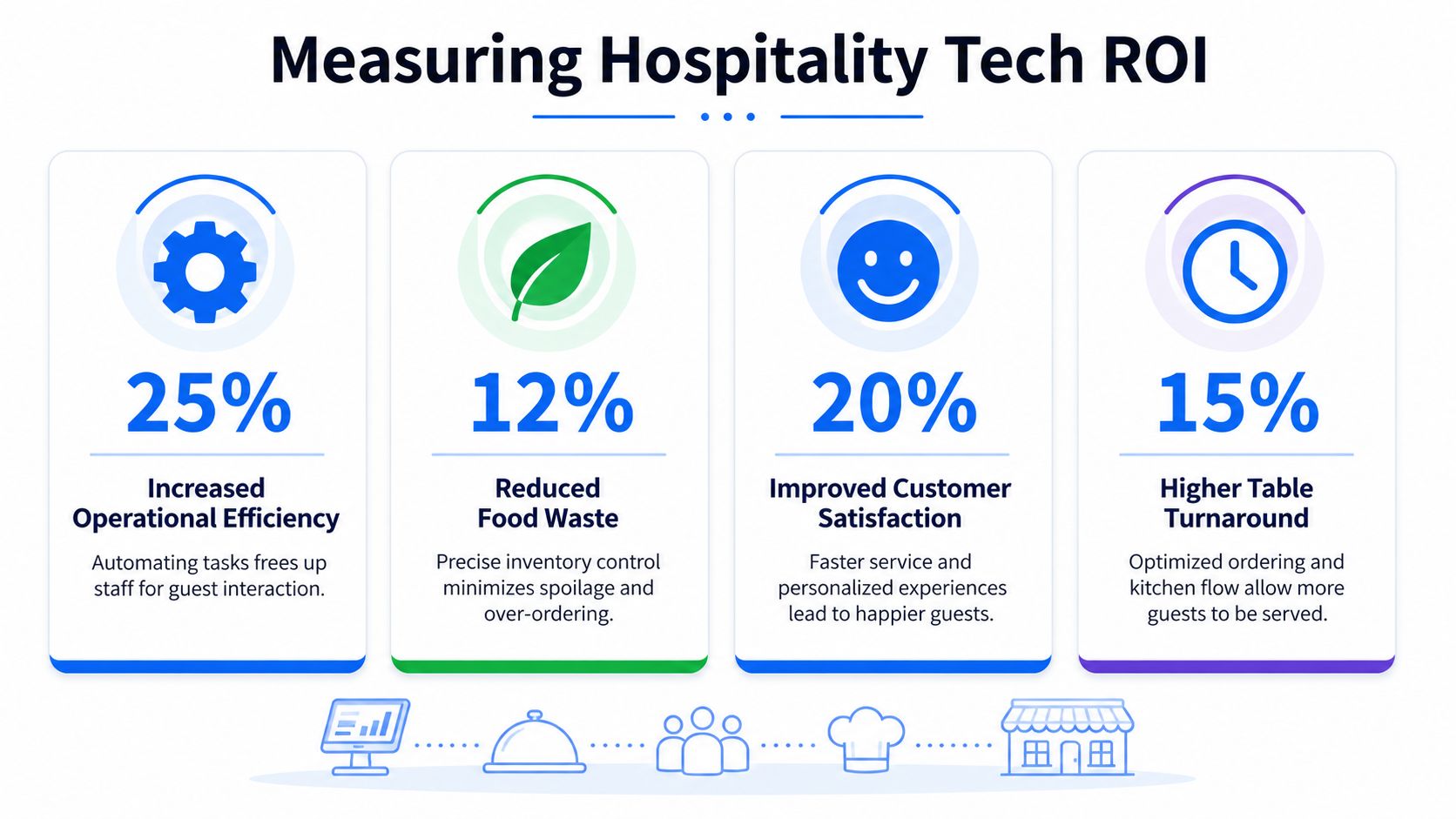
Most tech pitches focus on features. Operators should care about outcomes. If the system doesn't increase check size, reduce wasted labor, or improve service flow, the feature list is irrelevant.
A useful benchmark comes from hospitality operations that use a PMS-centered stack with automation around check-in, concierge, and self-service. These setups can lower labor cost percentage by 2 to 4 percent annually, according to Skift's hotel tech benchmark methodology. The lesson applies beyond hotels. When software handles repetitive tasks, teams spend more time on work guests value.
This visual sums up the ROI conversation most operators should be having:
Look at labor and check size first
The fastest way to judge restaurant technology is to ask two questions.
- Does it help guests spend more, comfortably?
- Does it remove tasks that drain the team?
For menu-led growth, AOV is total revenue divided by total number of orders, as explained by Simon-Kucher's breakdown of average order value. That matters because lifting AOV means you can generate more revenue without chasing more traffic.
There are proven levers inside digital ordering:
- Meal bundles and add-ons: Restaurants can increase AOV by 15 to 25% through strategic combos and personalized add-on recommendations, based on GetKard's AOV tactics article.
- Checkout cross-sells and upsells: Recommended sides, drinks, or premium versions during checkout often drive a 20%+ increase in total order value per transaction, according to Rebuy's guide to increasing average order value.
That's the kind of result operators should chase. Not “engagement.” Not “digitization.” Bigger tickets and fewer interruptions.
Later, you need reporting that shows which prompts work and which ones annoy guests. Consequently, restaurant analytics software becomes useful, because it turns order flow into something you can improve.
Track the numbers that change decisions
Don't measure everything. Measure the handful of numbers that tell you whether the system is paying off.
Use a simple scorecard:
- Average order value: Are bundles, premium swaps, and add-ons lifting spend?
- Labor pressure: Are staff handling fewer repetitive service tasks?
- Order flow: Are mistakes, delays, or kitchen bottlenecks dropping?
- Menu performance: Are profitable items getting discovered and chosen?
- Guest friction: Are people completing orders smoothly on mobile?
Here's the operational view I recommend:
If your team is still answering questions the menu should answer, your tech isn't saving labor. It's just shifting where the friction shows up.
Video can also help teams align on what better guest-facing hospitality tech looks like in practice:
The best ROI usually comes from small wins layered together. Faster ordering. Better add-ons. Fewer interruptions. Cleaner reporting. That's how good systems earn budget approval again and again.
How to Implement and Integrate Tech Without Chaos
Bad implementation ruins good software. I've seen teams buy sensible tools and still create a mess because they installed everything at once, skipped process mapping, and assumed the staff would “figure it out.”
The bigger risk is silos. Operators now juggle Wi-Fi, access, ordering, payments, loyalty, kitchen systems, and reporting tools across a growing vendor list. The primary issue isn't the number of tools. It's whether the data moves between them in a way your team can use.
A major gap in the market is practical guidance on breaking those silos. Operators integrating 10+ vendors often miss the fact that integrated data ecosystems are key drivers of 20 to 30% labor efficiency gains through tools like predictive scheduling and AI-supported service workflows, as discussed in RCR Wireless on tech silos in hospitality.
Fix the data flow before you train the team
Before rollout, answer these questions:
- What is the source of truth for orders? If two systems can overwrite each other, you'll get errors.
- Where does guest data live? Loyalty, ordering, and marketing should not all hold separate versions.
- Who owns menu updates? If pricing and item availability need three logins to change, service will suffer.
- How do exceptions get handled? Allergies, sold-out items, and split bills expose weak setups fast.
Use open systems where possible. If a vendor can't clearly explain how it connects to your existing tools, move on. That's also why many operators now prefer platforms that work alongside current systems instead of forcing a full rip-and-replace. If you're reviewing flexible operations tools, restaurant management apps that fit into existing workflows are a better direction than closed ecosystems.
Roll out in phases unless your current setup is broken
A phased rollout usually wins because staff can absorb change without losing confidence.
Try this sequence:
- Stabilize the menu and ordering layer first. That's where guest friction and missed upsells often show up fastest.
- Connect reporting next. Managers need visibility early so they can spot issues quickly.
- Add loyalty or CRM after the service flow is clean. There's no value in marketing harder into a broken experience.
A full “big bang” launch only makes sense when the existing setup is already damaging service every day.
Train for moments, not features. Show servers how the tool helps during the lunch rush, how hosts handle table pressure, and how managers fix issues before they hit guests.
Staff buy-in comes from relief, not speeches. If the new system saves clicks, reduces questions, and calms the rush, the team will adopt it. If it adds steps and slows them down, they'll work around it.
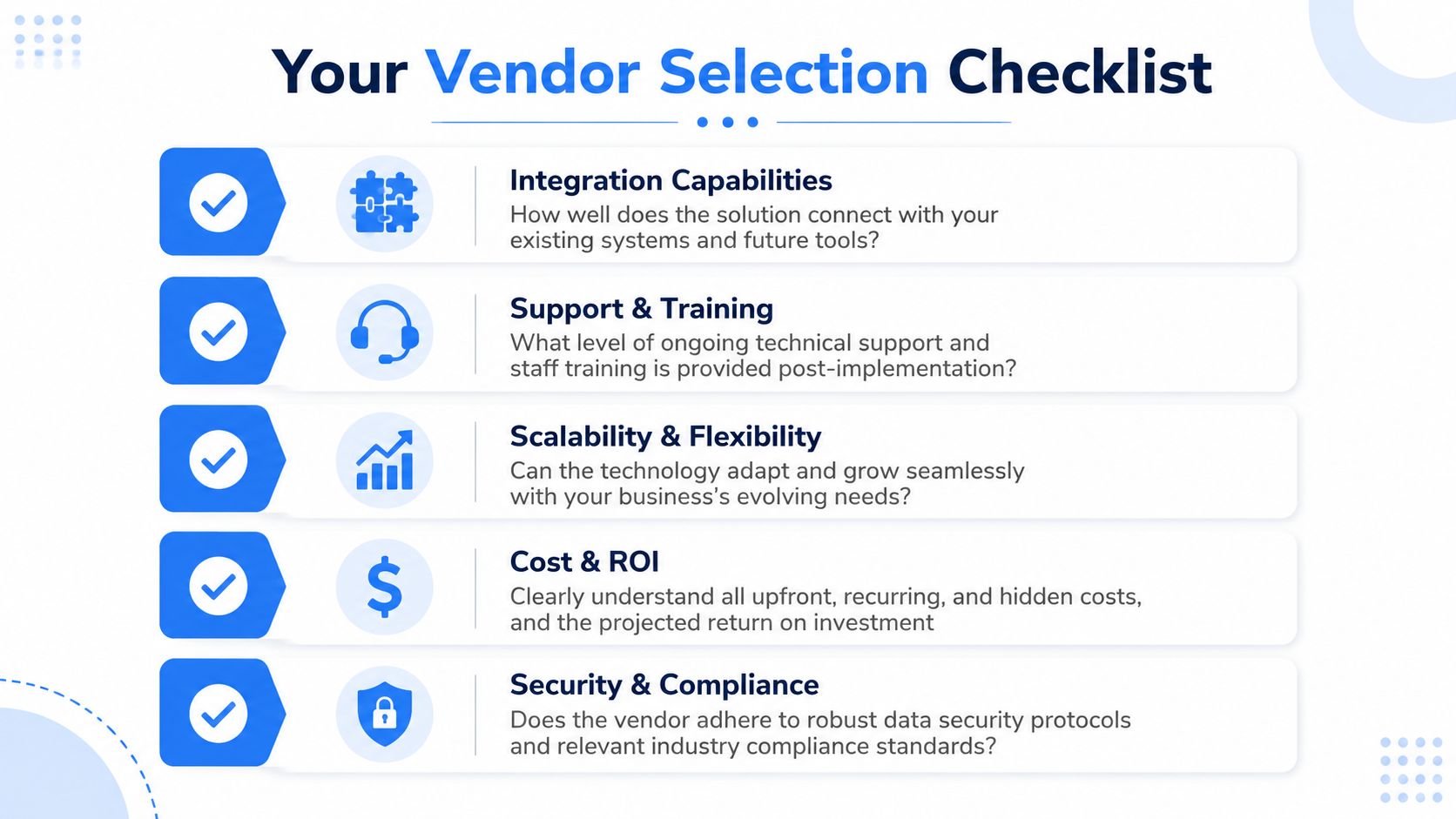
Your Vendor Selection Checklist
Software demos are built to hide pain. They show polished screens, not messy service windows, menu changes five minutes before the rush, or the support ticket you'll submit on a Friday night. That's why vendor selection needs more discipline than enthusiasm.
What to compare before you sign
Use this checklist when comparing hospitality technology solutions side by side:
| Criteria | Strong vendor answer | Weak vendor answer |
|---|---|---|
| Integration | Explains exactly how data moves between systems | Says “we integrate with everything” without detail |
| Support | Gives onboarding, training, and ongoing support terms clearly | Pushes you to help docs and generic ticket queues |
| Flexibility | Works with your existing setup and future changes | Pressures you into a closed ecosystem |
| Cost clarity | Breaks down setup, subscriptions, hardware, and extras | Hides fees in contract terms |
| Data ownership | States you retain access to your customer and sales data | Gets vague about exports or portability |
Questions that expose weak vendors fast
Ask these in the sales call:
- How long does a menu change take in practice?
- What happens if internet connectivity gets unstable?
- Can I export customer, sales, and menu data easily?
- Which integrations are native, and which rely on third parties?
- How is support handled during service hours?
- What training do you provide for managers versus frontline staff?
- What contract terms lock me in?
Here's my rule. If the vendor spends more time talking about features than operations, they probably don't understand your business.
A good vendor helps you run a tighter shift. A bad one gives you another login and a longer meeting.
Also check how they talk about growth. Multi-location support, menu consistency, and role-based controls matter if you expand. A tool that works for one site but becomes messy across several locations is expensive in ways the invoice won't show.
Navigating Privacy Security and Compliance
Most operators think about privacy after they've launched the tool. That's backwards. If you collect guest data through payments, Wi-Fi, loyalty, or digital ordering, privacy and security are part of the service experience.
Trust matters at the table
Guests are sharing contact details, order history, and payment information because they expect convenience. They also expect you to handle that information responsibly. If your digital flow feels careless, trust drops fast.
That means a few basics are essential:
- Payment handling must be secure: Your payment setup should align with PCI expectations and keep card data exposure as limited as possible.
- Privacy notices should be clear: If you collect emails, birthdays, or ordering preferences, say why.
- Consent should be intentional: Don't bury marketing permissions inside an order flow.
- Access should be controlled: Staff should only see the data they need to do their jobs.
Keep data collection tight and intentional
Many venues collect too much and use too little. That's bad for compliance and bad for operations. If you ask for information, have a reason tied to service, retention, or personalization.
A cleaner approach looks like this:
- For digital ordering: Collect only what supports fulfillment and follow-up.
- For loyalty: Ask for data that helps create relevant offers, not bloated profiles.
- For feedback: Keep forms short and avoid collecting sensitive information you won't act on.
- For internal access: Review who can export, edit, or delete records.
The commercial case is straightforward. Security protects revenue because it protects reputation. A restaurant doesn't need legal jargon as part of its brand. It needs guests to feel safe using the system again.
The Future of Hospitality and Your Next Steps
The next wave of hospitality technology solutions won't win because it looks impressive. It will win because guests barely notice it and staff don't have to fight it.
The best tech is often invisible
The strongest trend in hospitality isn't more visible hardware. It's invisible technology that removes friction quietly in the background. AI and automation are increasingly used to personalize stays, optimize staff efficiency, and improve the guest journey without intrusive interfaces, as outlined by Hospitality Net's explainer on invisible technologies.
That idea matters for restaurants too. The best systems don't ask guests to learn a new process. They make ordering faster, recommendations smarter, and payment easier. They also help managers make better decisions without spending half the day inside spreadsheets.
Three moves to make this week
Don't wait for a full transformation plan. Start with what's leaking margin now.
Audit your current stack
List every tool touching menu management, ordering, payments, reporting, and guest data. If you can't explain what each one contributes, it's a candidate for removal.
Pick one operational pain point
Choose the issue that affects revenue or service most. Slow ordering, weak upsells, clunky menu updates, or staff overload are all valid starting points. Don't try to solve everything at once.
Choose tools that fit around your business
Favor systems that connect well, avoid lock-in, and produce visible outcomes. You want flexibility, faster execution, and cleaner data. Not another isolated dashboard.
Hospitality is still human work. Technology should support that, not compete with it. The best operators use digital tools to make service feel more personal, not less.
If you want a low-friction place to start, RevMenue is worth a look. It helps restaurants and cafés replace static menus with fast-loading QR menus built to increase average order value, reduce staff interruptions, and give operators clearer menu analytics without forcing a full system overhaul.