
Friday dinner rush exposes every weak process you've been tolerating. A server misreads a handwritten modifier. The kitchen runs out of a key ingredient halfway through service. A manager is stuck reconciling orders from different channels instead of helping the floor recover. None of that is “just part of hospitality.” It's margin loss.
Most operators don't need more hustle. They need fewer disconnected tools, less double entry, and one system that keeps sales, stock, staff, and service moving together. That's where restaurant management apps earn their keep. They don't just digitize tasks. They protect revenue, reduce mistakes, and give managers time back to run the room.
Table of Contents
- Your Restaurant Is Leaking Profit Where to Plug the Holes
- Beyond the POS What Restaurant Management Apps Actually Do
- Calculating the ROI of a Modern Restaurant App
- The Digital Menu Your Highest Margin Employee
- An Actionable Checklist for Choosing the Right Software
- A Practical Roadmap for a Smooth Launch
Your Restaurant Is Leaking Profit Where to Plug the Holes
If your team still patches operations together with paper tickets, spreadsheets, chat messages, and end-of-night guesswork, you're paying for it every shift. You pay in voids, stockouts, missed upsells, delayed tables, and managers doing admin work that software should handle.
This isn't a niche trend anymore. The global restaurant management software market was valued at USD 5.79 billion in 2024 and is projected to reach USD 14.70 billion by 2030, growing at a CAGR of 17.4%, according to Grand View Research's restaurant management software market analysis. Operators are moving toward digitalization and workflow automation because manual systems don't scale and don't protect margins.
The holes most restaurants keep ignoring
A lot of profit leaks come from ordinary moments:
- Orders get re-entered: Staff copy information from one system to another and mistakes follow.
- Inventory gets checked too late: You find out you're low on ingredients when a guest tries to order them.
- Managers chase reports: Instead of seeing live performance, they wait until the problem has already hurt service.
- Menus stay static: High-margin items don't get enough visibility, and low-margin items keep selling unchecked.
Practical rule: If your managers spend more time stitching information together than acting on it, your tech stack is broken.
A central app changes the job. The point isn't to buy “more software.” The point is to stop running front of house, kitchen, inventory, and reporting like separate businesses.
What to fix first
Start with the process that hurts most often, not the feature list that sounds best in a demo.
If stock control is the issue, fix stock control first. If your biggest pain is manager admin time, start there. If your menu scans are high but average ticket size is flat, fix the menu and ordering flow. For operators dealing with food cost drift, tools like an inventory manager app for restaurant stock control are a more urgent investment than another marketing add-on.
Restaurant management apps work when they remove friction in daily service. If they don't make your team faster, more accurate, and more consistent, they're not solving the core problem.
Beyond the POS What Restaurant Management Apps Actually Do
Friday dinner service starts. A server enters an order, the kitchen misses a modifier, the host seats a six-top without seeing the delay at table 12, and the manager is stuck checking three systems to figure out why ticket times just jumped. That is the primary function of a restaurant management app. It keeps service, stock, labor, and table flow working from the same information so small mistakes do not turn into lost margin.
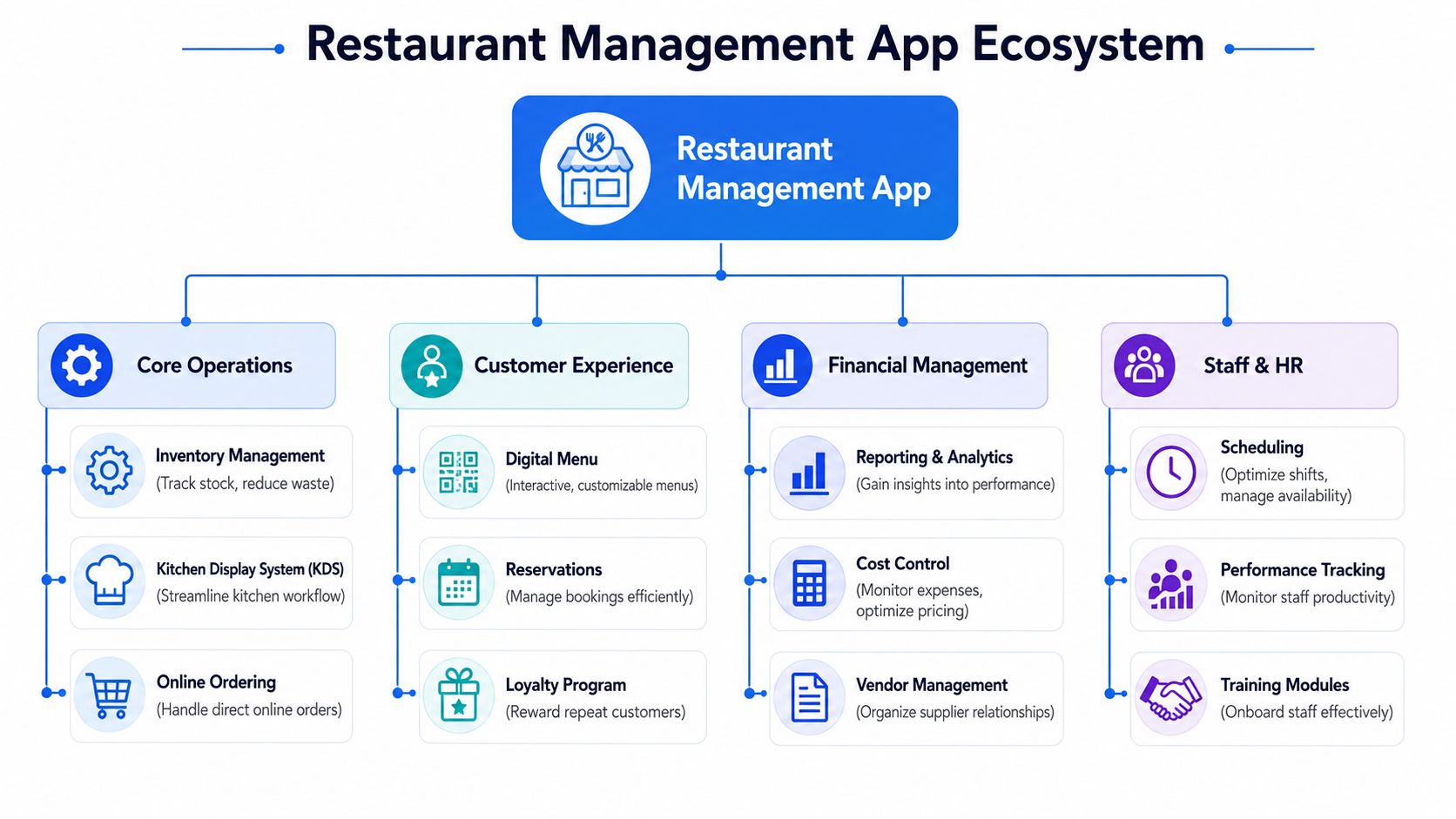
A POS handles transactions. A management app handles operations. That difference matters because restaurants do not lose profit at the payment screen alone. They lose it in slow turns, missed upsells, over-ordering, poor shift coverage, and delayed decisions.
Analysts at Mordor Intelligence report that front-end POS and guest experience tools still hold the largest share of the restaurant management software market, while analytics and business intelligence are growing faster. The shift is obvious. Operators still need fast checkout, but the bigger returns come from better control over costs, pacing, and sales mix.
The modules worth paying for
Ignore bloated feature lists. Focus on modules that move a specific KPI.
POS and order capture
This affects throughput, table turnover, and order accuracy. If staff can enter orders fast, route them correctly, and close checks without friction, you serve more guests with fewer service mistakes.Inventory management
This affects food cost percentage, waste, and menu availability. Good inventory tools track ingredient movement against recipes so you can catch margin leaks before they show up in end-of-week purchasing.Staff scheduling and team control
This affects labor efficiency, overtime, and service consistency. Scheduling software should do more than publish shifts. It should show where coverage is weak and cut the manager admin time that adds no value during service.Reservations and waitlist management
This affects table turnover, covers served, and guest satisfaction. Better pacing at the host stand means fewer bottlenecks in the dining room and fewer tables sitting idle between parties.QR and online menus
This affects average order value and item mix. A digital menu should steer guests toward profitable dishes, upgrades, and add-ons instead of acting like a flat PDF.Analytics and reporting
This affects margin control and speed of response. Managers need to spot sales dips, labor drift, and product issues fast enough to act during the shift, not after the week is over.
What changes when the system is connected
The biggest improvement is simple. Information gets entered once and used everywhere else.
An order should hit the kitchen immediately. A menu change should update across channels without someone fixing it by hand. A low-stock item should trigger action before it causes a guest complaint. The value is not technical elegance. The value is fewer errors, faster decisions, and less manager time wasted on cleanup.
That is why execution tools matter. Software built around restaurant task management software for daily operations helps managers turn information into action, whether that means prep checks, shift handoffs, opening routines, or fixing recurring service issues before they spread.
Here is the practical way to evaluate each module:
| Module | What it fixes | KPI to watch |
|---|---|---|
| POS | Slow order entry, payment delays, ticket errors | Throughput, table turnover |
| Inventory | Waste, stockouts, uncontrolled purchasing | Food cost percentage |
| Scheduling | Overstaffing, understaffing, admin drag | Labor efficiency |
| Reservations | Poor pacing, empty tables, long waits | Covers served, turn time |
| Digital menu | Weak upselling, poor item visibility | Average order value |
| Reporting | Late decisions, missed trends, margin drift | Prime cost, contribution margin |
A good restaurant management app should make a manager faster within the first week. If the system does not help your team serve more covers, protect margin, or cut manual work, it is software clutter with a nicer interface.
Calculating the ROI of a Modern Restaurant App
Most owners ask the wrong question. They ask, “What does it cost?” The better question is, “Which KPI moves enough to pay for it quickly?”
That's how you should evaluate restaurant management apps. Tie each module to one metric. If a feature doesn't influence a meaningful KPI, ignore it.
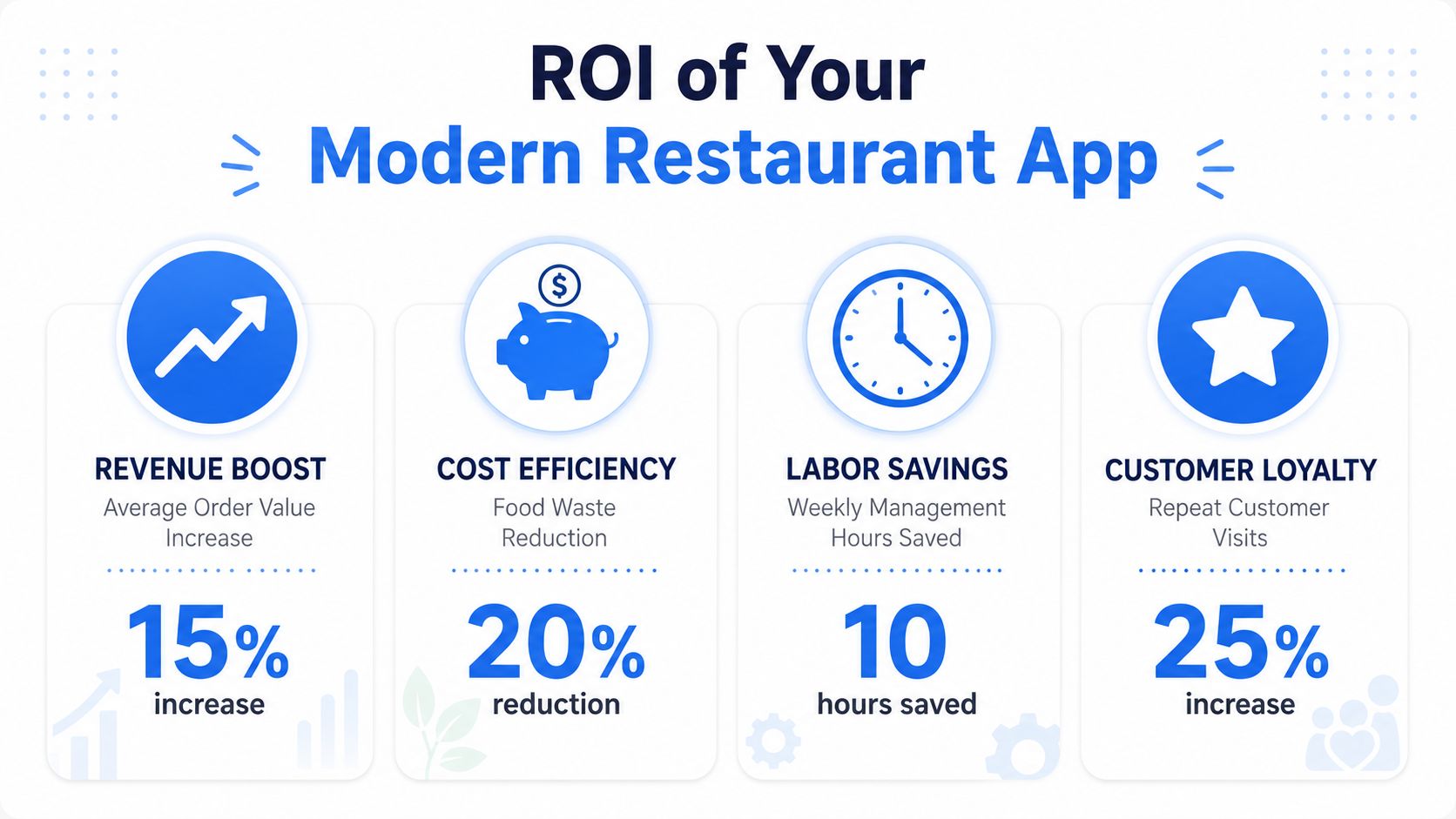
Tie each module to a KPI
Inventory is the easiest place to start because the savings show up fast. Advanced inventory management can reduce waste by 15–20% and improve profitability by 10–15% within the first quarter by tracking ingredient usage in real time and automating purchasing, based on BEP Back Office's overview of restaurant management software features.
That single capability affects several outcomes at once:
- Food cost percentage: Less waste, tighter ordering, fewer surprise shortages.
- Menu margin control: Recipe-level costing stays current when ingredient inputs change.
- Manager time: Buyers don't need to manually guess reorder points every week.
Three operator scenarios
A quick-service café gets value from speed. If orders from in-store, pickup, and online channels flow into one system cleanly, the team handles rushes with fewer bottlenecks. The KPI to watch is throughput. Faster service windows usually mean more orders processed during the same busy period.
A fine-dining venue gets value from control. Reservation pacing, menu availability, and cleaner communication between floor and kitchen protect the guest experience. The KPI is table turnover balanced against service quality. Better control means fewer stalled tables and fewer awkward recovery moments.
A multi-location group gets value from visibility. Store-level data, menu consistency, and central inventory discipline let head office see which sites are drifting. The KPI is operational consistency. Without one system, every location starts inventing its own process and margin problems multiply.
Owner mindset: Don't measure software by how many features it has. Measure it by how many expensive habits it removes.
Here's the practical ROI framework I'd use:
Pick three KPIs only
Focus on food cost percentage, average order value, and labor efficiency, or another tight set that matches your concept.Match one module to each KPI
Inventory to food cost. Digital menu to average order value. Scheduling and task control to labor efficiency.Track weekly, not quarterly
Operators wait too long to judge results. Weekly review catches adoption problems early.Look for operational proof
Fewer stockouts. Faster service. Cleaner close-down routines. Better consistency between shifts.
Software pays back when the team uses it. That means the right choice is rarely the platform with the longest feature sheet. It's the one your staff can run under pressure without slowing service.
The Digital Menu Your Highest Margin Employee
Most menus undersell the business. They present options, but they don't guide decisions. That's a mistake because your menu is often the most consistent sales tool in the building.
A digital menu fixes that if you treat it like a revenue system, not a PDF on a phone screen.
Why visual menus sell better
Guests don't browse digital menus the same way they skim laminated ones. Photos, structure, and timing change what they notice and what they add. Customers spend 26% more time browsing visual menus that include photos, which directly leads to increased average order value through in-app upsells and suggestive selling, according to Per Diem's analysis of mobile app ordering tactics.
That doesn't mean you need flashy design. It means you need a menu that does these jobs well:
- Highlight high-margin items first instead of burying them in long lists.
- Use strong photography selectively on dishes you want more guests to choose.
- Write descriptions that reduce hesitation and answer the obvious question quickly.
- Keep modifiers clean so guests don't abandon the order out of confusion.
A good digital menu with QR code ordering for restaurants also removes pressure from staff. Servers spend less time repeating basics and more time reading the table, solving problems, and delivering hospitality where it counts.
How to use upsells without annoying guests
Bad upselling feels pushy. Good upselling feels helpful.
Bundling works especially well when items naturally belong together. Meal deals, side pairings, and drink add-ons raise ticket size without making the guest work to build the order. Limited-time offers can also lift order value when used with a short purchase window, especially during slower demand periods. The key is relevance. Don't suggest everything. Suggest the next obvious thing.
If the add-on makes the meal easier to choose, guests accept it. If it feels random, they ignore it.
Use prompts at decision points:
- After mains: Suggest the most common side or premium add-on.
- Before checkout: Offer a dessert, bottled drink, or bundle upgrade.
- During slow periods: Push a limited-time combo that protects margin.
- For families or groups: Present larger-format bundles instead of item-by-item upsells.
This short demo shows the kind of digital ordering flow operators should be looking for when they want the menu to sell more effectively:
The best part is that digital upselling scales without extra staff coaching every shift. Your strongest seller shouldn't be whichever server happens to be on the floor. It should be the system guests see every time.
An Actionable Checklist for Choosing the Right Software
Friday dinner rush. Tickets are stacking up, a modifier prints wrong in the kitchen, online orders lag, and the manager is digging through three systems to find the problem. That is the test. If a platform falls apart under live service pressure, the feature list does not matter.
Choose software based on the KPI you need to improve first. Faster table turns need smoother ordering and kitchen flow. Higher average order value needs better upsell logic and cleaner menu prompts. Lower food cost percentage needs inventory accuracy and tighter reporting. If a vendor cannot connect its product to those outcomes, keep looking.
Use this checklist before signing anything.
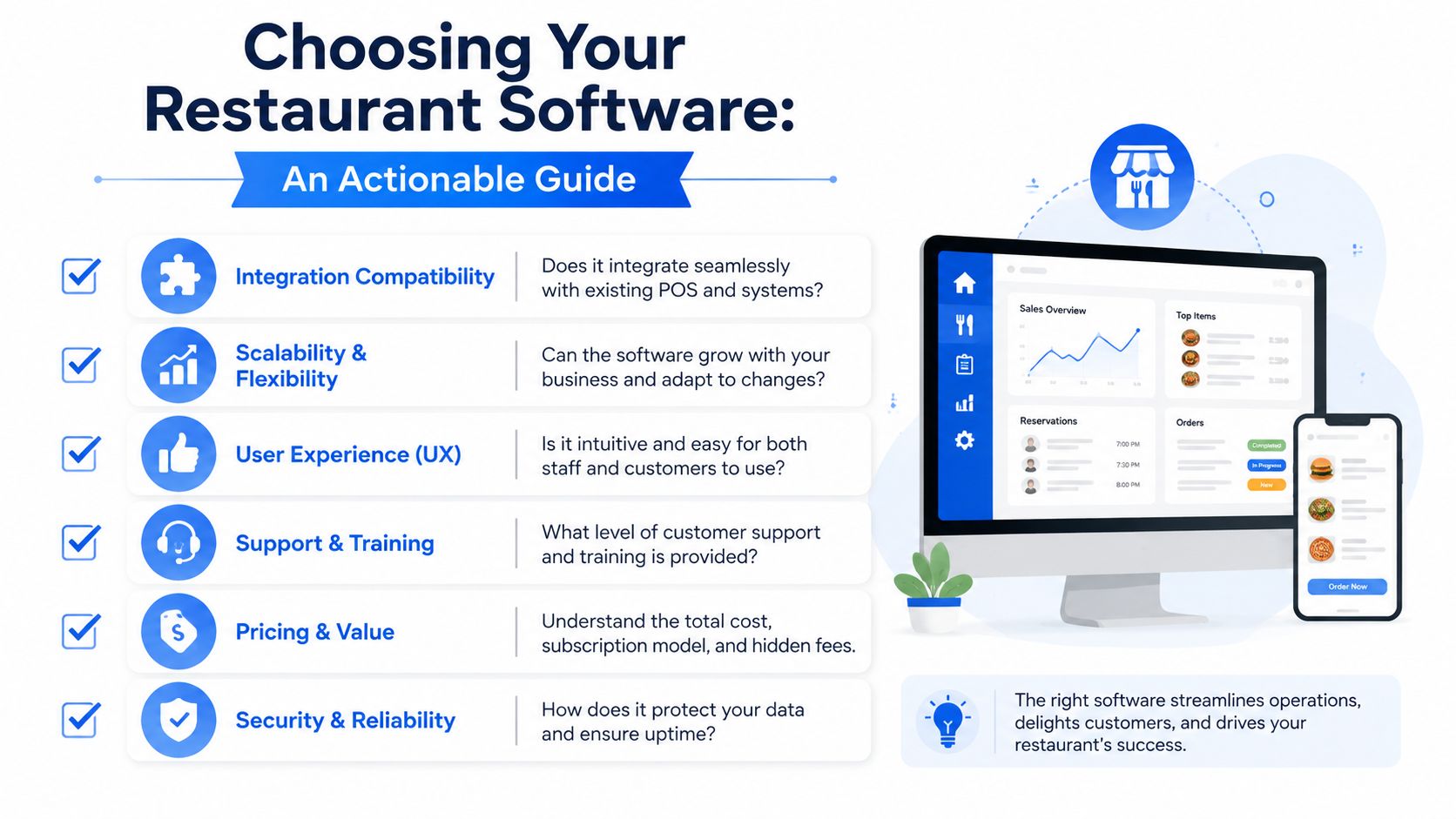
Questions that expose weak vendors fast
Start with operations, not features. Ask what problem the software fixes in a real shift, then ask how you will measure the result.
Integration compatibility
Does it connect cleanly to your POS, payments, delivery channels, accounting, and inventory tools? If staff still have to re-enter orders, sales, or stock counts by hand, you are buying another layer of admin work instead of removing it.Pricing clarity
Get the real monthly cost. Ask about setup fees, hardware, support, extra users, additional locations, premium reporting, and transaction-based charges. Margin disappears fast when the cheap plan becomes expensive after launch.Ease of use
Watch a shift lead place an order, comp an item, edit a modifier, and close a check. Then watch a manager update pricing and pull yesterday's sales by channel. If either task feels slow or confusing, adoption will drop and workarounds will creep back in.Support quality
Ask who answers the phone on a Saturday night, what the response times are, and whether onboarding is included. Software problems during service hit revenue immediately.Data ownership and privacy
Confirm that guest data, menu data, and reporting stay under your control. You should be able to export your data without drama if you switch systems later.Scalability
Check what happens when you add a second site, launch catering, open a ghost kitchen, or centralize prep. Good software keeps the process consistent across locations instead of forcing each unit to build its own workaround.
Red flags worth walking away from
Weak vendors usually reveal themselves early.
| Red flag | Why it matters |
|---|---|
| “We can build that later” | You are paying to wait for a feature your operation already needs |
| Vague answers about integrations | Your team will end up doing manual fixes between systems |
| Weak reporting demos | You will go back to spreadsheets and guesswork |
| No clear support process | Service issues become your problem during peak hours |
| Forced ecosystem lock-in | Switching later gets expensive, slow, and disruptive |
Selection rule: Buy software that improves one hard KPI within 90 days. If the vendor cannot define that KPI with you, do not buy it.
One more step separates smart buyers from frustrated ones. Put the product in front of the people who will use it every day. A manager will spot reporting gaps. A server will spot ordering friction. A kitchen lead will spot ticket problems in minutes. That short test will tell you more than any polished demo.
A Practical Roadmap for a Smooth Launch
Bad launches aren't usually caused by bad software. They're caused by rushed setup, messy menu data, and teams who don't understand why the change is happening.
Keep rollout simple. Do it in phases.
Launch in phases, not in panic
Start with data cleanup. Fix item names, modifier groups, pricing logic, and ingredient lists before anything goes live. If your menu data is sloppy, the new system will only make the mess easier to see.
Then train by role. Managers need reporting and control. Floor staff need ordering confidence. Kitchen staff need clarity on what changes in service flow. Keep training practical and tied to daily work, not abstract feature tours.
What good rollout discipline looks like
A low-stress launch usually follows this sequence:
Prepare the menu and stock structure
Clean the database first so you're not importing confusion.Train the team on job-specific tasks
Show each role what gets easier for them.Run a soft launch
Use the new workflow alongside the old process briefly so the team can catch issues safely.Collect feedback quickly
Ask staff where they got stuck, then adjust settings, layout, or permissions.Review weekly after launch
Watch usage, friction points, and the first operational wins.
Cloud-based tools are far easier to deploy than the old generation of restaurant systems. The best ones don't demand a full rebuild of your operation. They slot into the business, reduce workload, and start proving themselves quickly.
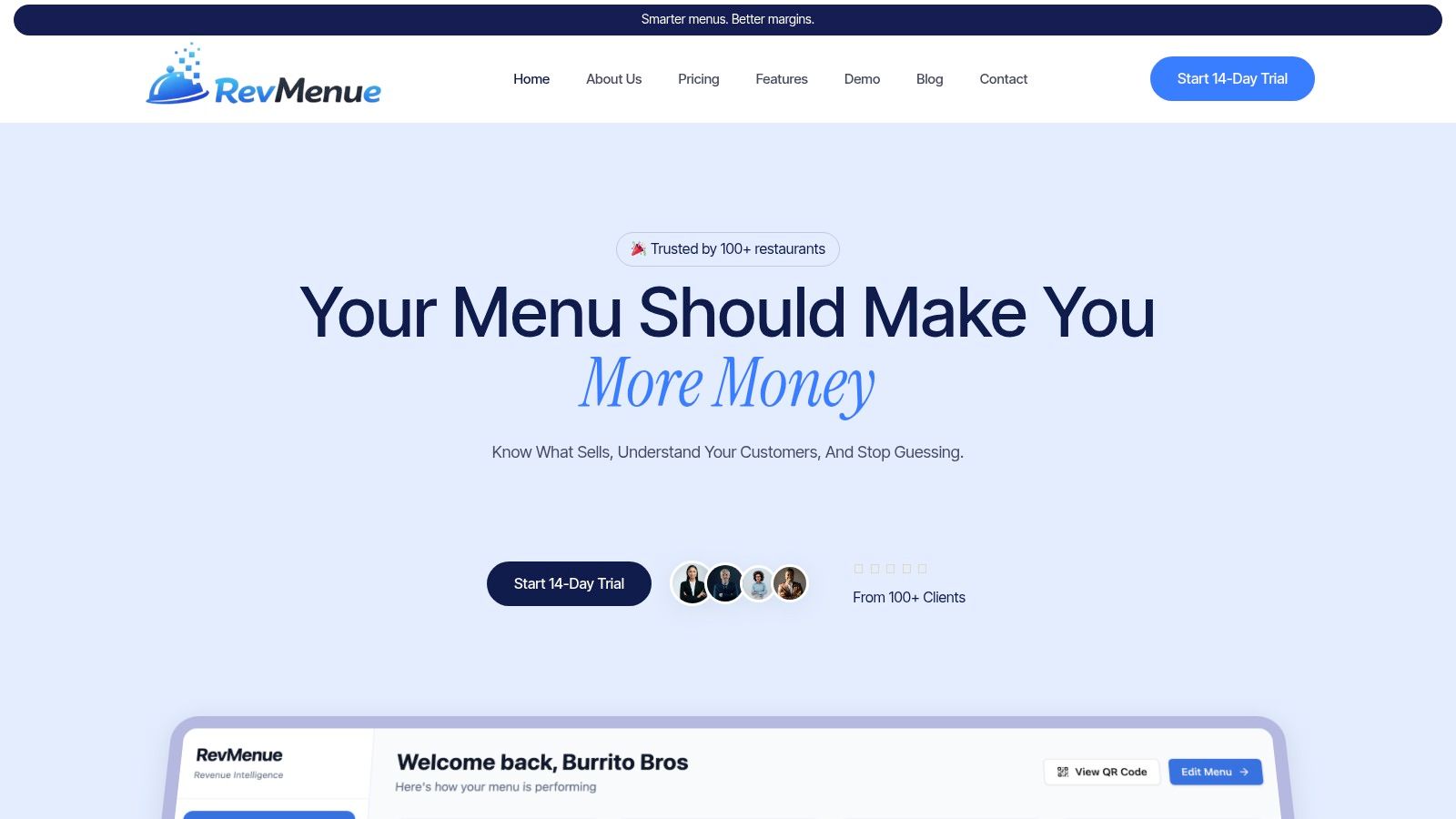
If you want a practical way to turn menu scans into stronger margins without ripping out your current setup, take a look at RevMenue. It gives restaurants and cafés fast QR menus, built-in upsells, live menu control, and revenue-focused analytics while working alongside your existing POS and payment tools. That's the right kind of restaurant tech. Useful on day one, easy for staff to run, and built around profit instead of software bloat.