
The first time a sudden downpour turns a menu board into a smeared mess during lunch rush, the appeal of digital gets practical fast. On a food truck, the menu is not just signage. It is part of service speed, order accuracy, and how well you steer customers toward the items that make money.
A digital menu board for food truck service works only if it can handle the road. Constant vibration loosens cheap mounts. Direct sun washes out weak displays. Heat inside the truck shortens the life of consumer screens. Rain at the window, generator quirks, and spotty internet expose every shortcut in your setup.
That is why the right question is not whether digital menus look better. The right question is whether the screen can survive a full season and still stay readable at noon, update fast when you sell out, and keep working when your connection drops.
Done right, a digital board gives you control that printed menus never do. You can pull an item the moment prep runs out, push a combo when the line gets long, and keep prices consistent across shifts without scraping off vinyl or rewriting chalk. On a truck, that kind of control affects sales and operations at the same time.
Table of Contents
- First Things First Planning Your Digital Menu Board
- Choosing Hardware That Survives the Road
- Selecting Software and Integrating Your Workflow
- Designing a Menu That Actually Sells More
- Your Launch Checklist and Optimization Plan
First Things First Planning Your Digital Menu Board
Service starts before the customer reaches the window. If people are squinting at glare, stepping sideways to read the board, or waiting while staff explain where the combos went, the menu is already slowing the line. Planning fixes more problems than a nicer screen ever will.
Start with the truck, not the screen
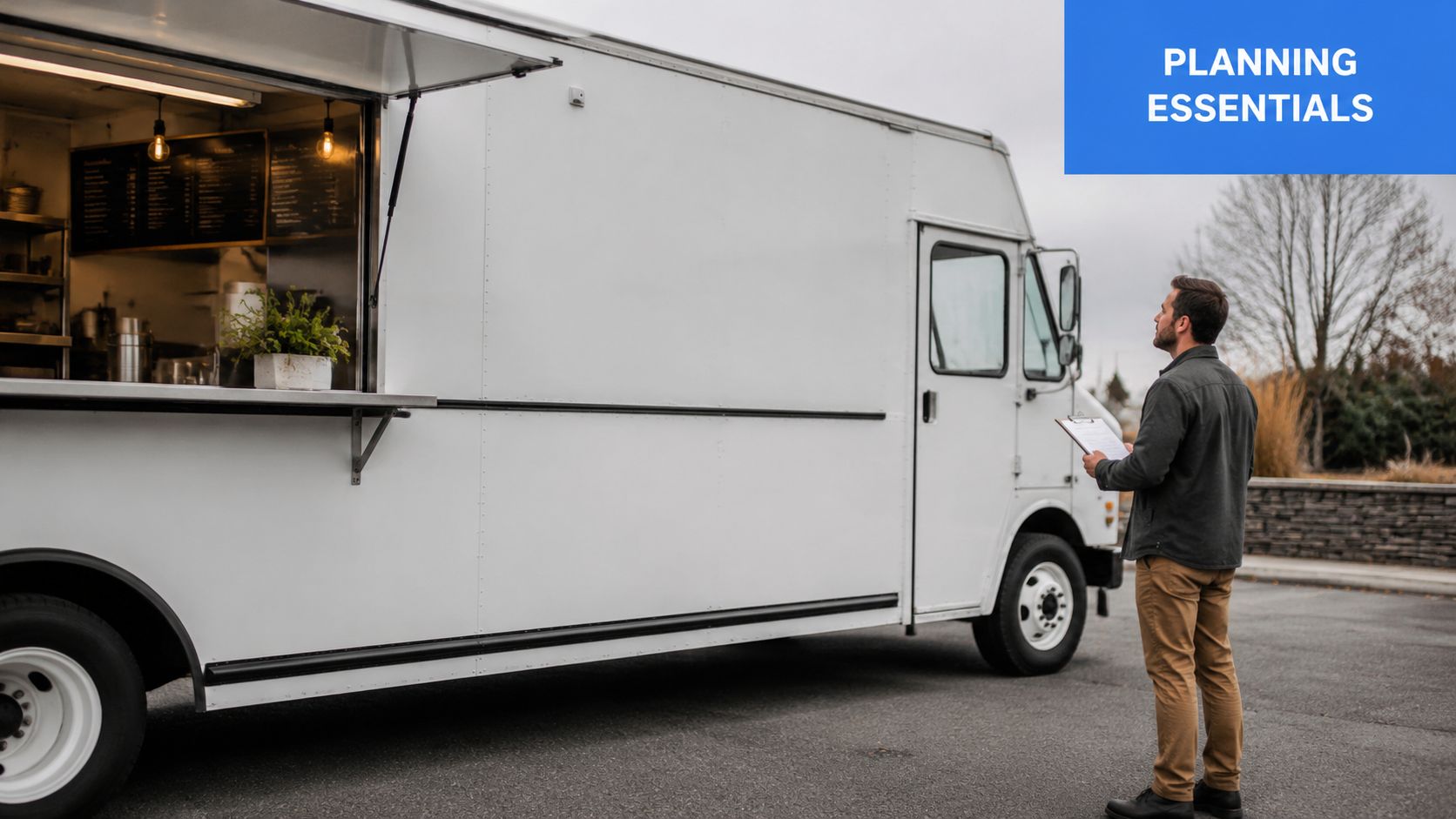
A food truck menu board has to survive the truck first. Before picking size, brand, or software, map the service side like a working station. Measure the wall, the window swing, the handoff zone, and the path your staff use during a rush. A screen that looks perfect in a product photo can turn into a daily irritation once the truck is in motion and the lunch line is ten people deep.
These three planning questions catch the costly mistakes early:
Where will the screen sit?
Customers need a clear view from the order line, not just from straight in front of the truck. Check sightlines from the angle people approach, and check them again with the awning open. On compact trucks, one smaller display near the ordering point usually works better than forcing a larger panel into a wall that also handles bags, condiments, or the pickup callout.How will you power it through a full service day?
Trucks usually run digital boards from either a 12-volt DC setup or standard AC power, depending on the build. The right screen size depends on usable wall space and viewing distance, as noted earlier, but power draw matters just as much. If your menu board, POS, fans, lights, and kitchen equipment are all pulling from the same system, plan for peak load, not quiet periods. Operators using a tablet-based POS system for food trucks should check whether the menu display and ordering hardware can share power cleanly without creating extra cabling or outlet clutter near the window.What local rules apply?
Some cities and event organizers care about brightness, exterior attachments, sign placement, and whether equipment extends past the truck body. Check before install. It is much easier to adjust a mount on paper than during inspection at a festival gate.
Do one simple test before buying anything. Stand where the customer stands at eye level and mark the visible area with painter's tape. Then step inside and work a mock service. Reach for gloves, sauces, receipts, bags, and drinks. If the screen interrupts one common motion, it will keep doing it all season.
Practical rule: If the board makes the staff path worse, it stops being a sales tool.
Decide how the board will help service
Planning gets better once the board has a job. Some trucks need fast daypart swaps. Some need cleaner upsell placement. Some need a quick way to hide sold-out items before the next five customers ask for them.
Use the menu board to solve one of these operating problems first:
- Frequent menu changes: Good for trucks that switch breakfast to lunch, rotate proteins, or run event-specific pricing.
- Faster ordering: Good for short menus where customers need to spot the top three items fast.
- Cleaner upsells: Good for combo meals, add-ons, drinks, and desserts that raise ticket size without slowing the line.
- Stock changes during service: Good if an item sells out often and staff need it off the board immediately.
- Different event setups: Good if your queue direction and sunlight change from site to site.
The best plan is usually the simplest one. Show fewer items, make the top sellers easy to find, and decide in advance who updates the menu when inventory changes. If nobody owns that task, the board goes stale fast.
A short planning table helps keep the install grounded in operations:
| Decision area | What works | What creates problems |
|---|---|---|
| Screen size | Fits the service wall and can be read from the queue | Oversized display that crowds the window or handoff area |
| Placement | Visible from customer approach angles | Mounted for looks instead of line of sight |
| Power | Matched to your real service-day electrical load | Added without checking load, outlet access, or cable runs |
| Workflow | One person can update items and prices fast | Everyone can edit, so nobody maintains it |
| Environment | Accounts for sun, heat, moisture, and vibration | Planned like a static indoor install |
Cable routing deserves attention at the planning stage, not after the first breakdown. Wires near heat, moisture, foot traffic, or sharp metal edges fail sooner and take longer to diagnose in the field. A clean cable path also makes teardown, repair, and future upgrades much easier.
Choosing Hardware That Survives the Road
A lot of operators assume any outdoor-capable screen will do the job. It won't. Food trucks punish electronics in ways storefront installs don't.
Why consumer TVs fail
The usual failure point isn't the first power-on test. It's repeated heat, movement, and daily exposure at the service window. Industry data cited by Seen Labs says 72% of food truck digital menu deployments fail within the first year when they lack proper thermal management and vibration dampening, and durable systems using IP65-rated enclosures, 1,500+ nit brightness, and a dual-backup setup with a secondary offline player and 4G/5G redundancy reach a 94% success rate in their summary of deployment standards for trucks in motion and outdoor service (Seen Labs food truck digital menu guide).
That lines up with what many operators learn the hard way. A display that looks fine in a warehouse or showroom may wash out in direct sun, overheat near the window, or loosen internally after repeated travel days.
For a mobile setup, the problem isn't just weather. It's cumulative stress.
The short hardware checklist that matters
If you're evaluating a digital menu board for food truck use, focus on this short list first:
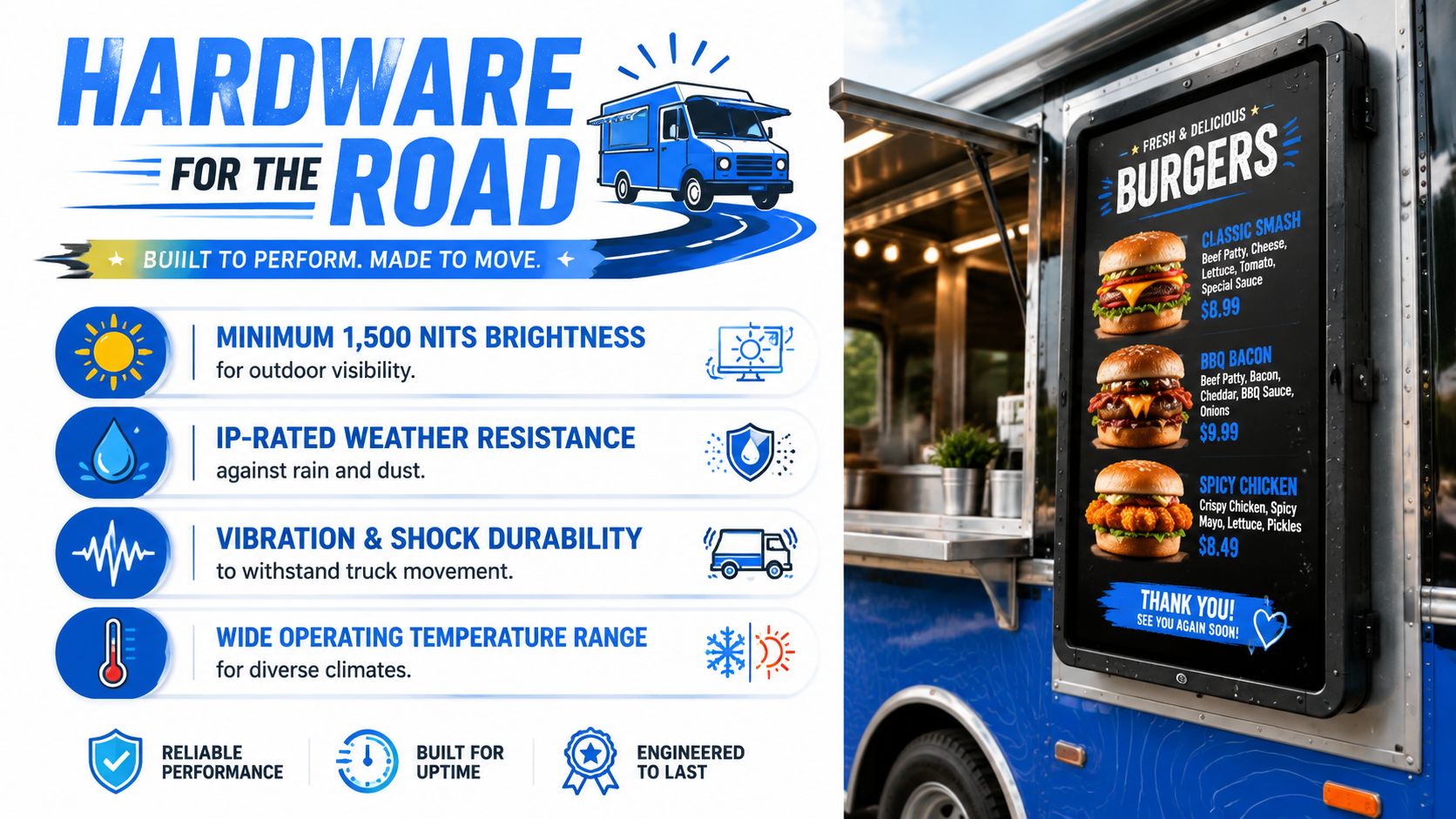
- Brightness: Minimum 1,500 nits for direct-sun readability.
- Enclosure rating: IP65-rated protection as the baseline for water and dust exposure.
- Thermal handling: Commercial hardware that can operate continuously without heat-related shutdowns.
- Mounting stability: Hardware built to manage vibration and road shock.
- Screen fit: A size that matches the service side, not just the spec sheet.
- Connectivity resilience: The board should keep playing even when signal drops.
A practical way to consider this:
| Hardware factor | Why it matters on a truck |
|---|---|
| High brightness | Customers need to read the board in daylight, not just at dusk |
| Weather resistance | Service windows face rain, dust, splashes, and humidity |
| Thermal control | Enclosures trap heat fast in parked vehicles |
| Shock resistance | Road vibration loosens weak components over time |
| Secure mounting | Theft risk and movement risk both matter |
Cheap hardware usually doesn't fail because the menu software is bad. It fails because the truck keeps moving.
Mounting and backup are part of the hardware decision
Mounts don't get enough attention. On a truck, the mount is part of the survival system. It needs to hold the screen securely, reduce transmitted vibration, and stay tight after repeated travel. If you have to re-tighten it constantly, that's a warning sign.
The same goes for your media player. A solid display paired with a weak playback device still creates downtime. Offline playback matters. So does a secondary path if your primary connection drops during service.
For operators tightening up the rest of the front-of-house stack, it also helps to review how the menu interacts with ordering and checkout tools. A modern tablet-based POS setup for mobile hospitality is often easier to pair with a lean truck workflow than heavier legacy hardware.
A few hardware decisions usually separate a stable install from a frustrating one:
- Skip residential screens: They're built for living rooms, not hot service windows.
- Choose commercial-grade enclosures: Dust, water, and road stress aren't edge cases. They're normal conditions.
- Test the mount after travel: Parked stability means less than stability after repeated movement.
- Keep access serviceable: If replacing a player or checking cables takes too long, maintenance gets ignored.
When owners ask what survives the road, the answer isn't “the brightest screen.” It's the system that treats sunlight, power variation, motion, and downtime as one problem.
Selecting Software and Integrating Your Workflow
Good hardware keeps the board alive. Good software keeps it useful.
The first thing software needs to do is remove daily friction. If updating a sold-out item takes too many steps, staff won't do it during a rush. If switching from one menu to another needs someone on-site, mistakes pile up.
What matters in software
For truck service, software should handle four jobs cleanly:
- Remote updates: You should be able to change prices, specials, and item availability without touching the screen.
- Scheduling: Breakfast should switch to lunch automatically. Event menus should load when needed.
- Offline continuity: The board should keep displaying content if signal drops.
- Workflow fit: The menu shouldn't create extra admin work before every shift.
The category has matured. Digital boards now replace repeated printing and reprinting, and one vendor lists a standardized food-truck digital menu package at $2,975 USD, which shows this is no longer a custom-only setup but a recognized product category, as described in L Squared's overview of food truck digital menu systems.
That matters because operators can now compare systems more like operational tools and less like one-off AV projects.
A quick evaluation framework helps:
| Software need | What to look for |
|---|---|
| Daily edits | Fast changes from phone or laptop |
| Menu scheduling | Automatic daypart and event-based switching |
| Content control | Easy templates, clear hierarchy, no design bottleneck |
| Reliability | Cached playback and simple recovery after signal loss |
If the team needs training every time a special changes, the software is too complicated.
Main board versus QR menu
The best workflow usually isn't screen-only. It's hybrid.
The main board should do the heavy visual work. It grabs attention, frames the choice set, and steers guests toward profitable combos, drinks, and limited-time items. A QR menu does the detail work. It can hold modifiers, allergy notes, fuller item descriptions, and pre-order convenience without turning the main display into a wall of text.
That split is especially useful on busy trucks where queue speed matters. The overhead or window-facing board helps customers decide quickly. The phone menu handles the longer-tail questions.
For operators comparing menu tools, it's worth looking at what dedicated digital menu board software can do alongside a mobile-friendly menu layer. The key is keeping the customer journey simple. See board, scan if needed, order fast.
A solid truck workflow often looks like this:
- Customer sees a concise visual board.
- Customer scans for deeper menu detail if needed.
- Staff spend less time explaining modifiers.
- Menu updates happen remotely when inventory changes.
That setup reduces pressure on the window team and keeps the main screen focused on selling, not explaining everything.
Designing a Menu That Actually Sells More
A digital menu board for food truck service shouldn't behave like a printed sign on a screen. It should push the decision you want the customer to make.
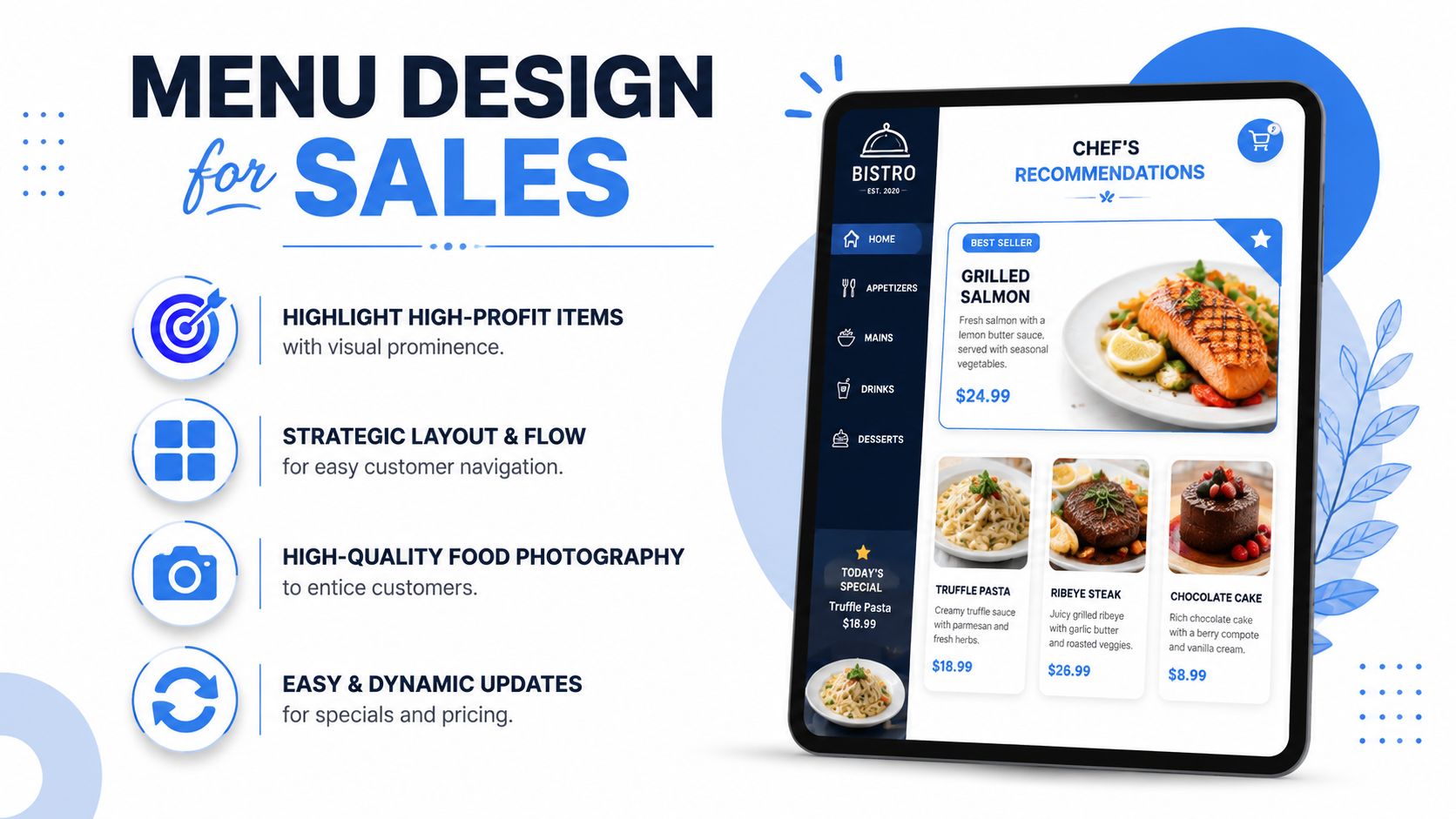
Build for fast decisions
Truck customers don't study menus the way seated diners do. They scan, compare quickly, and look for a safe choice. That's why layout matters more than variety.
Keep the board focused on:
- Hero items: Lead with your best sellers or best-margin signatures.
- Combos and add-ons: Put drinks, sides, and bundle options near the main choice.
- Visual hierarchy: Use bigger type and better placement for what you want sold most.
- Short wording: Save the full descriptions for your QR menu, not the main display.
A useful menu structure is often:
| Board area | Purpose |
|---|---|
| Top-left or top-center | Signature item or featured combo |
| Middle section | Core menu categories |
| Right rail or lower band | Add-ons, drinks, desserts, upsells |
Restaurants using dynamic digital signage report average order value increases of 29% to 30%, and techniques like subtle animation on high-margin items can lift conversion by 25%, while A/B testing daily specials can increase repeat customer traffic by 35%. Those are the most useful commercial benchmarks to keep in mind when building a menu that sells, not just informs.
Use motion carefully
Animation works when it points, not when it distracts. A gentle pulse on a combo, a subtle highlight on a premium side, or a timed feature panel for a daily special can guide the eye without making the board feel chaotic.
Add this kind of movement sparingly. One or two animated elements are enough. If everything moves, nothing stands out.
A quick visual example helps:
The best food truck menus reduce hesitation. They don't win design awards for complexity.
Test the menu like you test recipes
A board design is a revenue tool, so treat it like one. Try one featured combo for part of the week, then swap the visual priority to another. Rotate special placement. Change the image tied to your premium add-on. Watch what moves.
A few design habits usually pay off:
- Lead with profitable choices: Don't give equal emphasis to every item.
- Use strong photography: One good image sells better than five average ones.
- Keep prices readable: If customers need to lean in, the board is failing.
- Group smartly: “Meal,” “Add a drink,” and “Finish with dessert” are easier to process than scattered categories.
For teams working on margin, placement, and bundle strategy, a focused guide to restaurant menu optimization can help connect design choices with actual ticket growth.
What usually doesn't work is the opposite approach. Tiny fonts. Too many categories. Every item getting the same visual weight. Long descriptions that belong on a website, not at a service window.
Your Launch Checklist and Optimization Plan
The install isn't the finish line. Launch week tells you whether the menu works under real pressure.
Pre-launch checks
Run the board like a service drill before the first public shift.
Use this checklist:
- Sun test: Check readability in full daylight, not just indoors or in shade.
- Night test: Make sure brightness still looks clean after dark and doesn't glare badly.
- Queue test: Stand where customers wait and confirm the menu is readable from there.
- Update test: Change one item, one price, and one special remotely before service.
- Fallback test: Keep a printed backup or QR fallback ready in case the screen goes down.
- Travel test: Drive the truck, then inspect the mount, cables, and player before opening.
One mistake shows up often. Owners test the screen while parked, then call it done. You need to test after movement, after heat buildup, and during a real prep-to-service transition.
What to improve after go-live
Once the board is live, start treating it like an operating tool.
Look for simple signals:
- What customers ask most often: If they keep asking about modifiers or combo value, the board isn't answering enough.
- What stalls the line: Any menu section that slows decisions needs simplification.
- What sells when featured: If one side or drink moves better when highlighted, keep refining placement.
- What gets removed most often: Sold-out friction tells you where live updates matter most.
A steady rhythm works better than constant redesign. Review the menu regularly, make small changes, and keep the board aligned with actual ordering behavior. The best-performing setups aren't the flashiest. They're the ones that stay readable, stay current, and make ordering easier every shift.
If you're running more than one truck or balancing events with standard service, document your menu rules. Decide who updates prices, who changes specials, who handles sold-out items, and what the backup plan is. That keeps the system from becoming “something only one person knows.”
If you want a simpler way to pair a high-impact truck display with a fast mobile menu that updates instantly, RevMenue is worth a look. It helps operators replace static printouts with QR menus that are easier to update, easier to scan, and built to support upsells, bundles, and cleaner menu decisions without disrupting the rest of the stack.
