
A typical indoor digital menu board costs $300 to $2,500+ upfront per screen, plus software fees of around $7 to $20 per screen per month. If you already own a TV, you can get started for under $500, but a more polished commercial setup can climb into the $4,000 to $10,000 range once screens, software, warranties, and content management are included.
Most operators asking about digital menu board cost aren't really asking about a screen. They're asking whether the investment will make service smoother, reduce constant menu headaches, and help sell more profitable items without creating another tech project that staff resent.
That's the right question.
Static menus create hidden drag every week. A supplier changes. A price needs updating. A special sells well but never gets prime placement. The team keeps working around an outdated board because changing it is slow, messy, or expensive. Digital boards fix that, but only if you budget for the full system and not just the display hanging on the wall.
Table of Contents
- The Real Price of Your Static Menu
- Digital Menu Board Cost A Complete Breakdown
- What Makes a Digital Menu Board Cheap or Expensive
- Cost Scenarios A Cafe vs A QSR vs A Bar
- Beyond Cost Calculating the Payback and ROI
- How to Reduce Your Digital Menu Board Spend
- When a QR Menu Is a Smarter Investment
The Real Price of Your Static Menu
Friday lunch. You 86 an item at 11:40, a supplier cost jumps by 1:00, and the board on the wall is wrong for the rest of the shift.
That is the operating cost of a static menu.
Printed menus and fixed boards look inexpensive because the spend is scattered across small problems. You pay for reprints, rush changes, wasted stock, shipping, installation, and staff time spent apologizing for mismatches. You also give up speed. Every delay between a menu decision and what the guest sees creates friction at the counter and confusion in the kitchen.
For larger operators, those small costs turn into a real budget line. A drive-thru menu analysis from Checkmate estimated that a 10-location business could spend $24,000 a year on printing, $9,000 on shipping, and $6,000 on installation, for a total of $39,000 annually on traditional menu materials, according to Checkmate's breakdown of drive-thru menu economics.
Cost is only half the problem.
Static menus also lock you into slow decision-making. You cannot switch dayparts automatically. You cannot remove sold-out items in real time. You cannot push a high-margin add-on during a rush, test different layouts, or standardize updates across locations without manual work. If you run multiple stores, that lack of control is expensive because inconsistency spreads fast.
This is why operators often misread digital menu board cost. They compare a screen to a printed board and miss the total cost of ownership. The right comparison is static menu upkeep versus a system that cuts update labor, reduces reprint waste, and gives you more control over what sells.
A QR menu can solve part of that problem for far less money. It updates faster than print, avoids reprint cycles, and works well for operators who need agility more than wall-mounted signage. A digital board still has a place, especially when visibility and on-premise promotion drive sales. But if your main goal is menu flexibility, a QR setup often gets you the operational win first and the lower TCO with it.
If you are evaluating the investment, stop using the laminated menu as your baseline. Use the full cost of staying static.
Digital Menu Board Cost A Complete Breakdown
It is 10:30 a.m., your lunch rush is 30 minutes out, and the breakfast menu is still on one screen because nobody pushed the update. That is how operators end up judging digital menu board cost the wrong way. They focus on the screen price and miss the cost of keeping the system usable every day.
Break the budget into two buckets. Upfront purchase. Ongoing operating cost. If you lump them together, you will approve a setup that looks affordable in the quote and becomes annoying in month three.
What you pay upfront
The one-time spend is easy to see. It is also where operators overspend fastest.
| Cost Component | Type | Typical Cost Range |
|---|---|---|
| Display screen | Upfront | $300 to $2,500+ per screen |
| Indoor hardware | Upfront | $400 to $2,500 per screen |
| Installation | Upfront | $50 to $300 per screen |
| Media player | Upfront | $100 to $500 |
| Starter setup using existing TV | Upfront | Under $500 |
| Larger commercial-grade installation | Upfront | $4,000 to $10,000 |
| 3-screen indoor cluster year one | Combined year-one cost | $4,600 to $13,200 |
The ranges above come from earlier benchmarks already cited in this article.
Here's how I look at each line item in operations:
- Display: Buy for your service environment, not for the showroom. A dim consumer TV can work in a small cafe with controlled lighting. It is a bad choice for a bright front counter that runs all day.
- Media player: Dedicated players cost more, but they reduce headaches if you run multiple screens, scheduled playlists, or remote updates across locations.
- Installation: Mounting height, glare, wiring, and sightlines affect order speed. If guests have to squint or tilt their heads, the board is hurting throughput.
- Content setup: This is the line item people skip and then regret. Menu design drives readability, upsells, and speed of choice. A screen full of cramped text is just an expensive wall problem.
If you want the menu layout to support kitchen flow instead of fight it, map the board logic to your service line and expo process. This guide to a menu board kitchen setup is a useful reference before you buy hardware.
A clear board sells. A cluttered board creates hesitation, misreads, and slower tickets.
What you keep paying for
It is total cost of ownership that shows up.
The ongoing spend usually includes software, support, content updates, replacements, and staff time to keep the system current. Some software plans are cheap because they do very little. Others cost more because they include scheduling, remote control, permissions, and support that matters when a screen goes dark before peak.
Recurring costs usually include:
- Software subscription: The CMS that controls pricing, layouts, and daypart changes.
- Support: Help when hardware fails, content does not publish, or users make mistakes.
- Content maintenance: Promo swaps, seasonal menus, pricing changes, legal updates, and brand cleanup.
- Warranty or replacement planning: Screens in long-hour operations wear out. Plan for that before it becomes an emergency purchase.
- Labor: Someone on your team still owns the system. If nobody owns it, the board gets stale fast.
This is the part operators miss when they compare digital boards to print. The question is not just what the board costs to install. The question is what it costs to keep accurate, readable, and revenue-focused all year.
That is also why a QR menu can beat a digital board on ROI in some stores. If your main need is fast menu changes, price updates, and item-level flexibility, QR gets you those gains with far less hardware, less installation risk, and lower ongoing cost. Digital boards make sense when in-store visibility and on-premise merchandising will move enough sales to justify the higher TCO. If they will not, the cheaper system is the smarter system.
What Makes a Digital Menu Board Cheap or Expensive
A lot of operators call a system “expensive” when the actual problem is poor fit.
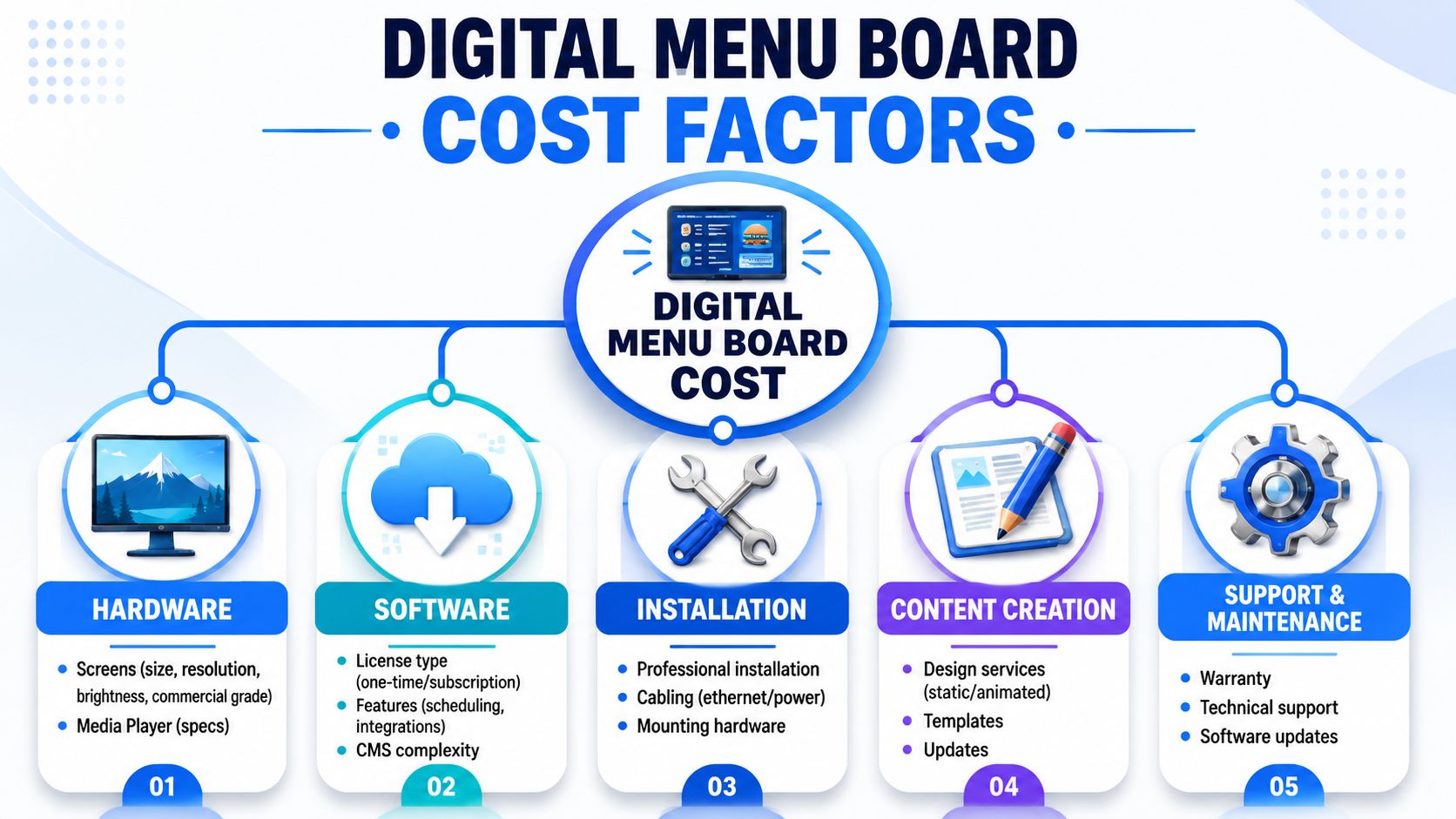
The biggest cost swings come from three choices: hardware built for your hours, software built for your level of complexity, and a layout built for how guests order. Get those three right and the spend stays under control. Get them wrong and you end up paying for downtime, clunky updates, and slower ordering.
The hardware decision that changes everything
Hardware is usually the fastest way to overspend.
Operators often buy more screen than they need, or worse, buy consumer-grade screens for an all-day operation and replace them early. Sticker price hides the true cost. A cheap screen that fails during lunch rush costs more than a pricier one that stays up and readable for years.
Use a simple filter:
- Consumer TV: Acceptable for low-hour, low-risk use in a small venue with limited menu changes.
- Commercial display: The better choice for long operating hours, brighter environments, and stores where downtime creates immediate sales and service problems.
- Single screen: Lower install cost, easier content management, fewer alignment issues.
- Multi-screen cluster: Stronger visual presence, higher install complexity, more points of failure, and more staff time to maintain.
Placement matters too. A bad screen setup creates hesitation at the counter. A clear setup speeds decisions and pushes add-ons. If you're redesigning service flow at the same time, review how front-of-house displays tie into digital menu board and kitchen workflows.
My recommendation is straightforward. Start with the fewest screens that can present the menu clearly. Add complexity only when the sales lift justifies it.
Software is where budgets quietly bloat
Software overspending is less visible, but it drags on ROI for years.
Restaurants buy feature-heavy platforms because the demo looks polished. Then they use 20 percent of the system. If you run one location with simple daypart changes, you do not need enterprise permissions, advanced approval chains, or a stack of integrations nobody touches.
The key question is operational: what must your team change, how often, and who owns it?
Common cost drivers look like this:
- Basic CMS: Best for stable menus and straightforward updates.
- Mid-tier platform: Worth paying for if you run promos, scheduled dayparts, and remote updates across shifts.
- Premium platform: Reserved for multi-unit groups, tighter controls, and teams that truly need deeper admin features.
Content discipline matters just as much as software tier. A templated board with clean pricing, readable categories, and limited motion stays efficient. A board that needs constant custom design work turns into an ongoing marketing bill.
Spend on readability, uptime, and update speed. Cut the flashy animation, overbuilt software, and extra screens that do not change guest behavior.
That is the fundamental difference between a cheap board and an expensive one. One supports sales with manageable operating costs. The other looks impressive in the quote, then drains time and margin after install.
Cost Scenarios A Cafe vs A QSR vs A Bar
Monday morning, the cafe needs to swap in a seasonal latte. By lunch, the QSR has to flip dayparts without slowing the line. Before happy hour, the bar has already 86'd two pours and changed a promo. Same category of tech, completely different cost logic.
That is why smart operators budget by use case, not by screen.
Cafe
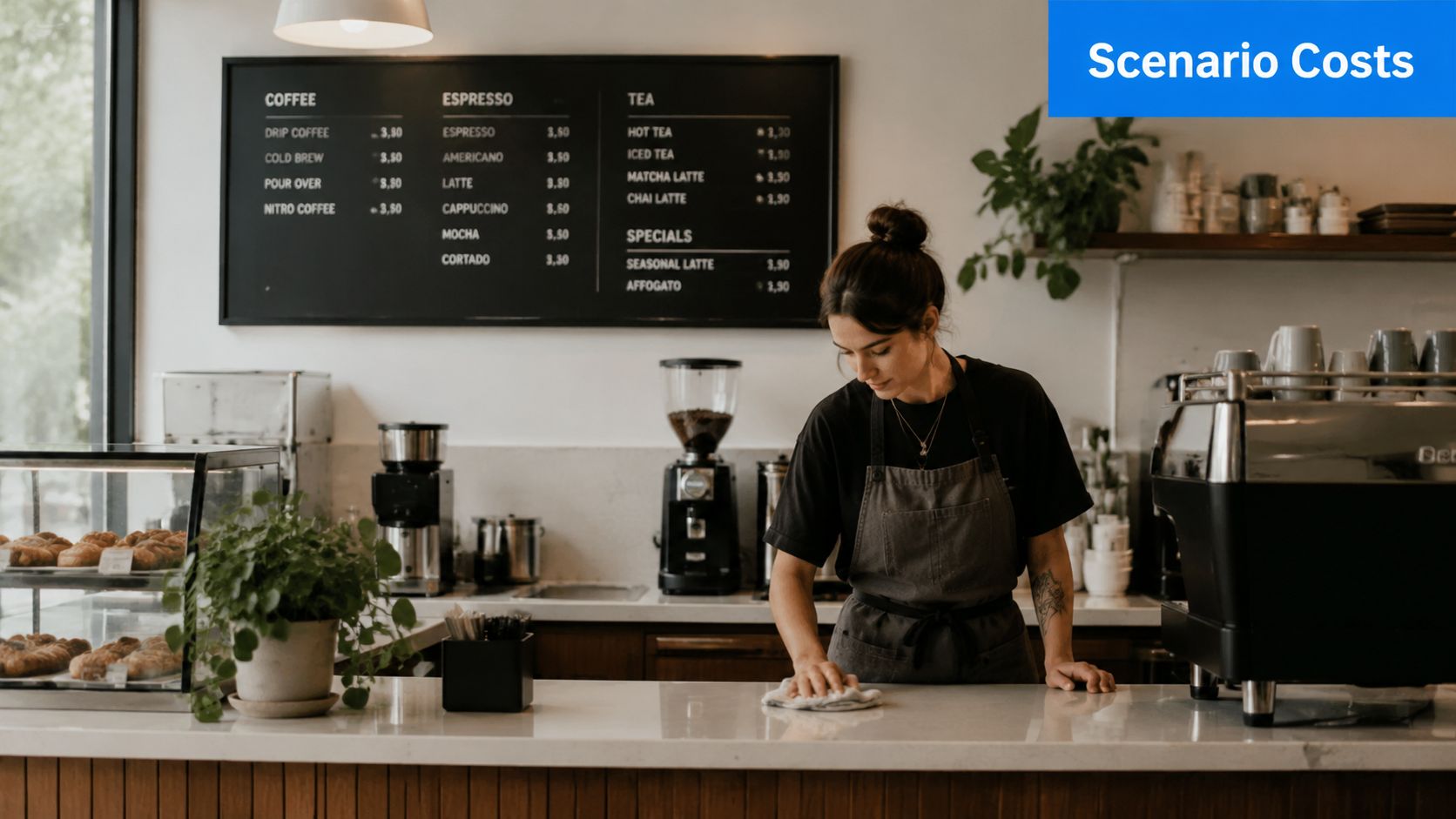
For a small cafe, digital boards only make sense if they save time and help sell add-ons. If you are running a compact menu with a few seasonal items, one screen is usually enough. Based on the price ranges discussed earlier, the low end can work if you already own a suitable display, while a cleaner single-screen install lands higher once you add mounting, media player hardware, and software.
A cafe setup should stay lean:
- One screen behind the counter
- Simple software for quick edits
- Template-based layouts
- Fast updates for specials, bakery items, and seasonal drinks
The mistake is overbuilding. A cafe does not need a flashy content system or multiple screens unless the queue is long and the menu is broad.
If your team changes items often but does not have time for design work, the right digital menu board software for restaurant operators matters more than buying a larger screen. And if your menu changes only occasionally, a QR menu may give you most of the flexibility at a fraction of the ongoing cost.
QSR
A busy QSR has less room for compromise. Guests need to scan fast, decide fast, and keep the line moving. One cheap screen usually creates clutter instead of clarity.
As noted earlier, a multi-screen indoor setup is the more realistic planning range for this model, especially once you factor in stronger hardware, better brightness, and software that can handle regular daypart switches. The total cost of ownership also rises faster here because downtime hurts more, content gets updated more often, and managers need a system they can trust during peak periods.
For this format, digital boards earn their keep when they support:
- Clear category separation
- Combo and add-on placement that lifts ticket size
- Reliable breakfast, lunch, and dinner transitions
- Less hands-on menu management during service
A QSR gets real value from digital boards because complexity is already part of the business. If you are pushing bundles, limited-time offers, and daypart changes every day, static signage starts costing you in missed sales and slower operations.
Bar
Bars sit in a different spot. The menu changes often, but the sales environment is looser and more visual. That can make digital boards useful, or completely unnecessary.
Two screens are often enough. One can handle beer, cocktails, or rotating taps. The other can cover food, events, and promotions. The bigger question is not screen count. It is update frequency. If kegs rotate constantly, prices shift, and managers are rewriting chalkboards every few hours, digital can reduce friction. If your list stays stable for weeks, the spend is harder to justify.
A bar setup usually works best with:
- One screen dedicated to drinks
- A second screen for food and promotions
- Software simple enough for shift managers to update
- Content that stays readable in low light
Here is the practical takeaway. Cafes should start small. QSRs should budget for a full operating tool, not a cheap display experiment. Bars should be ruthless about whether live updates matter.
And for plenty of operators, especially single-location businesses with frequent menu edits but limited budgets, a QR menu is the more agile investment. It gives you instant price and item changes without adding hardware, install labor, or another monthly system to manage.
Beyond Cost Calculating the Payback and ROI
A lot of operators buy screens, mount them, admire them for a week, and then realize nothing important changed. Sales look the same. Staff still answer the same questions. Managers still scramble to fix pricing mistakes. That is a bad investment.
Digital boards earn their keep in only two ways. They cut recurring operating costs, or they increase profitable sales. If they do neither, keep your money.
Where the payback comes from
Start with total cost of ownership, not sticker price. The screen is only the entry fee. Real cost includes hardware, installation, software, content setup, maintenance, replacements, and manager time to keep the system current.
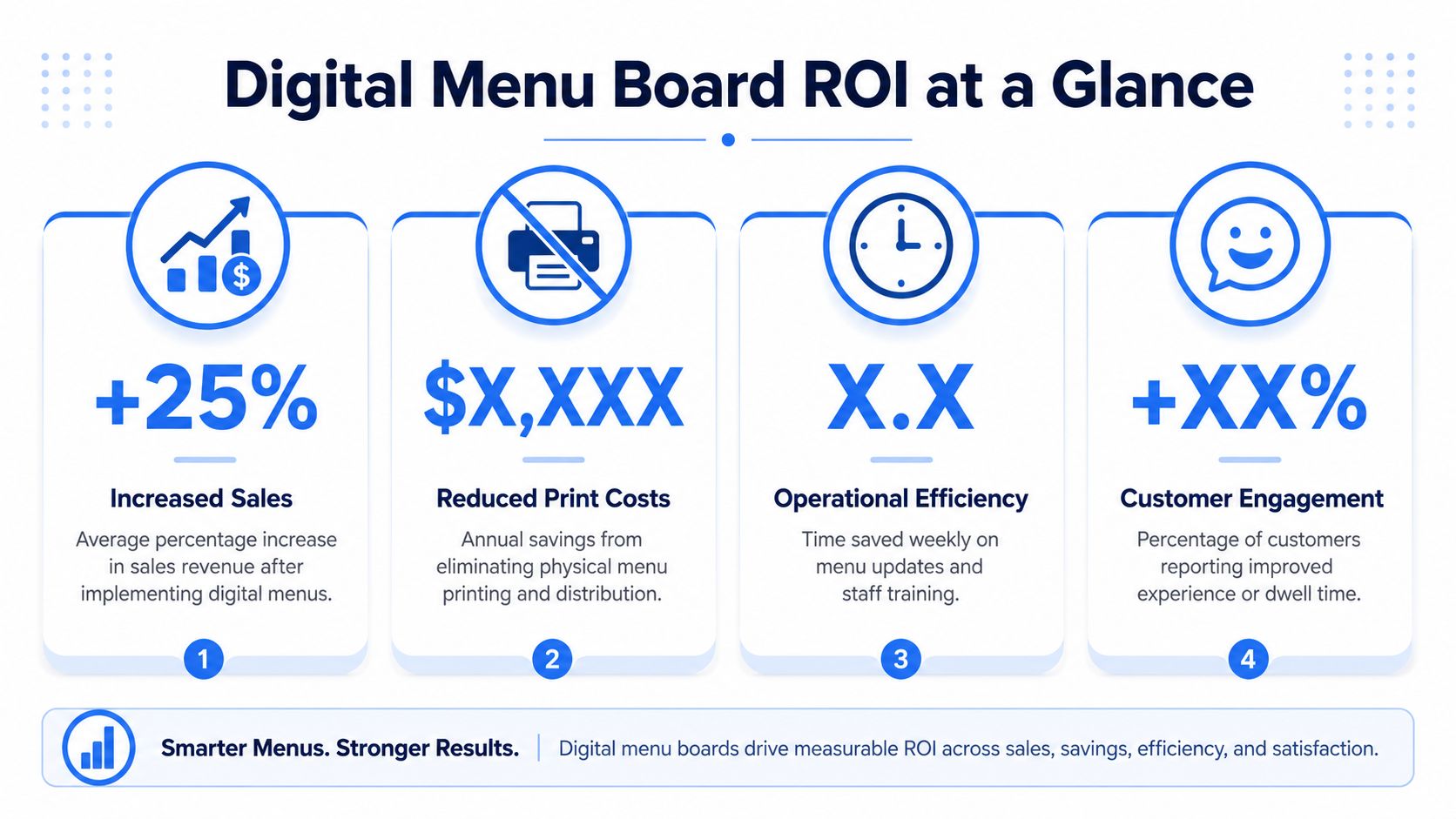
Payback usually shows up in four places:
- Print and replacement savings: Fewer reprints, fewer rush updates, less wasted signage
- Labor savings: Managers spend less time fixing menus manually across shifts or locations
- Better item mix: High-margin combos, add-ons, and limited-time offers get clearer placement
- Fewer ordering mistakes: Guests see current pricing and available items before they order
That last point matters more than many owners admit. A menu that is wrong by even one price point creates friction at the register, slows the line, and forces staff into apology mode.
Revenue lift is possible, but do not build your case on vague industry promises. Build it on your menu behavior. If you already run bundles, feature premium items, rotate promos by daypart, or change pricing often, digital boards can improve visibility and consistency. If your menu is stable and your upsell strategy is weak, the board will not save you.
That is also why software choice matters more than many first-time buyers expect. Good restaurant digital menu board software gives managers fast control over updates, scheduling, and screen logic. Bad software turns every menu edit into a mini project and drags down ROI.
Here's a useful explainer before you build the business case:
A simple ROI lens for operators
Use plain math.
Add up what menu changes cost you now. Include printing, shipping, staff time, correction time, and wasted materials. Then compare that number to the first-year cost of the digital setup and the ongoing monthly cost after launch.
Next, ask three blunt questions:
- How often do we change prices, products, or promotions?
- Can we use the screens to push higher-margin items in a clear, repeatable way?
- Will managers keep the content updated without drama?
If the answer is yes across the board, digital has a path to payback.
If not, be careful. A screen with stale content is just an expensive TV.
For many independents, this is the real fork in the road. If your main problem is frequent menu edits, not merchandising at the counter, a QR menu often delivers better ROI because it removes hardware, installation, and maintenance from the equation. Digital boards make sense when on-premise visual selling matters enough to justify the full TCO.
The strongest returns come from disciplined execution. Clear layout. Timely updates. Intentional placement of profitable items. The screen does not create ROI on its own. The operating system behind it does.
How to Reduce Your Digital Menu Board Spend
You don't lower digital menu board cost by buying the absolute cheapest system. You lower it by refusing to pay for things your restaurant won't use.
Where to cut safely
A tighter budget can still produce a solid result if you're selective.
- Use one screen first: A single well-designed board beats three cluttered screens every time.
- Use an existing TV: If your venue already has a suitable screen, a starter setup can begin under $500, based on the Foodshot benchmark cited earlier.
- Pick simpler software: Many independent operators need reliable scheduling and easy updates, not a bloated enterprise stack.
- Use templates: Clean templates save money and usually improve readability.
- Limit custom motion: Static or lightly animated content often performs better because guests can read it quickly.
Where cheap gets expensive
Some savings backfire.
- Weak placement: If the board sits too high, too small, or too far from the order point, the install was wasted.
- Poor content discipline: Fancy software won't save a confusing menu hierarchy.
- Overbuilt systems: A small cafe doesn't need chain-level permissions and complex integrations.
- Underbuilt hardware for high-volume use: If the restaurant runs hard all day, don't cut corners on reliability.
One more recommendation. Pilot the menu logic before you scale the hardware. Test which categories, bundles, and add-ons belong in the most visible positions. Once the structure works, then spend on cleaner deployment.
That approach protects cash and usually produces a better guest-facing menu.
When a QR Menu Is a Smarter Investment
Wall-mounted screens aren't always the best answer.
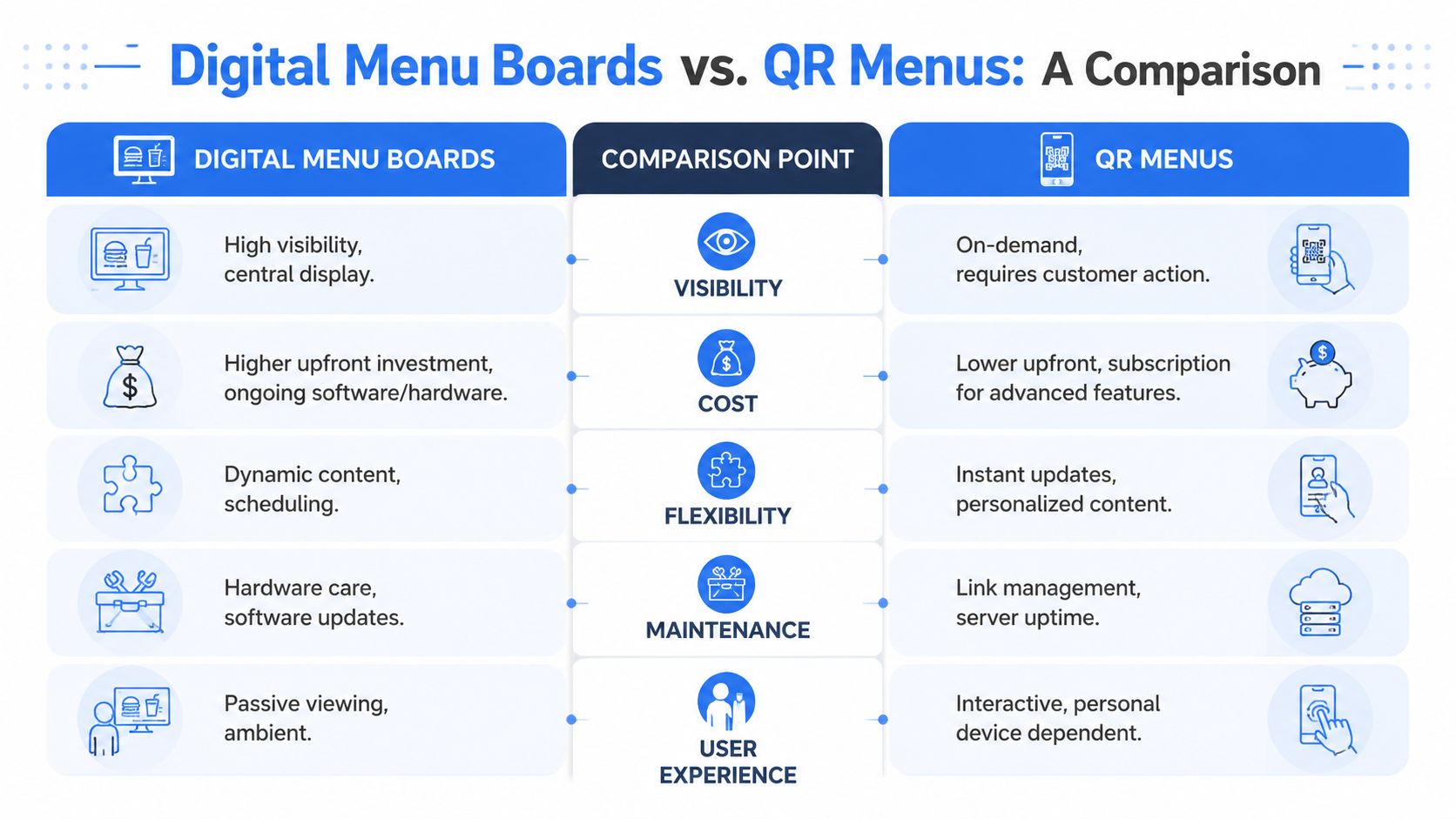
For many restaurants, especially full-service venues, cafes with frequent product changes, bars with rotating lists, or operators focused on data and direct guest interaction, a QR menu is often the sharper investment.
Where QR wins
QR menus solve a different operational problem.
They don't need wall hardware. They update instantly. They work at the table, on patios, in bars, and across multiple locations without installation complexity. They also give operators much more agility with item changes, bundles, modifiers, and promotional testing.
A QR menu is often the better fit when you need:
- Fast updates across many menu items
- Less staff time spent explaining availability
- More control over upsells and add-ons
- Better visibility into what guests view and order
- A lower-friction path to digital ordering
For many independents, that flexibility beats a screen on the wall. If you're comparing options, it's worth reviewing how a QR code menu for restaurants fits your service model.
Where wall screens still make sense
Digital boards are still strong when visibility matters most.
They work well at ordering counters, pickup zones, and fast-paced environments where guests need a shared visual reference. They're especially useful when you want to guide decisions before the guest reaches staff.
My view is simple. Use digital boards when you need public visibility. Use QR when you need agility, interactivity, and faster control over menu changes. In a lot of operations, the smartest answer isn't either-or. It's both, used for different jobs.
If your goal is to increase margins without adding menu chaos, RevMenue is worth a serious look. It gives restaurants a fast, flexible QR menu system built for upsells, instant updates, smarter analytics, and cleaner guest journeys, especially for operators who want more control than static print or expensive screen rollouts can offer.