
Most restaurants treat the menu like signage. The numbers say it should be treated like a sales channel. Implementing digital menu boards can add about $16,000 in annual in-store sales per unit and restaurants using dynamic digital displays report an average 15% increase in upselling of high-margin items, according to restaurant industry statistics compiled by ZoomShift.
That's why the usual search results for menu board kitchen are so unhelpful for operators. You get home chalkboards, Pinterest-style decor, and meal planners. What restaurant owners need is a commercial playbook for using menus to lift average order value, reduce friction, and keep the kitchen aligned with what guests can buy.
Table of Contents
- Your Menu Is More Than a List It's a Sales Tool
- Choosing Your Menu Board System
- Menu Engineering for Digital and Print
- The Practical Steps to a Menu Board Rollout
- How to Know If Your Menu Board Is Working
- Menu Board Strategies in Action
Your Menu Is More Than a List It's a Sales Tool
If you search for Menu Board Kitchen, you'll mostly find DIY home décor and personal meal-planning content. That gap is real. Search results are “overwhelmingly skewed toward DIY home décor and personal meal planning,” while independent restaurants and cafés need guidance on moving from static printed boards to dynamic systems that update instantly, as noted in this analysis of the Menu Board Kitchen search gap.
For a restaurant, the menu isn't wall art. It's a working part of the operation. It affects what guests notice, what they add, how quickly they decide, and whether the team has to explain stock issues at the till.
A static board breaks down in familiar ways:
- Sold-out items stay visible: Staff then apologize, explain, and redirect.
- High-margin items get buried: Guests default to safe choices instead of profitable ones.
- Price changes create friction: Someone has to print, rewrite, mount, and check every version.
- Promotions go stale: Breakfast offers stay up too long, lunch bundles go up too late.
Practical rule: If your menu can't change as fast as your shift changes, it's probably costing you money.
Operators often miss this because the losses don't show up as a single line on the P&L. They show up as slower ordering, weaker add-ons, more staff intervention, and more guest confusion.
Why this matters in daily service
A good menu board kitchen setup does three jobs at once:
- It sells. It puts profitable items where customers see them.
- It guides. It helps guests make decisions quickly without relying on staff scripts.
- It supports the kitchen. It keeps the front end aligned with what the back end can fulfill.
That's the fundamental shift. You're not replacing a chalkboard with a screen for the sake of aesthetics. You're building a menu system that works like an extra team member.
What works and what doesn't
What works is a menu that's built for live trading conditions. That means changing by daypart, removing unavailable items fast, and highlighting add-ons at the moment of decision.
What doesn't work is treating the menu as a fixed design asset that gets updated only when someone has time. Restaurants don't operate in fixed conditions. Your menu shouldn't either.
Choosing Your Menu Board System
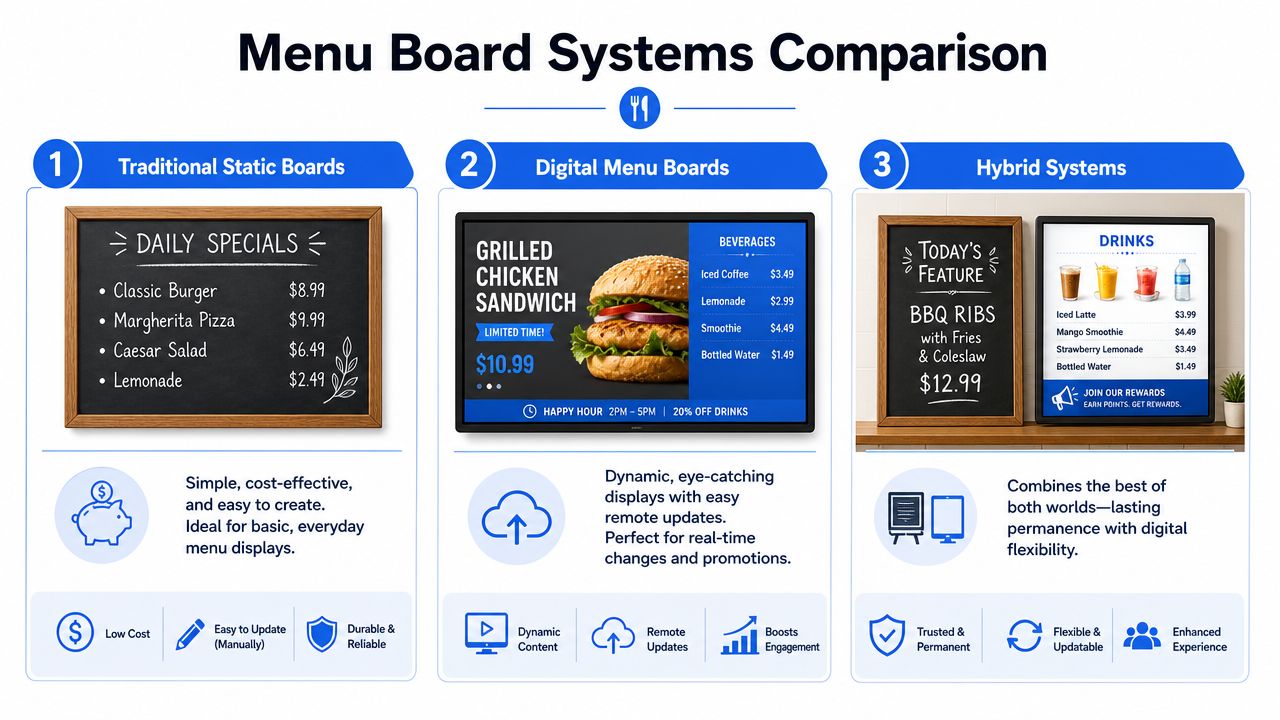
The first mistake operators make is talking about “the board” like there's only one option. In practice, there are three common systems. Each solves a different business problem.
A quick look at the options helps.
The bigger market trend is clear. The global digital menu boards market is valued at USD 6.1 billion in 2024 and projected to reach USD 9.6 billion by 2030 at a CAGR of 7.8%, with quick-serve restaurants holding more than 75% of market share, according to Strategic Market Research on digital menu boards. Operators aren't moving this way because it looks modern. They're moving because static systems don't scale well.
Static boards still have a place
Chalkboards, printed posters, and fixed wall menus still make sense in some venues.
They work best when:
- The menu rarely changes: Think very tight coffee or bakery offers.
- The concept relies on a handmade feel: Some independent cafés want that visual character.
- Budget is tight: A static board is cheaper to install at the start.
But the drawbacks hit hard once the business gets busy.
| System | Strength | Weak spot | Best fit |
|---|---|---|---|
| Static board | Simple and low upfront cost | Slow to update | Very small, stable menus |
| Digital display | Remote updates and dayparting | Still one-way unless integrated | QSR, cafés, chains |
| Hybrid system | Flexibility with some permanence | More setup decisions | Operators balancing brand and agility |
Static boards look charming until prices change, ingredients run short, or you want to push a combo during a lunch rush. Then charm turns into labor.
Digital displays solve the update problem
Digital displays are the step most operators should evaluate first. They let teams switch menus by time of day, update pricing centrally, and feature items visually without reprinting anything.
For owners comparing platforms, look at software before you get distracted by screen size. A system that's easy to update matters more than a beautiful screen no one wants to manage. If you're reviewing options, digital menu board software for restaurants is where the business case becomes clearer.
Later in the buying process, it helps to see one in action.
Digital displays are strong when you need:
- Daypart control: Breakfast disappears when breakfast ends.
- Central updates: Head office changes pricing or promos across locations.
- Visual selling: Combos, seasonal drinks, desserts, and add-ons get better visibility.
- Cleaner service flow: Fewer verbal explanations at the counter.
A digital screen that isn't easy to update becomes an expensive poster.
Interactive menus and kitchen systems change the workflow
Interactive menus are different from display screens. A QR menu lets the guest browse on their own phone, often with more detail than you'd ever fit on a board. A kitchen display system does the back-of-house job. It organizes fulfillment once orders start coming in.
That matters because customer-facing and kitchen-facing systems solve different problems:
- QR menus reduce queue pressure, support descriptions, photos, modifiers, and add-ons.
- Kitchen display systems reduce verbal handoffs, paper tickets, and missed items.
- Hybrid setups combine overhead digital boards with QR ordering and a kitchen display line.
For a fast-casual operator, a practical setup is often hybrid. The overhead board sets the stage. The QR menu handles detail. The KDS keeps production clean.
Menu Engineering for Digital and Print
A better system won't fix a weak menu. If the layout hides your profitable items, if descriptions are flat, or if the QR experience feels like opening a PDF from 2014, the technology won't save it.
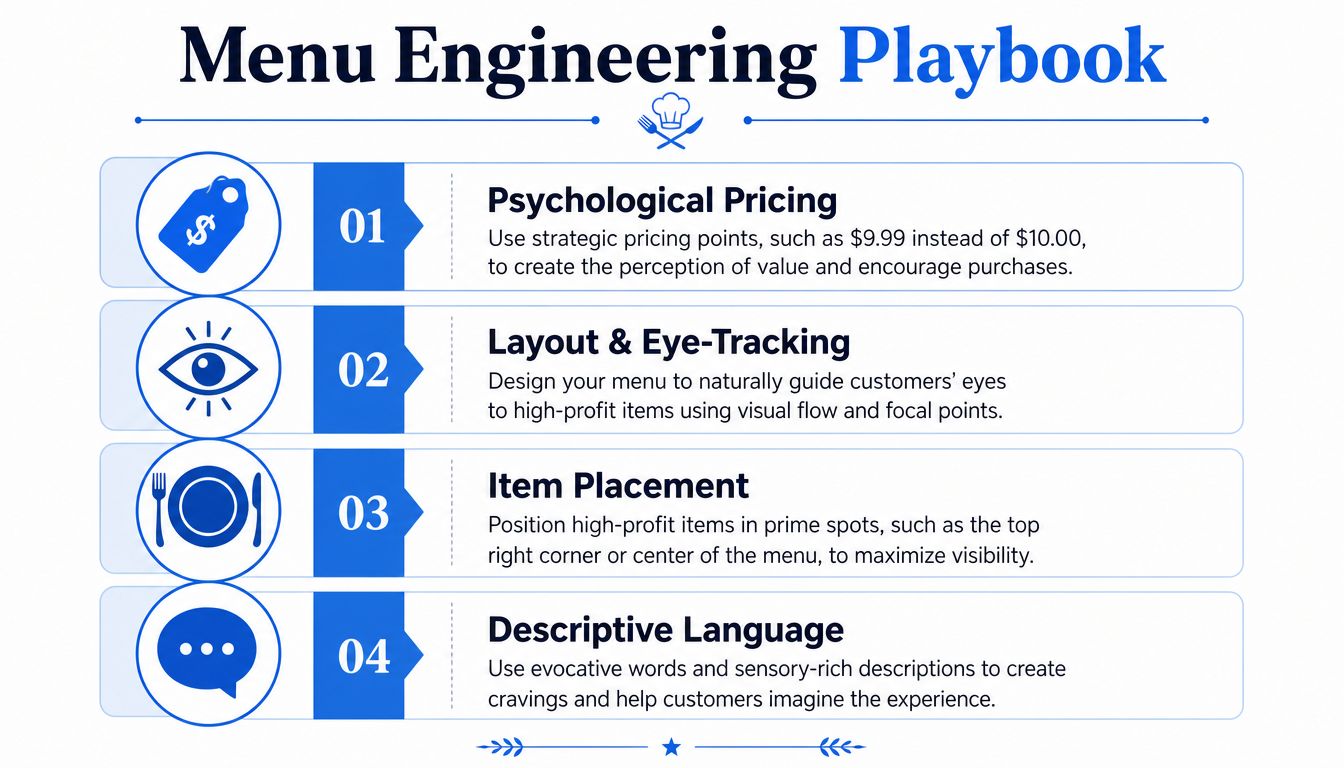
The menu has to be engineered to sell.
Start with margin not popularity
Owners often lead with what's famous, not what's profitable. Those aren't always the same item.
A practical review starts with four questions:
- Which items carry margin well: These deserve the best placement.
- Which items anchor the menu: Keep them visible, but don't let them dominate all attention.
- Which add-ons improve ticket size naturally: Sides, upgrades, sauces, drinks, and dessert pairings need clear prompts.
- Which items create ordering friction: Long explanations and too many modifiers slow down service.
On print boards, space is limited. Lead with core categories and profitable decisions. On digital and QR menus, you can go further with bundles, variants, and timing-based suggestions.
Use photos where they earn their keep
Photos shouldn't be scattered across the menu. They should be used surgically on items that can move profit.
Menu items featuring professional photos sell 30% more than text-only listings, according to National Restaurant Association-backed data summarized by FoxiFood. That doesn't mean every dish needs a photoshoot. It means your top margin items shouldn't be hiding as plain text if visuals can help them convert.
Good use of photos looks like this:
- Feature signature items: House burger, loaded fries, best-selling brunch plate, premium cocktail.
- Support premium choices: Use imagery on items where guests need a nudge to trade up.
- Keep consistency: One polished image beats six mixed-quality phone photos.
- Protect speed: Too many images create clutter, especially on phones.
A lot of menus fail here by overdesigning. Customers don't need a gallery. They need a few strong visual cues.
Make QR menus feel native on a phone
The biggest QR mistake is uploading the printed menu as a PDF. That's not digital ordering. That's just making customers pinch and zoom.
A mobile-first QR menu should do a few things well:
- Load fast: If it drags, people give up or ask staff.
- Show categories clearly: Drinks, mains, sides, desserts, specials.
- Keep descriptions short: Enough to sell, not enough to create a reading session.
- Surface add-ons naturally: Extras should feel helpful, not aggressive.
- Handle modifiers cleanly: Milk type, spice level, sides, cooking preferences.
If you want to improve item structure, category logic, and profitable placement, restaurant menu optimization tools are worth reviewing alongside your own sales reports.
Don't digitize a bad menu. Rebuild it for the way guests actually choose.
What good menu psychology looks like in service
In a café, that might mean putting pastry add-ons beside coffee choices instead of burying them in a separate category.
In a burger concept, it might mean positioning meal upgrades before checkout, not after the order is mentally finished.
In a bar, it might mean leading with house serves and profitable pairings during peak periods, then simplifying late-night choices so staff can move faster.
Menus sell best when they reduce decisions, not when they multiply them.
The Practical Steps to a Menu Board Rollout
A rollout goes wrong when operators buy screens first and ask workflow questions later. Hardware matters, but process matters more.
Start with the environment, then the software, then the handoff between front and back of house.
Buy hardware for the environment
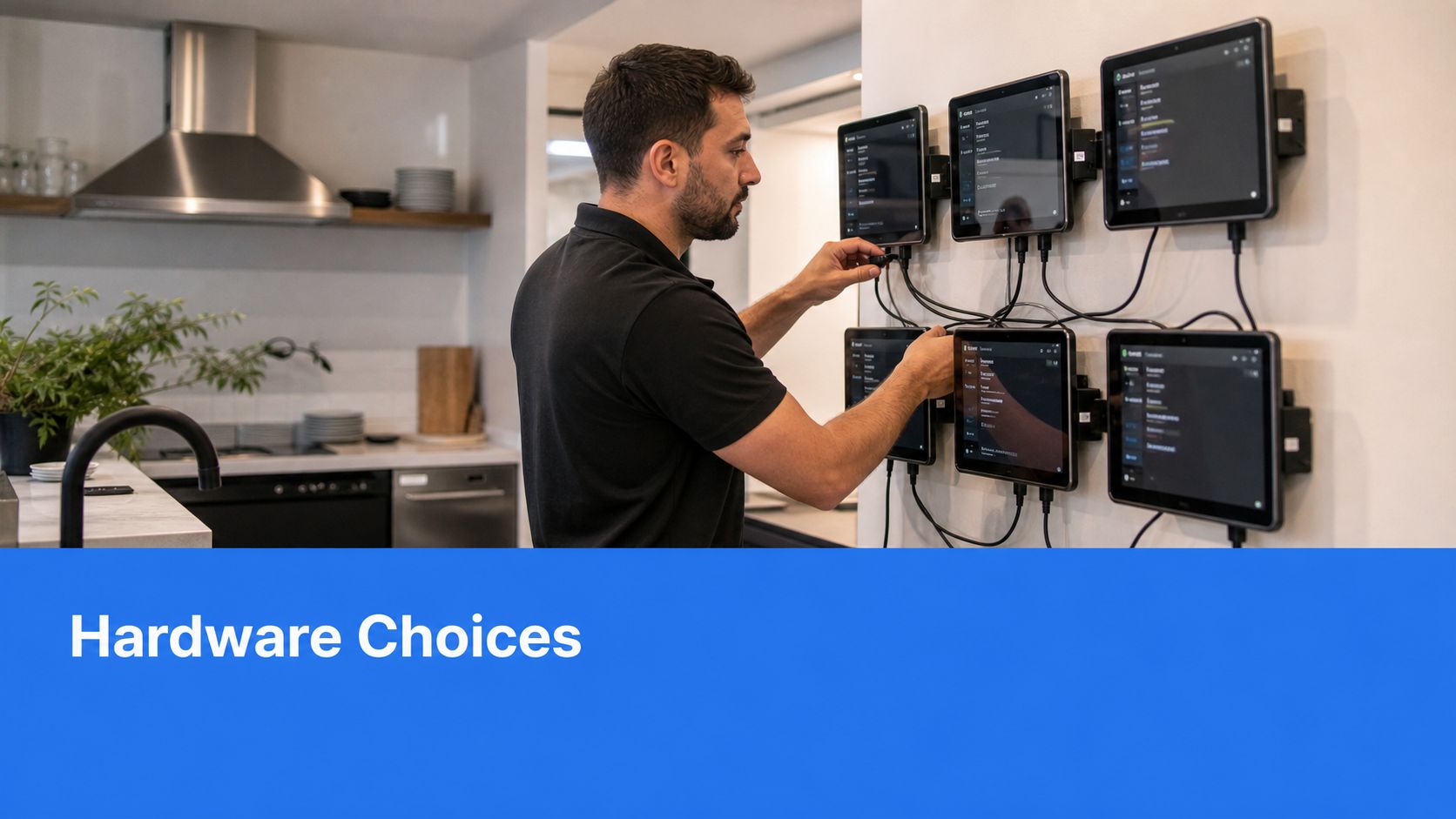
A dining room screen and a kitchen screen don't live the same life.
Front-of-house displays need to be readable, stable, and positioned for actual sightlines. Kitchen-facing screens need to tolerate heat, grease, constant touch, and long operating hours. Consumer TVs often look fine on day one and become a maintenance issue later.
Use this checklist before buying:
- Match the screen to the location: Counter, wall menu, pass line, prep station, service window.
- Check mounting logic: Staff shouldn't have to crane their necks or block guest flow.
- Plan power and cable routes: Messy installs create reliability problems later.
- Think about cleaning: If the unit sits near steam or fryer output, cleaning access matters.
Choose software that can run the business
A pretty content editor isn't enough. The software has to support menu changes, location control, and operational logic.
The most important capability is integration. Integrating digital menu board software with real-time inventory and POS systems can automatically remove unavailable items, prevent order errors, and reduce food waste by up to 20% through automated inventory synchronization, according to Navori's review of digital menu board software in real kitchens.
That one feature changes service quality immediately. When stock runs out, the menu should know before the cashier has to explain it for the tenth time.
What to look for in software:
- Cloud-based control: Multi-location updates shouldn't require on-site changes.
- POS sync: Menu, price, modifier, and availability data need one source of truth.
- Scheduling: Breakfast, lunch, happy hour, and limited offers should run automatically.
- Simple editing: Managers need to make changes without waiting on a designer.
- Reporting: You need item-level visibility, not just a screen that looks polished.
Train for the handoff not just the launch
The menu board kitchen rollout succeeds or fails in the first week of live service.
Front-of-house teams need to know how to guide guests who hesitate with QR ordering, how to explain digital specials, and when to intervene. Back-of-house teams need a clean process for ticket flow, item status, and out-of-stock updates.
A practical rollout looks like this:
- Test with a limited menu first: Launch core categories before adding every special and edge case.
- Run service simulations: Put staff through a rush scenario before go-live.
- Assign one owner on each shift: Someone must be responsible for menu changes and issue escalation.
- Review after each daypart: Breakfast problems aren't always lunch problems.
The best rollout isn't the flashiest one. It's the one staff can run confidently on a busy Saturday.
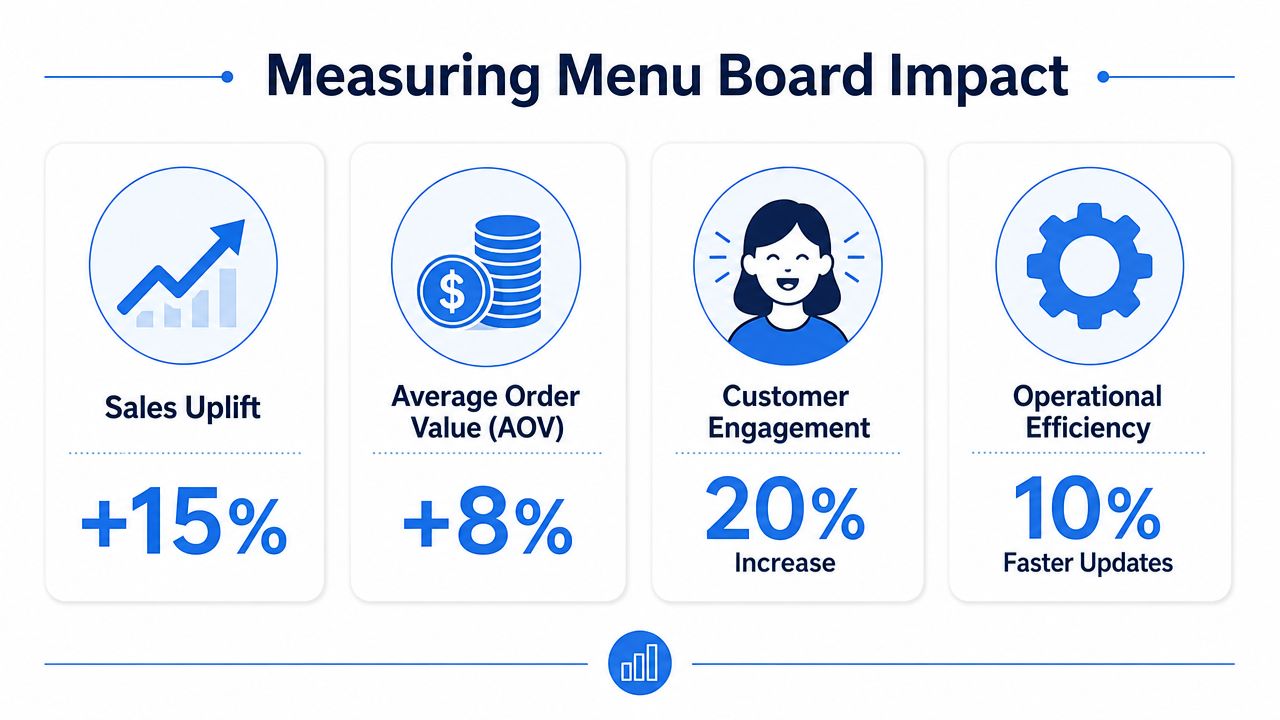
How to Know If Your Menu Board Is Working
A menu board that looks sharp and fails to change buying behavior is a design expense, not an operating asset.
That matters because the search term "menu board kitchen" pulls in a lot of home decor advice. Restaurant operators need a harder standard. The board has to increase margin, cut friction at the counter, and give managers better control during service.
Track the metrics that hit profit
Start with behavior, not compliments.
A useful review asks simple questions. Are guests choosing the items you want to sell? Are cashiers spending less time explaining options? Is the kitchen getting cleaner tickets with fewer corrections? Those are the signals that the board is doing real work.
Watch these numbers closely:
- Average order value: Check whether guests are trading up, adding extras, or choosing better bundles.
- Attachment rate: Measure add-ons like drinks, sides, desserts, sauces, and premium modifiers.
- Item mix: Review whether high-margin products are gaining share against low-margin favorites.
- Void and correction rate: A clearer board should reduce order fixes, remakes, and manager interventions.
- Time to update: If a manager cannot change pricing, promos, or sold-out items quickly, the system is costing you money.
Total sales alone is a weak test. Weather, staffing, traffic, and promotions can all move that number. Operators who want cleaner attribution should use restaurant analytics software to connect menu changes with mix, margin, and order patterns.
Use a simple ROI lens
The payoff usually shows up in small operational wins before it shows up in a dramatic sales jump.
Printing costs fall. Price changes happen faster. Staff answer fewer repeat questions. Guests hesitate less at the counter. The kitchen deals with fewer avoidable mistakes. Each gain is modest on its own. Together, they improve labor efficiency and protect margin.
Use a short scorecard after any menu board change:
- Did profitable items sell more often?
- Did add-ons improve without slowing service?
- Did order corrections drop?
- Did sold-out items come off the board fast enough?
- Did managers spend less time patching avoidable problems?
One warning from the field. Operators often redesign the layout, swap pricing, add new photos, and push a promotion at the same time. Then nobody knows what caused the result. Change one variable, measure it for a reasonable period, and keep the winners.
Digital boards also have value beyond the core menu. If you are evaluating screen use across the full guest journey, including promos and in-venue messaging, this guide on how giant displays can boost restaurant and bar business adds useful context.
Strong menu board management is ongoing yield work. The goal is not a prettier board. The goal is a board that sells better and creates fewer problems.
Menu Board Strategies in Action
A restaurant menu board earns its keep when it changes buying behavior and makes the line easier to run. That is the standard. The home decor versions of "menu board kitchen" miss the point. In restaurants, the board has to increase average ticket, cut ordering friction, and give the kitchen cleaner demand.
Three operating scenarios
A busy café usually gets the best result from a two-layer setup. Put the core menu on the main board: espresso drinks, signatures, breakfast sandwiches, and the top pastry pairings. Move the detail that slows the line to a QR menu or secondary screen, such as milk choices, syrup options, tea modifiers, and full lunch items. The add-ons that tend to lift margin are specific, not vague. Almond or oat milk, an extra espresso shot, cold foam, a warmed croissant, a muffin with butter, a cookie added to a coffee order, or a lunch combo that bundles soup with half a sandwich. If guests have to ask for those one by one, the queue backs up and staff start freelancing the upsell. If the board presents them clearly, attachment rates usually improve without adding another step at the register.
A multi-location QSR gets the biggest payoff from control and speed. Central teams can run a lunch combo from 11 to 2, switch to a snack offer in the afternoon, and pull a weak limited-time item before stores waste labor explaining it. The promotion itself has to fit the operation. A simple example is a burger, fries, and drink bundle on high-traffic days, then a premium add-on push in the evening such as loaded fries or a dessert attachment. The primary win is not the screen. It is consistent execution across stores. Pricing matches. Promo windows match. Franchisees stop improvising. In those cases, operators often review the broader screen plan too, because menu screens can also carry queue messaging, app prompts, and limited-time offers. If you're assessing that wider setup, this guide on how giant displays can boost restaurant and bar business adds context.
A food truck has less room for error, so the board has to do more work in less space. The best setups show a short, high-confidence menu outside the truck, then send custom orders and repeat buyers to QR ordering. "Cleaner stream of tickets" means fewer handwritten modifications, fewer shouted changes through the window, and fewer orders with missing sides or unclear sauces. In practice, the kitchen gets tickets that follow the same build every time: tacos by protein, sauce choice from a fixed set, add chips or drink as a clear upsell, no long sentence in the notes field. That matters during a rush. Ticket times hold steadier, the expo process is simpler, and waste drops because the team is not remaking orders from bad reads.
Final operator check before rollout
Use this as a pre-launch check, not another theory list:
- Match the board to the bottleneck: If the line stalls at decision-making, simplify choice architecture. If it stalls at order entry, reduce modifiers and free-text requests.
- Protect the kitchen from the menu: Every item shown should have a clean production path during peak periods. If the board sells items the line cannot produce fast, service times and guest satisfaction both suffer.
- Set daypart rules in advance: Decide who changes breakfast to lunch, who removes sold-out items, and what happens if stock runs short at 12:15.
- Limit custom paths: Guests like flexibility, but too many option trees create errors, slower training, and inconsistent ticket builds.
- Train cashiers on the board's intent: Staff should know which item gets the first mention, which combo to suggest, and which modifier questions the board has already answered.
- Review exceptions weekly: Look at voids, remakes, and long-ticket items. Those often reveal a board problem before sales reports do.
The operators who get the strongest returns treat the menu board like an operating system for demand, not a design project.
If your current menu still behaves like a poster, it's worth looking at RevMenue. It's a revenue-focused menu platform that replaces static printouts with fast-loading QR menus, supports instant updates without app downloads, works alongside existing POS and payment tools, and gives operators clearer visibility into what sells and where margins improve.