
Most restaurants lose revenue through their menus without realizing it. A menu isn't just a list of what's in the kitchen. It's your most important piece of marketing, and the numbers back that up. Strategic placement of high-margin items in the visual golden triangle can increase sales of those featured items by as much as 25% according to Lavu.
That matters because guests don't read menus evenly. They scan, compare, hesitate, and default to what feels easiest to choose. If your layout buries profitable dishes, overloads categories, or makes pricing feel transactional, you're making it harder to sell the right items.
The best menu designs use psychology, layout, and data to increase average order value, improve the guest experience, and make service smoother. They also reduce staff strain. A smart digital menu can surface add-ons, bundles, and dessert suggestions at the right moment without asking servers to remember every prompt during a rush.
This guide focuses on the tools that help you build those outcomes. Not just attractive menus, but menus that are easier to update, easier for guests to use, and better at moving people toward profitable choices. If you run a single café, a full-service dining room, or a multi-location group, these are the platforms worth considering.
Table of Contents
- 1. RevMenue
- 2. MustHaveMenus
- 3. iMenuPro
- 4. Adobe Express
- 5. Canva
- 6. PosterMyWall
- 7. Marq formerly Lucidpress
- Top 7 Menu Design Tools Comparison
- How to Choose Your Menu Design Strategy
1. RevMenue
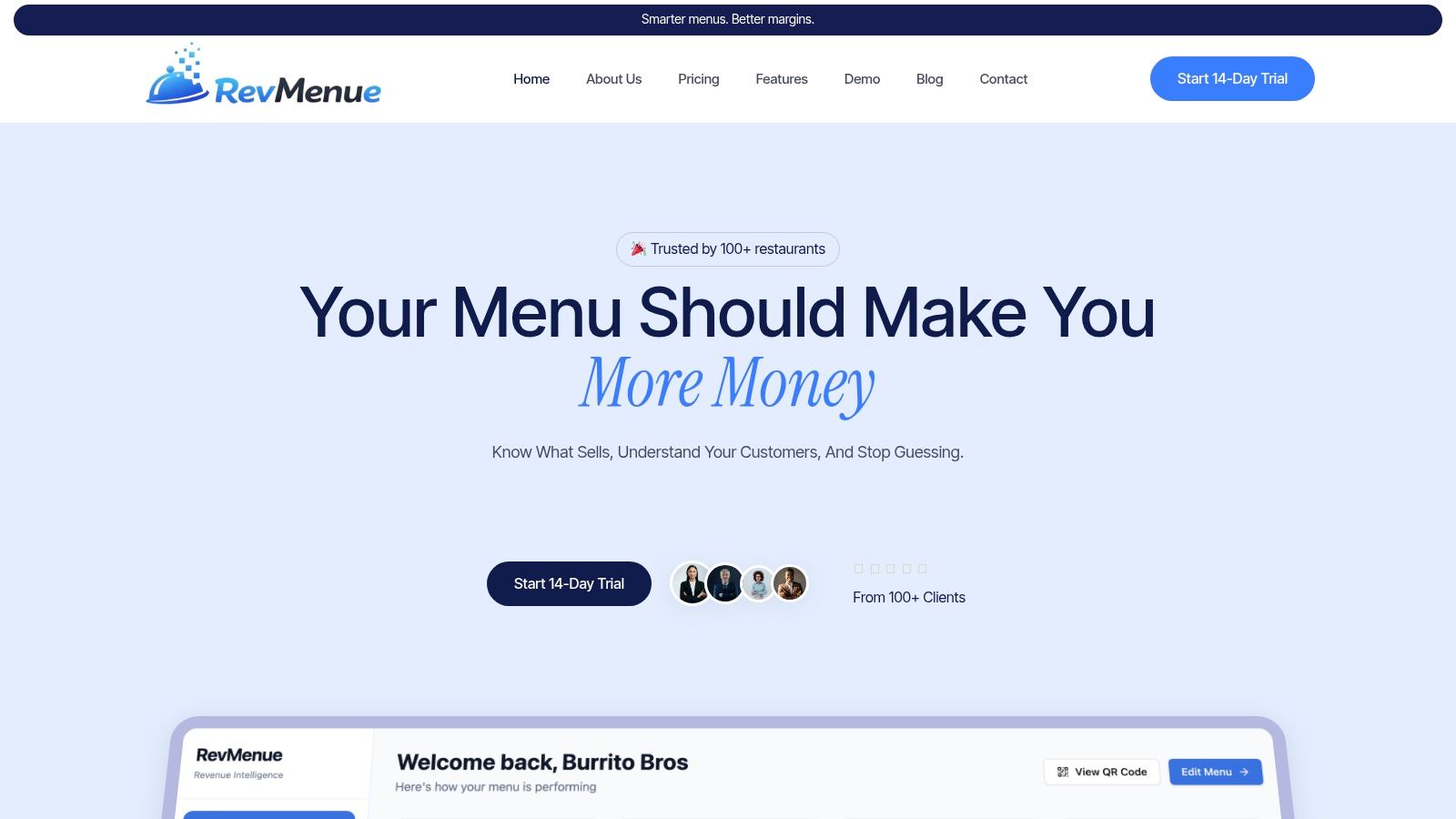
If your menu needs to do more than look good, start here. RevMenue is built for operators who want every QR scan to produce better ordering decisions, cleaner data, and higher-margin sales.
Static menus go stale fast. Prices change, items run out, combo logic shifts by daypart, and staff forget to push add-ons during busy service. RevMenue fixes that with app-free QR menus that load fast on any phone and update instantly across locations.
Why RevMenue stands out
This is a revenue-first platform, not a generic design tool. It gives you direct control over upsells, bundles, meal deals, and menu flow, while also showing what guests buy, when they buy it, and what deserves more visibility.
For operators trying to improve margins, that matters more than another template pack.
Practical rule: If you can't change an item, promo, or placement in minutes, your menu system is slowing down your revenue decisions.
RevMenue also avoids a common headache. It works alongside your existing POS and payment setup, so you don't have to rebuild your operation around a new processor just to modernize your menu.
A few strengths stand out:
- Built for average order value: Digital menus can increase AOV by 15 to 30% through real-time upselling tactics, and RevMenue is designed around that exact behavior.
- Operationally clean: You can update pricing, item availability, and promotions without reprinting menus or retraining the floor every time something changes.
- Useful analytics: The dashboard helps you spot best-sellers, weaker items, repeat behavior, and peak-time ordering patterns.
- Low friction for guests: No app download, no account creation, no extra steps at the table.
- Low friction for management: It includes privacy and consent tools, launches quickly, and syncs changes fast.
Best fit
RevMenue is the best choice here for restaurants that care about profitable menu design, QR menu optimization, and measurable menu analytics. It's especially strong for full-service restaurants, cafés, and growing groups that want to treat the menu like a live sales channel instead of a static PDF.
The tradeoff is simple. It doesn't process payments natively, so you'll keep your current payment flow. That's a smart setup for many operators because it avoids lock-in.
If you're reviewing items, pricing logic, or bundles, it's worth pairing menu design decisions with a smarter restaurant pricing strategy guide. That's where significant margin improvement usually starts.
2. MustHaveMenus
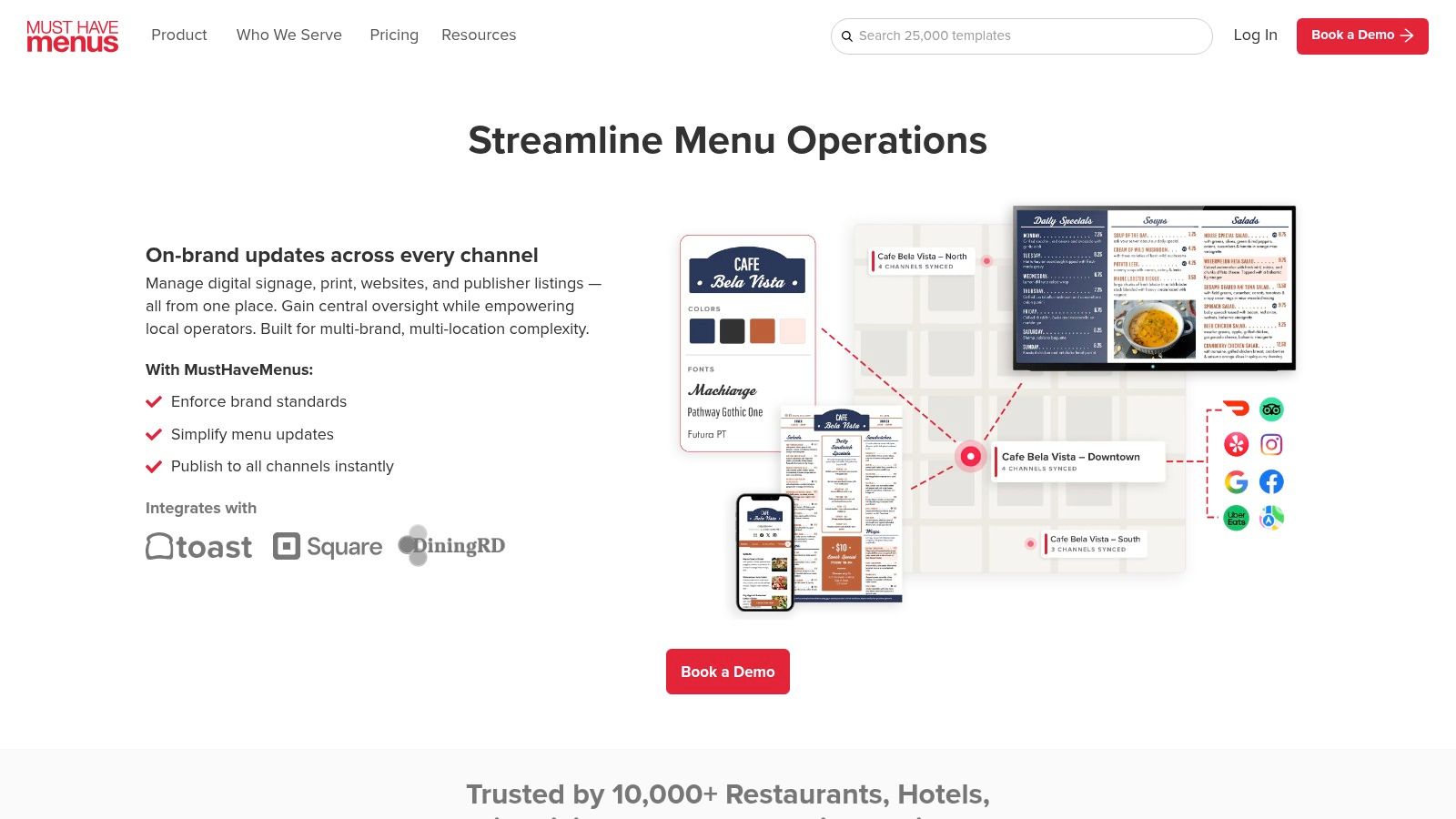
MustHaveMenus is one of the few design platforms that feels like it was built for restaurant operators. That matters. Most general design tools can make a menu look decent, but they don't always handle the day-to-day reality of menu updates, reprints, mobile publishing, and in-store signage very well.
Its biggest strength is convenience. You get a large hospitality-focused template library, a menu editor made for restaurant formats, professional printing and shipping, plus mobile and QR publishing in one system.
Where it helps most
This platform works well for independents that want restaurant-specific templates without hiring a designer, and for multi-location teams that need repeatable formats.
It also supports a practical print-to-digital workflow. You can update a menu, publish mobile changes, and keep your physical collateral aligned instead of managing separate systems.
- Restaurant-first templates: Better starting points for food, drink, specials, and seasonal inserts than most generic platforms.
- Print support: Useful if your team still relies heavily on dine-in menus, table inserts, or takeout handouts.
- Mobile and QR publishing: Strong for operators who want simple digital access without moving to a full digital ordering stack.
- Optional scale-up features: POS data sync and digital signage are available when you need more structure.
One thing I like is that it helps owners move faster without making every update a design project. If your manager needs to swap out brunch pricing, add a holiday cocktail, and push a new QR menu before dinner service, this kind of setup saves time.
The downside is that some advanced features sit behind higher tiers or add-ons. For a single unit with basic needs, that may be fine. For a growing group, those extras can become part of the actual cost of ownership.
Good fit for operators who still sell heavily through print but want cleaner digital publishing without building from scratch.
3. iMenuPro
Some restaurants don't need a broad marketing suite. They need a menu tool that can handle constant edits without breaking the layout every time someone changes a price, removes an item, or adds a seasonal special. That's where iMenuPro earns its place.
It's a long-running restaurant menu builder with strong typography controls, drag-and-drop auto-formatting, instant print-ready PDFs, QR generation, and digital signage outputs. It also emphasizes privacy-safe operation and ADA/UA-friendly outputs, which is more useful than most operators realize.
Why operators like it
The best part of iMenuPro is speed. It suits teams that update menus often and don't want to fight formatting every week. If your kitchen 86s items regularly, rotates beer taps, or adjusts pricing often, that practical reliability matters more than flashy templates.
There's also a strong case for it in hybrid service models. A café might run printed counter menus, QR menus for dine-in, and a TV board above the register. iMenuPro can support that without forcing a complicated workflow.
Your menu tool should match service reality. If the menu changes often, simplicity beats design bells and whistles.
This is also where QR strategy matters. A printed menu with a code isn't enough if the digital experience is clunky. If you're refining that side of service, this practical guide to a QR code menu for restaurants is worth reviewing alongside your tool choice.
A few tradeoffs to know:
- Excellent for upkeep: Fast edits, synchronized styles, and quick exports make it strong for active operations.
- Clearer focus: It specializes in menus, not broader restaurant marketing assets.
- Human support: Useful when a manager needs help fast and doesn't want to argue with a chatbot.
- Practical visuals: Templates lean functional over trend-driven.
If your priority is speed, legibility, and regular menu maintenance, iMenuPro is one of the smarter picks on this list.
4. Adobe Express
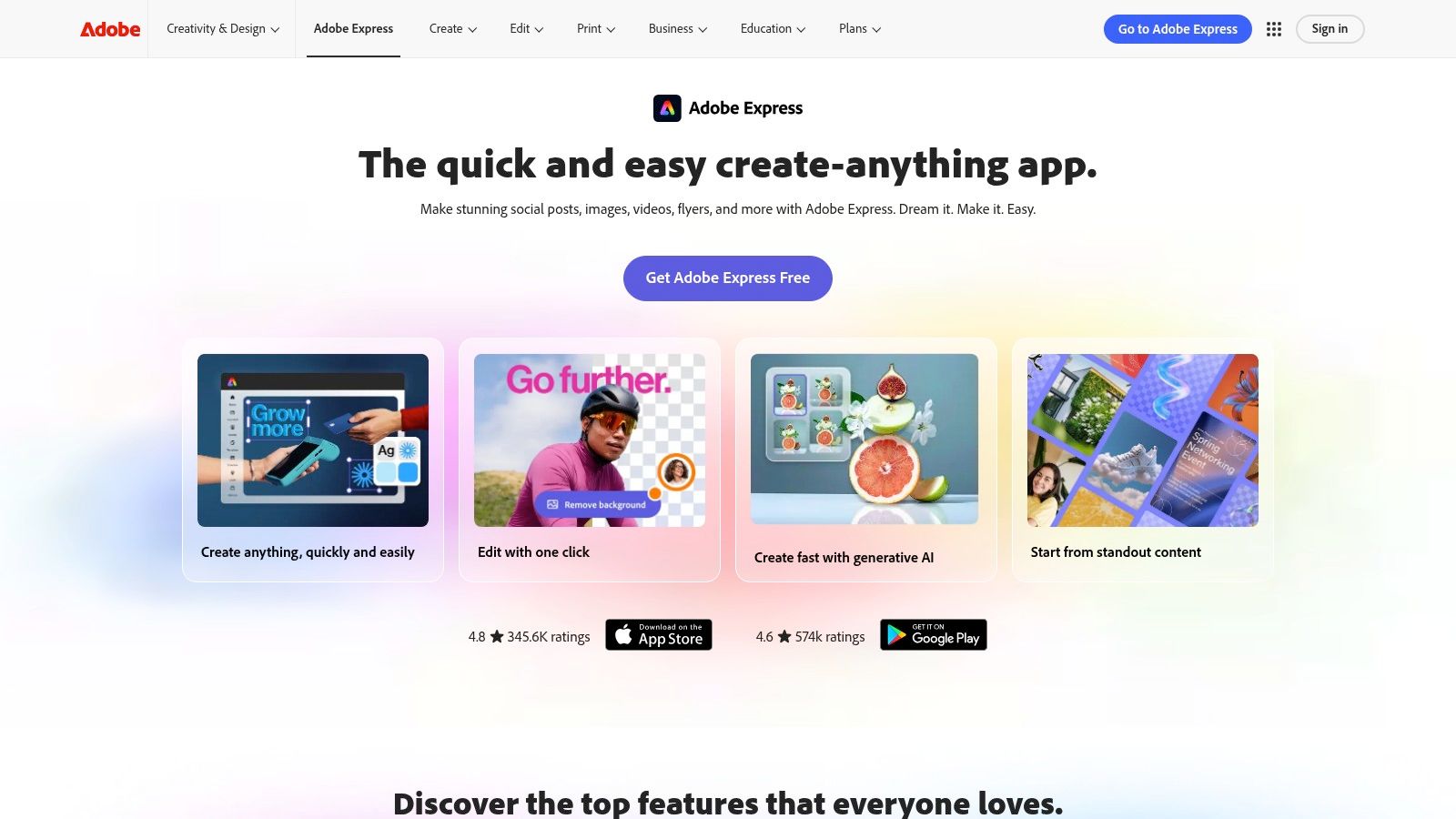
Adobe Express makes sense when your restaurant already lives in the Adobe ecosystem or is committed to brand consistency across more than just menus. If your team uses Photoshop, Illustrator, or Creative Cloud libraries, Adobe Express gives you a cleaner bridge between professional design work and day-to-day menu editing.
That's its real advantage. It isn't the most restaurant-specific option here, but it gives marketing teams, brand managers, and operators more control over approved assets, locked templates, and collaboration.
Where Adobe Express makes sense
This is a strong fit for groups with an in-house marketer or agency support. You can build branded templates once, lock down the key elements, and let location teams update approved text or pricing without reinventing the design every time.
It also helps if you're producing more than menus. Social graphics, in-store posters, event flyers, and menu inserts can all stay visually aligned.
- Strong brand governance: Helpful for hospitality groups that care about consistency.
- Creative flexibility: Better than most drag-and-drop tools if you want polished visual output.
- Team controls: Useful when multiple people touch the same assets.
- Adobe integration: A clear advantage for teams already using Creative Cloud.
The limitation is simple. Restaurant operators still need to bring the menu strategy. Adobe Express can help you design a polished menu, but it won't tell you which dish should move to the top, what to bundle, or which naming convention will improve ordering behavior.
That distinction matters. A beautiful menu can still underperform if the structure is wrong.
5. Canva
Canva wins on speed. If you need a new café menu, happy hour card, bakery price board, and social promo before the weekend, Canva is usually the fastest way to get there without bringing in a designer.
It has a huge template library and one of the lowest learning curves on the market. That makes it appealing for owner-operators, café managers, and small restaurant teams that need quick design output.
Best use case
Canva is at its best when you need variety fast. Dine-in menus, bar menus, table tents, seasonal inserts, takeaway handouts, and promotional graphics can all be built in one place. It also supports direct print ordering, which keeps the workflow simple.
That convenience is why a lot of operators start here.
But Canva needs restraint. With so many templates, it's easy to pick designs that look trendy but don't match the food, the service style, or the pricing position of the business. That's why many restaurants still benefit from reviewing stronger restaurant menu design services before locking in a final direction.
A fast design tool saves time only if the final menu still feels like your restaurant.
A few practical notes:
- Best for non-designers: Staff can usually learn it quickly.
- Useful across channels: Good if one person handles menus, flyers, and social posts.
- Print-friendly workflow: Helpful for cafés and smaller operators who still rely on physical menus.
- Needs curation: Without a clear brand eye, template choice can get messy.
Canva is a strong utility player. It isn't the most strategic platform on this list, but it solves a real operational problem. It helps busy teams get good-looking materials out quickly.
6. PosterMyWall
PosterMyWall is a practical choice for restaurants that create constant promotions around their menu. If your team regularly pushes taco night, brunch specials, live music, seasonal drinks, or limited-time combos, this tool can handle more than just the core menu itself.
That broader promotional range is what makes it useful. It supports quick menu design, flyers, posters, social graphics, publishing, and basic email support in one place.
Where it earns its keep
This works best for operators who market frequently and need speed more than precision. A neighborhood bar, casual restaurant, or café with lots of weekly promos can build the menu asset and the promotional graphics without switching platforms.
Its drag-and-drop workflow is friendly to non-designers, and the template volume gives teams plenty to work from.
- Promo-heavy operations: Good for restaurants that market specials constantly.
- Broad asset support: Menus, posters, social posts, and email graphics can live in one workflow.
- Team-friendly setup: Useful for small teams sharing design responsibilities.
- Fast output: Strong when timing matters more than perfect typographic control.
The tradeoff is refinement. If you're looking for highly polished menu typography or tighter restaurant-specific controls, other tools on this list do that better. PosterMyWall is more about getting campaigns out the door quickly.
For many operators, that's enough. A specials board that goes live on time often beats a perfect design that misses the selling window.
7. Marq formerly Lucidpress
Multi-location groups have a different menu problem. It isn't just design quality. It's control. One location edits fonts, another changes spacing, a third uploads the wrong logo, and suddenly your brand looks different in every market. Marq is built to stop that.
This is a brand-templating and web-to-print platform designed for governance. It gives teams template locking, role-based permissions, approvals, print-ready exports, and automation options on higher tiers.
Why multi-location teams choose it
Marq is strong when headquarters wants to protect brand standards but still let local teams update approved fields. That could mean changing prices, swapping seasonal items, adding a local beer list, or adjusting a holiday insert without touching the core design.
That kind of control matters more as you scale.
A useful real-world benchmark comes from menu engineering itself. In a case study on The Brasserie, average revenue per table increased by 15% after a strategic menu engineering overhaul. The takeaway isn't that Marq created that result. It's that consistent, intentional menu structure has real revenue consequences, especially when you manage multiple outlets.
- Best for governance: Strong fit for hospitality groups with several locations.
- Template locking: Keeps local edits from damaging the brand.
- Approval workflows: Useful when marketing and operations both need oversight.
- Automation potential: Helpful for larger teams managing frequent updates.
Marq is probably too much platform for a single café. But for a growing group with location managers making regular changes, it can prevent a lot of expensive inconsistency.
Top 7 Menu Design Tools Comparison
| Product | Implementation complexity 🔄 | Resource requirements ⚡ | Expected outcomes 📊 | Ideal use cases 💡 | Key advantages ⭐ |
|---|---|---|---|---|---|
| RevMenue | Low, rapid launch (most live <2 hrs), POS integration required | Moderate, existing POS/payment retained; minimal staff training | Measurable revenue lift (typical AOV +15–25%), real-time analytics within week | Full-service and multi-location restaurants focused on revenue and insights | Intelligent upsells/bundles, POS-friendly, privacy-first |
| MustHaveMenus | Moderate, straightforward editor; Pro tier for advanced sync | Low–Moderate, templates, printing service; Pro/add-ons for POS/digital signage | Faster menu production and reliable print fulfillment | Independents to groups needing restaurant-specific templates and printing | Large hospitality template library, integrated printing/shipping |
| iMenuPro | Low, built for fast, frequent updates and print-ready export | Low, subscription; simple workflow and human support | Rapid price/86 updates, ADA/UA‑friendly outputs, instant QR/PDFs | Kitchens that change menus/prices often and need speed | Very fast editing, strong typography controls, privacy-safe |
| Adobe Express | Moderate–High, best for teams already in Adobe ecosystem | High, Adobe CC/Stock access improves output; some design skill helpful | High-quality, brand-governed assets; enterprise collaboration | Teams needing strict brand governance and Photoshop/Illustrator integration | Professional templates, Firefly AI, brand kits and template locking |
| Canva | Low, easy editor for non-designers | Low, large template set; optional paid print and brand tools | Quick, varied menu designs and direct print ordering | Cafés and restaurants wanting fast, low-effort menu creation | Vast template library, simple workflow, integrated printing |
| PosterMyWall | Low, simple drag‑and‑drop editor for promos and menus | Low, free and tiered plans; team discounts available | Fast promotional assets and menu graphics for multi-channel use | Restaurants running frequent promotions and simple marketing | Broad promo/menu templates, publishing and basic email tools |
| Marq (Lucidpress) | Moderate–High, setup required for template governance | Moderate–High, Team/Business tiers, admin roles and template setup | Consistent branded menus, localized edits with approval workflows | Multi-location hospitality groups needing brand control | Template locking, role-based approvals, print-ready exports |
How to Choose Your Menu Design Strategy
The best menu design isn't about aesthetics alone. It's about what the menu helps your business do. Sell more profitable items, make ordering easier, reduce update friction, protect brand consistency, and give your team a system they'll use.
Start with the commercial goal, not the template library.
If you want maximum revenue impact and stronger menu analytics, choose a platform built for live optimization. RevMenue is the clearest fit here because it treats the menu like a revenue engine. That matters if you're focused on average order value, QR menu performance, digital ordering flow, and reducing the burden on staff to manually upsell every guest.
If you're managing multiple locations and need tighter control, pick a platform that protects the brand at scale. Marq stands out because it gives head office the structure to approve what matters while still allowing local teams to make practical updates.
If your operation still relies heavily on print and frequent menu maintenance, dedicated restaurant tools usually beat general design apps. MustHaveMenus and iMenuPro both make sense here. One leans into restaurant-specific templates and production convenience. The other leans into speed, upkeep, and fast edits when the menu changes often.
If your broader marketing needs matter just as much as the menu, Canva and Adobe Express are strong choices. They make it easy to keep menus, social posts, flyers, and promotional assets visually aligned. PosterMyWall is especially useful when your calendar is full of recurring specials and event-driven promotions.
A few rules are essential if you want one of the best menu designs in practice:
- Prioritize profitable items: Put your best sellers and high-margin dishes where guests notice them first.
- Keep navigation clean: Too many categories or too many items per section slow decisions and weaken ordering confidence.
- Use digital where it helps operations: QR menus and instant updates reduce printing waste and make menu changes easier to manage.
- Treat menu data seriously: The menu should tell you what's working, not just display what's available.
- Match the tool to the team: The best platform is the one your staff can update correctly under real service pressure.
Choose the system that supports the way you operate. That's what turns a menu from a design exercise into a profit tool.
If you want a menu platform that goes beyond design and helps you drive higher-margin orders, cleaner QR experiences, and better menu decisions, take a close look at RevMenue. It's a practical fit for restaurants that want faster updates, smarter upselling, and live analytics without replacing their existing POS or payment setup.