
Your chef complains about tomato prices. Your bookkeeper can't match invoices to agreed rates. One location orders from the approved dairy vendor, another buys from whoever answers the phone first. Then a supplier's insurance expires, nobody notices, and you find out when there's a problem.
That isn't a purchasing issue. It's a margin leak.
Most restaurants don't need more vendors. They need more control over the vendors they already have. Vendor management software matters because it gives operators one place to track pricing, invoices, contracts, certifications, delivery issues, and supplier performance before small gaps turn into recurring losses.
Table of Contents
- Stop Drowning in Supplier Invoices and Price Creep
- What Vendor Management Software Actually Does for a Restaurant
- The Core Capabilities That Control Costs and Reduce Risk
- How to Evaluate the Right VMS for Your Business
- Implementing a VMS Without Disrupting Your Kitchen
- The Real ROI and Your Next Move
Stop Drowning in Supplier Invoices and Price Creep
A common restaurant week looks like this.
Monday, a produce invoice comes in with prices that feel higher than last week, but nobody has time to compare line by line. Tuesday, the GM is chasing a missing credit note. Wednesday, a vendor asks for updated paperwork, and the file is sitting somewhere between an email inbox, a shared drive, and a drawer in the office. Friday, accounting needs answers before bills get paid.
That mess costs money in three ways:
- Price creep slips through when nobody checks current invoices against agreed terms.
- Admin time gets burned on searching, forwarding, correcting, and re-entering information.
- Bargaining strength with suppliers is lost because you can't negotiate well if your own records are patchy.
A restaurant doesn't feel those losses as one dramatic event. It feels them as tighter food margins, slower month-end close, and managers doing office work instead of floor work.
Practical rule: If supplier information lives in spreadsheets, inboxes, and paper folders, you don't have a process. You have a scavenger hunt.
This is why vendor management software has become a serious software category, not a niche admin tool. Mordor Intelligence projects the market will grow from USD 10.40 billion in 2025 to USD 17.15 billion by 2030, and notes that cloud deployment leads because of lower upfront costs and faster implementation in its vendor management software market outlook.
For restaurants, that shift makes sense. Cloud tools are easier to roll out across locations, easier to update, and less dependent on one office computer or one manager who “knows where everything is.”
If your finance team is still piecing together supplier records manually, this problem usually sits right beside broader restaurant admin issues like restaurant bookkeeping workflows. Clean books start with clean vendor control.
What Vendor Management Software Actually Does for a Restaurant
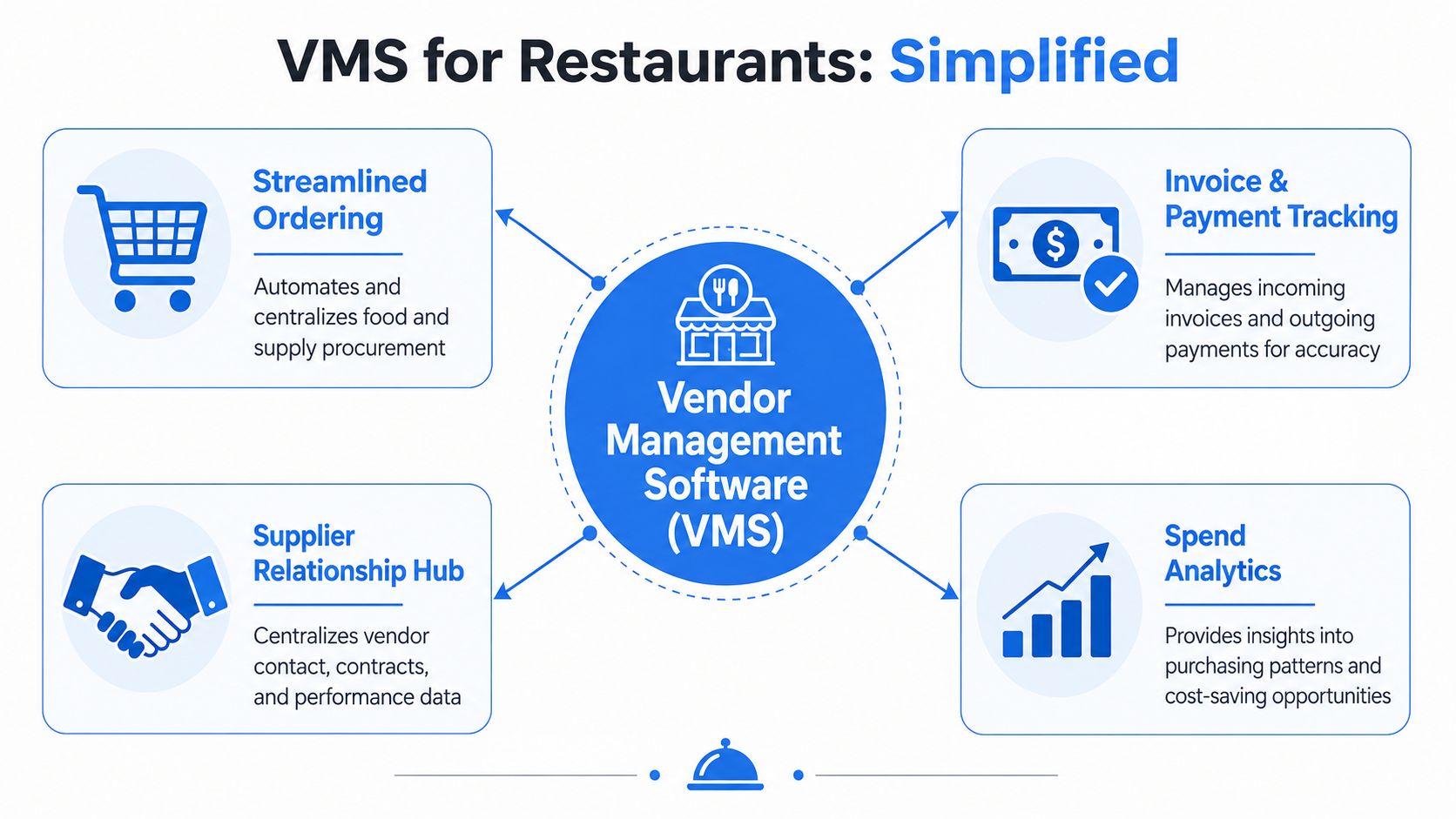
Think of a VMS as a central phonebook, filing cabinet, and report card for every supplier you use.
It isn't there to impress your IT team. It's there to stop operators from guessing. A proper system gives your kitchen, finance team, and management group one version of the truth on who the vendor is, what they charge, what they promised, and whether they're performing.
A vendor management system creates a centralized vendor database and automates workflows like sourcing, onboarding, performance tracking, reporting, and compliance, bringing vendor data into one platform, as described in NetSuite's guide to vendor management systems.
What that looks like in practice
In a restaurant group, vendor management software usually handles work that people currently patch together by hand:
- Supplier records with contacts, payment terms, delivery schedules, and account details
- Documents like price lists, contracts, certificates, insurance, and licenses
- Onboarding steps for new suppliers, so every required form gets collected before anyone starts ordering
- Performance notes on late deliveries, short shipments, substitutions, and recurring quality issues
- Reporting views that show who you buy from, where spend is going, and where problems keep repeating
That matters because restaurant supplier management isn't abstract. It's daily operations.
If a seafood vendor regularly substitutes product without notice, that affects menu consistency. If a bakery supplier misses delivery windows, your breakfast service suffers. If a cleaning chemical provider's documentation is missing, you create avoidable risk. A VMS turns those issues from anecdotes into tracked records.
What a VMS is not
It's not just accounting software with a vendor list.
It's not just procurement software with a purchase order screen.
And it's not a shared folder called “Suppliers Final V3.”
Good vendor management software doesn't add admin. It removes repeat admin by making the next decision faster than the last one.
For a restaurant owner, that's the test. If the system helps you approve vendors faster, spot price changes faster, and challenge weak supplier performance faster, it's doing its job.
The Core Capabilities That Control Costs and Reduce Risk
The best way to judge vendor management software is simple. Ask whether it helps you protect margin, reduce exposure, and negotiate from facts.
If a tool can't do that, ignore the glossy feature list.
Onboarding vendors without the paperwork circus
Bringing on a new supplier shouldn't rely on memory.
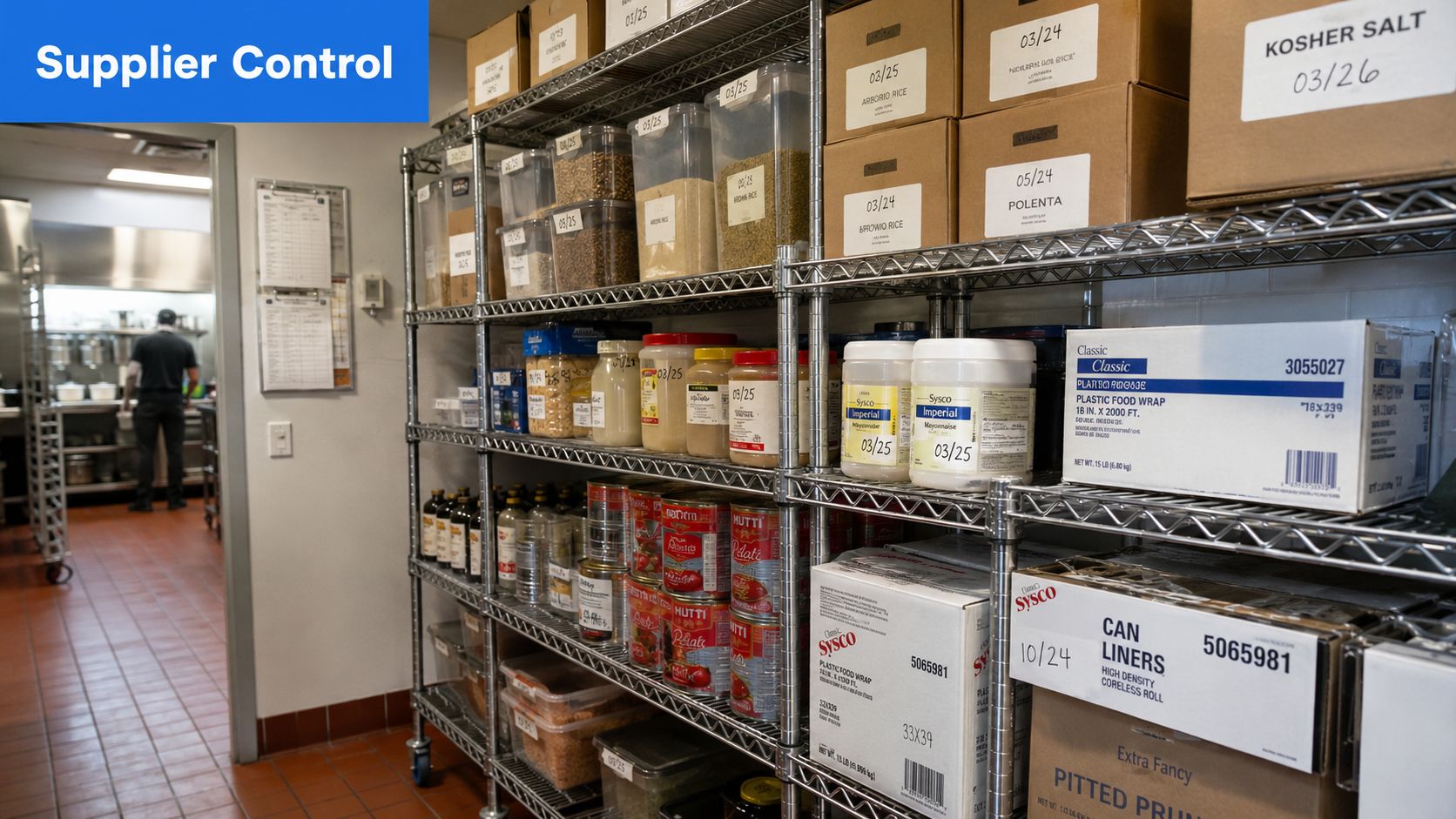
A restaurant VMS should collect and store the documents you need before the first order gets placed. That includes licenses, insurance details, food safety paperwork, contacts, agreed terms, and any internal approvals. The point isn't bureaucracy. The point is stopping “we'll sort it later” from becoming “we forgot.”
A practical example: your opening chef finds a local dessert supplier and wants to start next week. Without a system, the team rushes it through and paperwork follows later, if at all. With a VMS, the supplier doesn't go live until required documents are in place.
Tracking performance so weak suppliers stop hiding
Most restaurants know which suppliers are good and which ones are frustrating. The problem is that this knowledge lives in conversations, not records.
A VMS should let you log issues that matter:
- Late deliveries that force menu changes
- Short shipments that create emergency buying
- Quality problems like damaged produce or inconsistent cuts
- Invoice mismatches between agreed and billed prices
Once you can see patterns, supplier reviews stop being vague. You're no longer saying, “It feels like this keeps happening.” You're saying, “This vendor has repeated delivery and accuracy issues, and we need a fix or a replacement.”
That gives you an advantage.
Watching spend before it drifts
Cost control isn't only about finding a cheaper vendor. It's about seeing where spending drifts unnoticed across locations, categories, and buyers.
In practice, operators need a system that helps answer questions like:
| What you need to know | Why it matters in service |
|---|---|
| Are prices changing on key ingredients? | Margin gets squeezed before menu prices catch up |
| Are teams buying outside approved suppliers? | Volume discounts and standards break down |
| Are duplicate vendors doing the same job? | Spend gets fragmented and harder to negotiate |
| Are invoice errors recurring? | Overpayments become routine |
A VMS pairs well with tools that sharpen stock discipline, especially if your operation still struggles with order-to-inventory visibility. A tighter setup often starts with restaurant inventory management software and gets stronger when supplier data feeds the same control mindset.
The cheapest supplier on paper often becomes the most expensive supplier in practice when deliveries are late, invoices are messy, and quality is inconsistent.
Keeping contracts usable instead of buried
Too many restaurants treat supplier contracts like archived paperwork.
They matter most when prices change, exclusivity gets challenged, minimum order issues show up, or renewal dates are coming. A VMS should make contracts searchable, visible, and attached to the live supplier record so managers can check terms without digging through email.
The same goes for pricing sheets and service agreements. If your team can't find them quickly, they can't enforce them.
A useful VMS turns contracts from dead files into working tools. That's how you protect margins when suppliers test boundaries.
How to Evaluate the Right VMS for Your Business
Most operators buy the wrong system for one reason. They shop by feature count instead of operational pain.
That's a mistake.
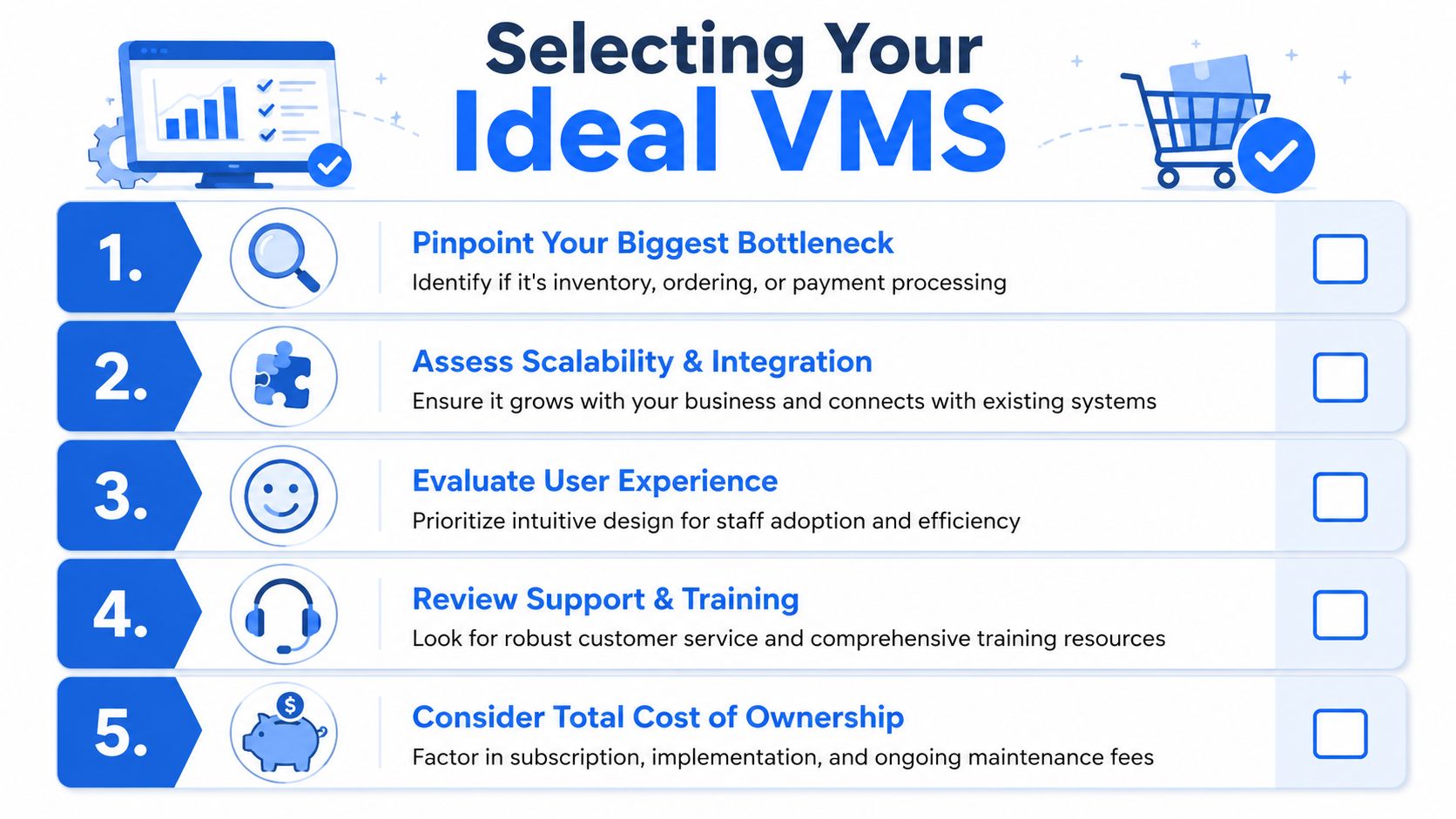
Industry analysis argues buyers should evaluate vendor management software by workflow type, such as risk management or spend analytics, rather than by a generic feature list. It also notes a projected 12.5% CAGR and clarifies the primary buying question: which vendor-related problem is most valuable to solve first, according to this vendor software buying guide.
Start with the bottleneck, not the demo
A single-site café has different needs from a multi-location restaurant group.
If your biggest problem is unstable food pricing and invoice confusion, prioritize spend visibility and invoice control. If your bigger headache is expired supplier paperwork and audit stress, prioritize compliance tracking. If your issue is contract chaos and forgotten terms, go after document control first.
Use this lens:
- Choose spend-focused software if price drift and invoice errors are hurting margin.
- Choose compliance-focused software if certifications, insurance, or approvals are scattered.
- Choose contract-focused software if nobody can find terms, renewal dates, or negotiated pricing.
- Choose a broader platform only if you need all of the above and have the discipline to use it.
Narrow tools can be the smarter buy. Restaurants often overbuy software, then use a fraction of it.
Questions that actually matter in a restaurant
Ask vendors questions that map to your daily operation, not to a polished sales deck.
Some examples:
- Can it track price changes on core ingredients over time?
- Can it flag invoice discrepancies before payment gets approved?
- Can it alert the right person before a supplier document expires?
- Can each location see approved vendors without creating local workarounds?
- Can finance, ops, and store managers each get the right level of access?
- Will it integrate cleanly with our accounting setup and existing reporting process?
- Can we start with key suppliers first instead of rebuilding everything at once?
Buy for the problem that costs you money every week, not the one that sounds impressive in procurement meetings.
A good vendor should answer those questions clearly. If they hide behind jargon, move on.
What to avoid
Not every restaurant needs an enterprise suite.
Watch for these red flags:
- Too much complexity for a small management team
- Weak search and document access, which defeats the whole purpose
- No clear approval structure for adding or changing vendors
- Poor fit for multi-location control, especially if local managers buy independently
- A long setup burden that delays adoption and creates resistance
The right VMS should feel like operational relief within weeks, not like a software project that eats the quarter.
Implementing a VMS Without Disrupting Your Kitchen
Restaurant teams delay good systems because they expect chaos during rollout. That fear is usually exaggerated.
You don't need a grand transformation. You need a tight rollout, clear ownership, and a short list of suppliers that matter most.
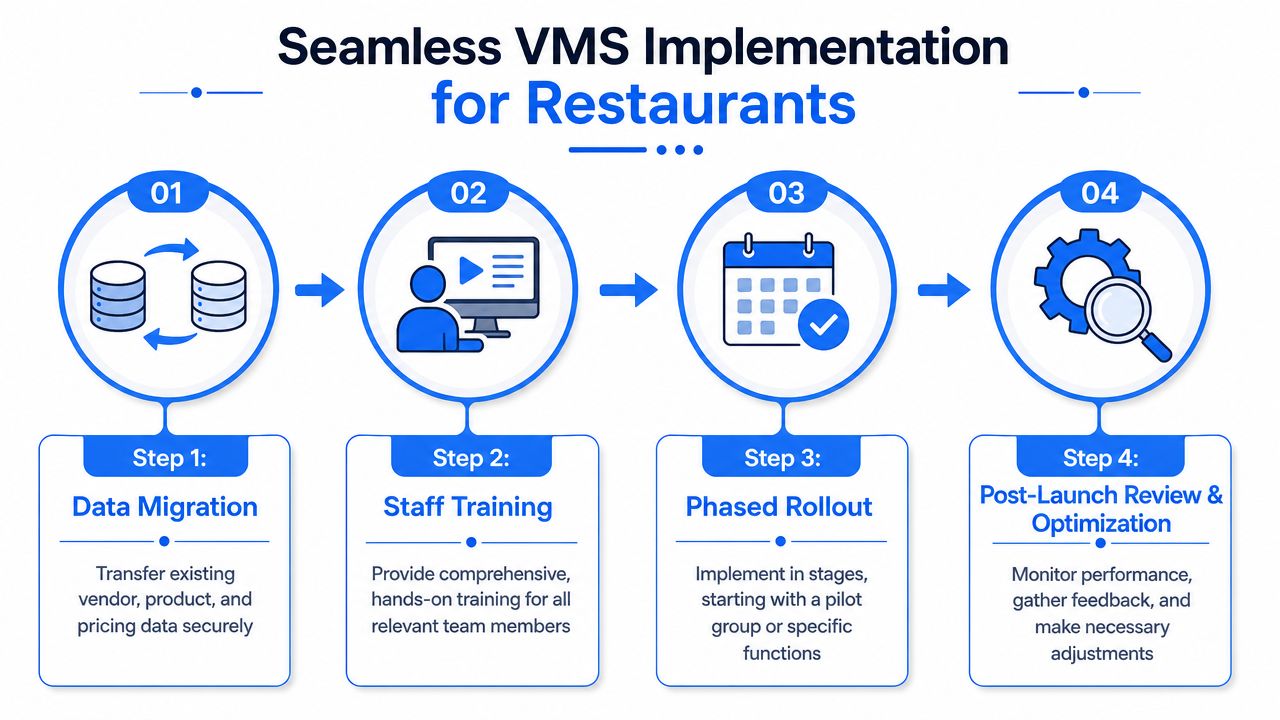
Roll it out in a tight sequence
Start with the vendors that affect service and cost most. Usually that means your core food suppliers, key packaging vendors, cleaning and chemicals, and any supplier that regularly causes invoice or delivery issues.
A clean rollout often looks like this:
- Step one: gather your current vendor list from invoices, accounting records, spreadsheets, and manager contacts
- Step two: upload the essential fields first, such as vendor name, category, contacts, payment terms, active locations, and core documents
- Step three: set permissions so store managers, finance staff, and operators each see what they need
- Step four: launch with a limited group of priority suppliers before expanding to everyone else
Don't try to perfect old data before you start. Clean the critical records first. Tidy the long tail later.
How multi-location teams stop rogue buying
A VMS becomes far more than a filing system.
For multi-location operators, one of the most useful functions is managing decentralized buying and shadow IT by helping teams discover unapproved vendors, standardize intake, and build a centralized portfolio of vendor data for governance, as outlined in Technology Match's guide to vendor management.
That matters in restaurants because rogue buying rarely looks dramatic. It looks like:
- a location manager using a local supplier without approval
- a team member ordering software or services on a company card
- duplicate vendors supplying the same items at different prices
- one site ignoring negotiated terms because they don't know they exist
The fix isn't to choke every site with bureaucracy. It's to set practical guardrails.
Create an approved vendor list by category. Require a simple intake process for new suppliers. Review expense reports and invoice patterns to catch vendors that entered through side doors. Then decide which vendors need light review and which need full scrutiny.
Strong implementation keeps kitchens moving while office control gets tighter in the background.
If the system creates friction for every order, staff will work around it. If it makes approved buying easier than rogue buying, adoption sticks.
The Real ROI and Your Next Move
The return from vendor management software shows up in discipline, not magic.
You should expect value in places operators feel:
- Fewer invoice surprises because billed prices and supplier records are easier to check
- Less admin drag because contracts, contacts, and certifications sit in one place
- Stronger negotiation position because supplier issues are documented instead of anecdotal
- Cleaner compliance habits because expirations and missing documents stop getting buried
- Better multi-location consistency because approved vendors and terms become visible across the group
For most restaurant businesses, the primary benefit is simple. Managers stop wasting time hunting for information, and ownership gets better control over cost leakage.
If you're choosing your next move, keep it practical:
| Next step | Why it matters |
|---|---|
| Audit your top suppliers | Find where records, pricing, and documents are fragmented |
| Pick your main pain point | Cost control, compliance, or contract visibility |
| Start with a small rollout | Prove the process with critical vendors first |
| Link supplier control to reporting | Better decisions come from cleaner data |
Once your supplier side is under control, the next margin opportunity usually sits in the guest journey. Better cost visibility helps, but stronger revenue decisions need sharper front-of-house data too. That's where tools focused on restaurant analytics and revenue visibility start to matter.
When your back-of-house systems are finally under control, don't stop there. RevMenue helps restaurants turn menus into a revenue tool with fast QR menus, smart upsells, and clear analytics on what guests buy, so you can improve margins from both sides of the business.
