
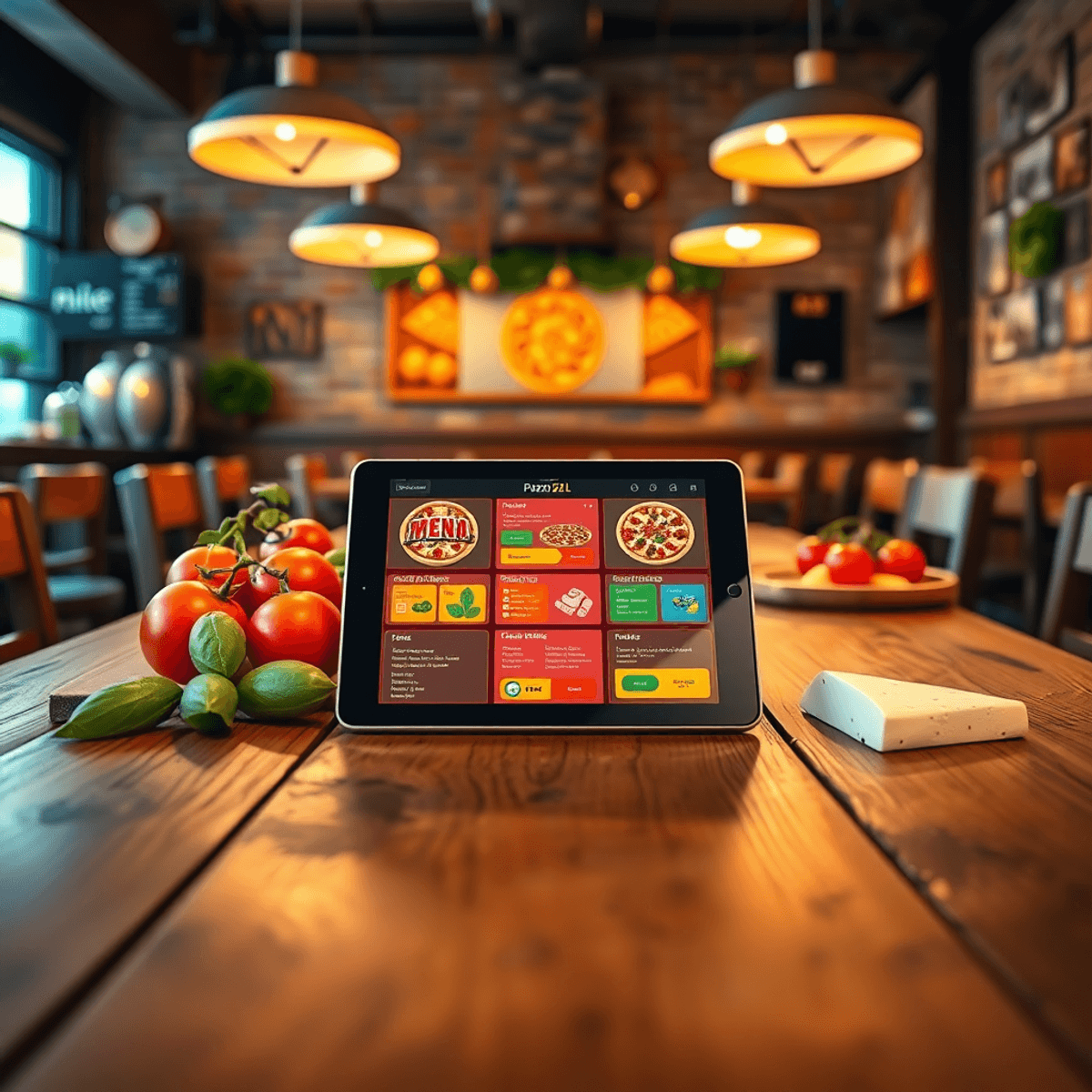
If you run a pizzeria, you already know the menu is not just a list of items. It is your sales engine.
However, most pizza menus are hard to read on a phone, slow to load, and painful to update. This creates friction at the exact moment customers are deciding what to order.
A user-friendly QR menu from RevMenue can fix that. The right one helps you:
- Speed up ordering decisions during rush hours
- Increase average ticket size with smart upsells
- Reduce staff time spent answering repeat menu questions
- Make updates instantly (prices, 86’d items, specials)
- Create a better dine-in and takeout experience without extra labor
This guide breaks down what actually works for pizzerias, what to avoid, and the exact features that make a QR menu “user-friendly” in the real world.
What “User-Friendly” Means for a Pizzeria QR Menu
Most QR menus fail because they are built like a PDF replacement. Pizzerias need something different.
A truly user-friendly QR menu is:
- Fast on mobile (loads in under a few seconds on average Wi-Fi)
- Easy to scan (high contrast, clear instructions, short path to the menu)
- Built for quick decisions (pizza is customizable, so the UI matters)
- Designed for upsells (add-ons, sides, drinks, desserts)
- Simple to manage (updates should take minutes, not hours)
The best QR menu is the one your customers can use without thinking, and your staff can manage without training sessions.
For more insights on creating an effective QR menu, including sample pages and tips from the RevMenue blog, consider exploring their resources. Additionally, if you’re looking for advanced solutions such as restaurant forecasting software for multi-location, they have that covered too.
Why Pizzerias Specifically Need a Better QR Menu
Pizza has a few unique challenges that generic QR menus do not handle well.
- Customization complexity: size, crust, sauce, cheese level, toppings, half-and-half, gluten-free, extra bake, well done
- Combos and bundles: slice + drink, family deals, game day bundles, lunch specials
- High-volume modifiers: extra ranch, chili flakes, garlic dip, parmesan, side marinara
- Split decisions at the table: groups want to build one order together quickly
- Mixed service types: dine-in, pickup, delivery, counter service, and third-party traffic
If your QR menu makes customization confusing, you lose orders or slow down tables.
The Biggest Mistake: Using a PDF as a QR Menu
A PDF menu behind a QR code is better than nothing, but it is rarely user-friendly.
Common PDF problems:
- Tiny text and constant zooming
- Slow load times on mobile networks
- No tap-to-add behavior, no smart modifiers
- No search, no filters (vegetarian, spicy, gluten-free)
- No upsells, no suggested pairings
- Customers get frustrated and ask staff anyway
A modern QR menu should feel like a mobile ordering experience. The features that actually work and drive revenue are crucial in this aspect.
The Features That Actually Work (and Drive Revenue)
Here are the features that matter most for pizzerias, in priority order.
1) A “Pizza Builder” That Feels Simple
Customers should be able to:
- Choose size
- Choose crust
- Pick sauce
- Add toppings with clear pricing
- Handle half-and-half without confusion (if you offer it)
- See the final price update as they customize
If the experience is unclear, customers default to the simplest item or stop ordering add-ons.
What to look for:
- Modifiers with logical steps
- Required vs optional add-ons clearly labeled
- Real-time price updates
- Clean layout, big tap targets, minimal scrolling
Incorporating advanced QR code menu software for restaurants can greatly enhance the user experience by addressing these specific needs. Additionally, utilizing restaurant task management software can streamline operations and improve service efficiency.
2) Category Design Made for Speed
Pizzerias need fewer clicks to get to the right item.
High-performing categories often include:
- Best Sellers
- Build Your Own
- Specialty Pizzas
- Slices (if applicable)
- Wings
- Sides
- Salads
- Desserts
- Drinks
- Lunch Specials
- Family Deals
User-friendly detail: keep category names short and obvious. “Signature Pies” might sound nice, but “Specialty Pizzas” converts faster because it is instantly understood.
3) Upsells That Are Natural (Not Annoying)
The best QR menus increase revenue by making add-ons feel helpful.
Effective upsells for pizzerias:
- Extra sauce cups (ranch, garlic, marinara, hot honey)
- Add wings or a side
- Upgrade to a combo (pizza + drink, pizza + salad)
- Add dessert (cannoli, tiramisu, cookie)
- Add a second pizza at a deal price (family bundles)
What to look for:
- Suggested items at the right moment (cart and checkout)
- Add-ons attached to relevant products (sauce prompts on pizza and wings)
- Ability to run limited-time specials without redesign work
4) Photos That Load Fast and Sell
Photos help, but only if they are optimized. A menu full of heavy images can kill load speed.
Best practice:
- Use photos on top sellers first
- Keep image sizes optimized for mobile
- Use consistent lighting and framing
- Highlight texture (cheese pull, charred crust, toppings)
If your QR menu platform compresses and optimizes photos automatically, that is a real advantage.
5) Search and Filters (Small Feature, Big Impact)
When customers can search “pepperoni” or filter “vegetarian,” they order faster.
Look for:
- A search bar that is visible without scrolling
- Filters for dietary preferences
- Clear icons or tags (spicy, vegetarian, gluten-free)
This reduces questions and speeds table decisions.
6) Real-Time Menu Control for Busy Nights
Pizzerias run out of things. A user-friendly QR menu should let you:
- Mark items “Sold Out” instantly
- Hide categories temporarily
- Switch between lunch and dinner menus
- Update prices without reprinting anything
Such real-time menu control matters most on weekends and during events.
7) Easy Table-Use and Takeout-Use in One Flow
Many pizzerias want:
- Guests at tables scanning to browse and order
- Guests at home ordering pickup or delivery
- Counter customers scanning while waiting
Your QR menu should support multiple entry points without confusion.
What to Avoid (Even If the Demo Looks Good)
Some platforms look polished but fail in real service.
Avoid QR menu tools that:
- Require customers to download an app
- Hide prices until the end
- Make modifiers hard to find
- Force too many screens per item
- Load slowly on standard Wi-Fi
- Have clunky admin tools that only a manager can figure out
- Can’t handle pizza-specific customization cleanly
A quick test: ask a friend to order a custom pizza plus two add-ons in under 30 seconds. If they struggle, your guests will too.
These issues can lead to increased labor costs, which can be avoided with the right strategies as detailed in our article on how to control labor costs in a restaurant without hurting service. Additionally, utilizing restaurant KPI software for real-time performance can help manage these situations more effectively. Lastly, implementing waitlist software that reduces walkouts can significantly enhance the dining experience during busy periods.
What a Great QR Menu Flow Looks Like for a Pizzeria
A high-converting flow usually looks like this:
- Customer scans QR code
- Menu opens instantly in mobile browser
- They see:
- Best Sellers
- Deals
- Build Your Own
- They tap a pizza
- Customization steps are clear and quick
- Upsell prompts appear naturally (sauce cups, drinks, dessert)
- Checkout is simple
- Confirmation is clear (and optionally tied to loyalty or SMS updates)
The goal is fewer decisions per screen, with the right prompts at the right time.
Where RevMenue Fits for Pizzerias (and Why It’s Built for Revenue)
A QR menu should do more than “go digital.” It should help you sell more with less friction.
RevMenue is designed to help restaurants increase revenue while keeping the guest experience fast and simple. For pizzerias, that typically means:
- Clean mobile-first menu browsing (no PDF pinch-and-zoom)
- Smooth modifiers for customization and add-ons
- Built-in opportunities to upsell sides, sauces, and drinks
- Easy menu updates so you can move fast during rushes
- A professional QR experience that looks on-brand and modern
To achieve these goals, it’s crucial to leverage menu optimization strategies that RevMenue excels in. This includes utilizing customer insights to better understand preferences and streamline the ordering process.
Moreover, implementing digital menu board software can significantly enhance the user experience by providing a seamless interface for customers. Coupled with our advanced analytics software, pizzerias can make data-driven decisions to further optimize their operations.
If your goal is a menu that is easy for guests and also helps increase average order value, RevMenue is a strong fit to evaluate.
Free trial callout: Want to see how it works with your actual pizza menu? Start a free trial with RevMenue and build a mobile-first QR menu you can test in-store before committing.
How to Set Up QR Menus in a Pizzeria (So People Actually Use Them)
Even the best QR menu fails if the rollout is sloppy. Here is what works.
Place QR Codes Where Decisions Happen
Use QR codes on:
- Table tents (center of table)
- Wall signage near ordering lines
- Countertop stands for pickup customers
- Pizza box stickers (for reorders)
- Receipts (for loyalty and repeat ordering)
Add One Line of Instruction
Do not assume guests know what to do. Add clear text:
- “Scan to view menu and order”
- “Scan to reorder your favorites”
- “Scan for specials and deals”
Keep the Menu Shorter Than Your Printed Menu
Most pizzerias have too many items in one place. Your QR menu should prioritize:
- Best sellers
- High-margin items
- Combos and bundles
- Seasonal specials
You can still include everything, but lead with what you want to sell.
Make Deals Obvious
If you have bundles, make them easy to find. For example:
- Family Night Deal
- Game Day Bundle
- Two Pizzas + Wings
- Lunch Slice Combo
Deals reduce decision fatigue and lift ticket size.
A Practical Checklist: Best User-Friendly QR Menu for Pizzerias
Use this checklist to compare platforms quickly.
Customer experience
- Loads fast on mobile
- Clean categories and navigation
- Search and filters
- Clear customization flow for pizza
- Easy add-ons and upsells
- No app download required
In addition to these aspects, it’s also important to consider your overall business strategy when implementing such technological changes. For a comprehensive understanding of how to successfully navigate the complexities of selling a restaurant business, refer to this selling restaurant business checklist.
Operations
- Quick edits for prices and items
- Sold-out toggles
- Schedule menus (lunch vs dinner)
- Simple admin dashboard
- Multi-location support if needed
Revenue tools
- Best seller highlighting
- Suggested add-ons (sauces, drinks, desserts)
- Bundles and combos, leveraging our expertise in bundling
- Ability to run limited-time specials quickly
If a platform misses the pizza customization piece or makes updates hard, it will not feel user-friendly in real life.
FAQ: User-Friendly QR Menus for Pizzerias
What is the best QR menu format for a pizzeria?
A mobile-first interactive menu is best. Avoid PDF-only menus. Pizzerias need easy customization, clear pricing, and fast navigation. This is where digital menus come in handy.
Do QR menus increase sales for pizzerias?
They can, especially when the menu includes smart upsells (sauces, sides, drinks, desserts) and bundles. The biggest gains usually come from reducing friction and making add-ons effortless through smart menus.
What features matter most for pizza customization?
Look for a clean modifier system that supports:
- Sizes and crust types
- Sauce and cheese options
- Toppings with clear pricing
- Easy extra items like dips and sides If half-and-half is important for your shop, confirm the platform supports it in a way customers understand.
Are QR menus better than printed menus?
For updates and speed, yes. Printed menus are still useful in some dining rooms, but QR menus win for:
- Instant updates
- Specials and rotating items
- Upsells and bundles
- Cleaner, faster browsing on mobile
Many pizzerias use both. Our smart QR menus are designed to maximize efficiency and user experience.
How do I get customers to actually use the QR menu?
Placement and clarity matter most:
- Put QR codes directly on the table or counter
- Add a simple instruction line (“Scan to view menu and order”)
- Make sure the menu loads fast and is easy to navigate
Can I run specials and limited-time offers through a QR menu?
Yes, if your platform supports quick edits and featured items. This is one of the biggest advantages of a digital menu, especially for lunch specials, seasonal pizzas, and event deals.
Is there a way to try RevMenue before committing?
Yes. RevMenue offers a free trial, so you can build your QR menu and test it with real customers before making a decision.
