
Most restaurants leak revenue through the menu long before they have a marketing problem.
That sounds backward, but the numbers support it. Digital menus that use upselling and menu psychology can increase average order value by 15 to 30% according to Calisto's breakdown of digital menu performance. If your menu is still a static PDF, a paper insert, or a clunky online page nobody updates on time, you're leaving margin on the table every shift.
A modern menu isn't just a list of dishes. It's a pricing tool, an operations tool, and a sales tool. The operators who treat it that way move faster, sell smarter, and waste less.
Table of Contents
- Your Menu Is Costing You Money Every Single Shift
- What Is Restaurant Menu Management Software Really
- Core Features That Drive Revenue and Efficiency
- The Measurable ROI of Smart Menu Management
- A Vendor Selection Checklist for Operators
- Implementation and Rollout Without Disruption
- Turn Your Menu Into Your Best Employee
Your Menu Is Costing You Money Every Single Shift
Static menus create silent losses.
They don't react when ingredient costs move. They don't push profitable add-ons. They don't help a guest choose the item you want to sell. And they definitely don't help a manager fix a pricing mistake in the middle of service.
Paper menus and PDF QR menus look cheap because they're familiar. In practice, they're expensive. Staff answer the same questions over and over. Someone notices an item is sold out after guests already tried to order it. A promo gets approved, but it doesn't hit every channel at the same time. Those aren't minor annoyances. They're margin leaks.
The real cost of doing nothing
The shift to software isn't a niche tech trend anymore. The global restaurant management software market was valued at USD 6.29 billion in 2025 and is projected to reach USD 21.17 billion by 2034 at a 14.43% CAGR, based on restaurant management software market projections from Straits Research. Operators are moving toward data-driven systems because manual menu control is too slow for modern service.
Static menus force your team to work around the menu. Good software makes the menu work for the team.
If you're running one location, the pain shows up in missed upsells and clumsy updates. If you're running multiple locations, it gets worse fast. One branch has the new price, another doesn't. One store removed an item, another still sells it. Consistency disappears, and so does trust.
What smart operators do instead
The fix isn't "go digital" in the vague sense. The fix is using a system built for pricing, availability, merchandising, and analytics in one place.
A strong setup should let you:
- Update items instantly so sold-out dishes disappear or get marked clearly.
- Push profitable placements such as bundles, add-ons, and featured items.
- Keep channels aligned across dine-in QR menus, ordering pages, and service touchpoints.
- Review performance quickly so you know what deserves more visibility.
If your current menu can't help you raise check average or reduce operational friction, it isn't just outdated. It's underperforming. A sharper restaurant menu optimization approach usually creates wins faster than owners expect.
What Is Restaurant Menu Management Software Really
Restaurant menu management software is your operating layer for the menu. Not the design file. Not the printed sheet. Not the PDF someone exported six months ago and forgot to replace.
It sits between the guest, the staff, and the systems that run the business.
It's not a PDF with a QR code
A lot of operators think they've solved digital menus because they stuck a QR code on the table. If that code opens a static PDF, they haven't solved much.
A PDF can't adapt in real time. It doesn't know which items are out of stock. It can't highlight a lunch combo at noon and a high-margin cocktail pairing at dinner. It won't help a guest customize confidently, and it won't help your manager learn which items need better placement.
That matters because the menu is where commercial decisions show up in public. Guests don't see your food cost sheets or purchasing headaches. They see what the menu presents, how easy it is to order, and whether the choices feel clear.
Think of it as an intelligent menu engine
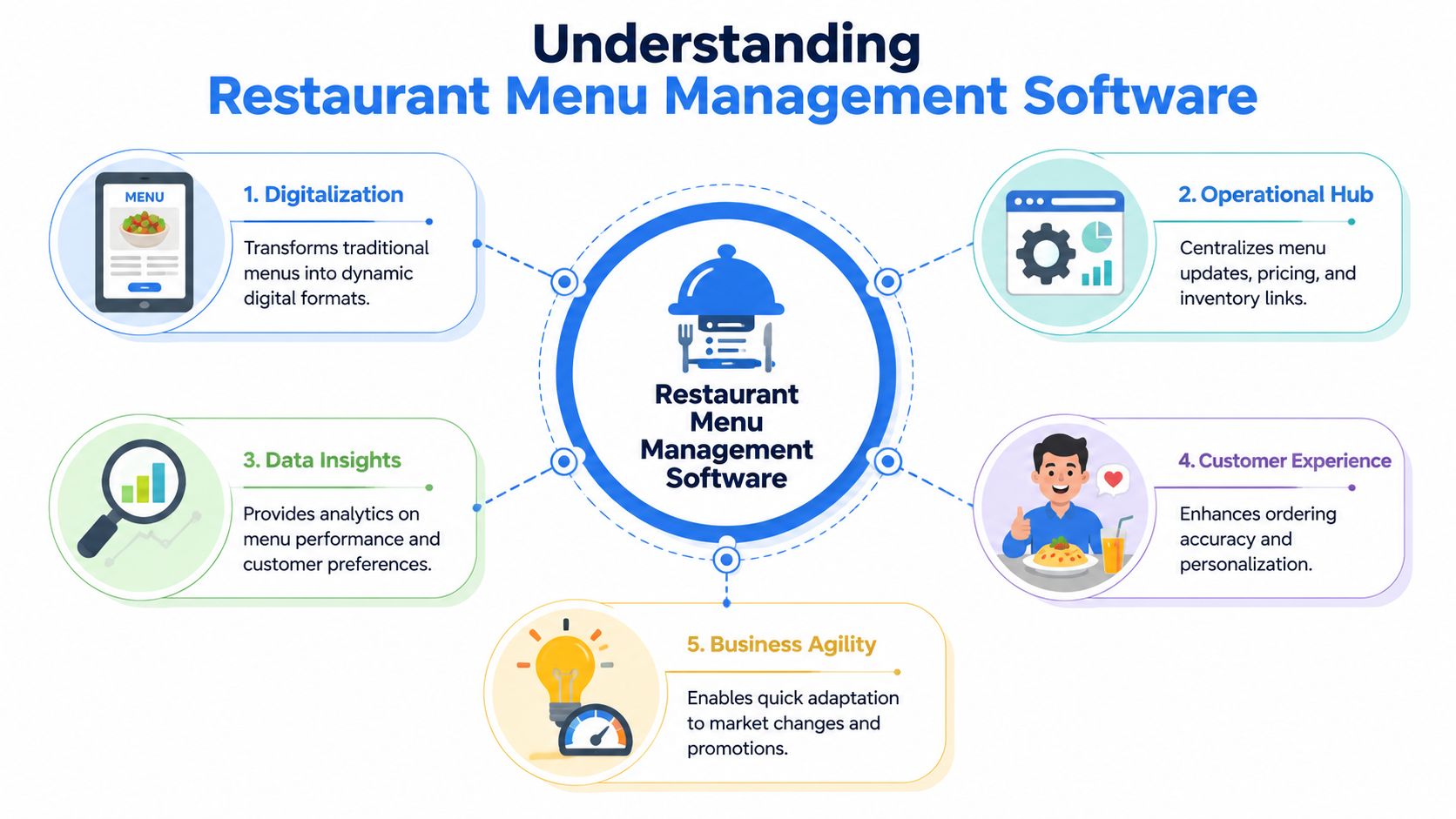
The best way to understand restaurant menu management software is to think of it as an intelligent menu engine.
It connects several moving parts:
- Pricing control so you can change item prices, bundles, and modifiers quickly
- Availability management so low-stock or unavailable dishes don't create friction
- Promotional logic so limited-time offers appear when and where they should
- Customer-facing presentation including photos, descriptions, allergens, and upsell prompts
- Performance data so you can see which dishes attract clicks, orders, and repeat interest
Practical rule: If a platform only displays the menu but doesn't help you improve margin, it's a publishing tool, not a management system.
Here's a realistic example. A café wants to push pastries with afternoon coffee orders. A basic digital menu just shows the items. A proper menu management system can feature a pastry pairing at the right moment, make sold-out items disappear, and give the manager clear signals on which pairing converts.
That changes the role of the menu. It stops being passive.
For multi-location operators, software becomes essential. The menu stops living in scattered files and group chats. It moves into one controlled environment where managers can make decisions once and apply them cleanly.
Core Features That Drive Revenue and Efficiency
Bad menu software creates two problems at once. It leaves money on the table, and it wastes labor fixing issues your system should handle automatically.
That is the standard to use when you evaluate features. Ask one question for each feature: does it raise check average, protect margin, or cut staff workload? If the answer is no, it is decoration.
Revenue drivers
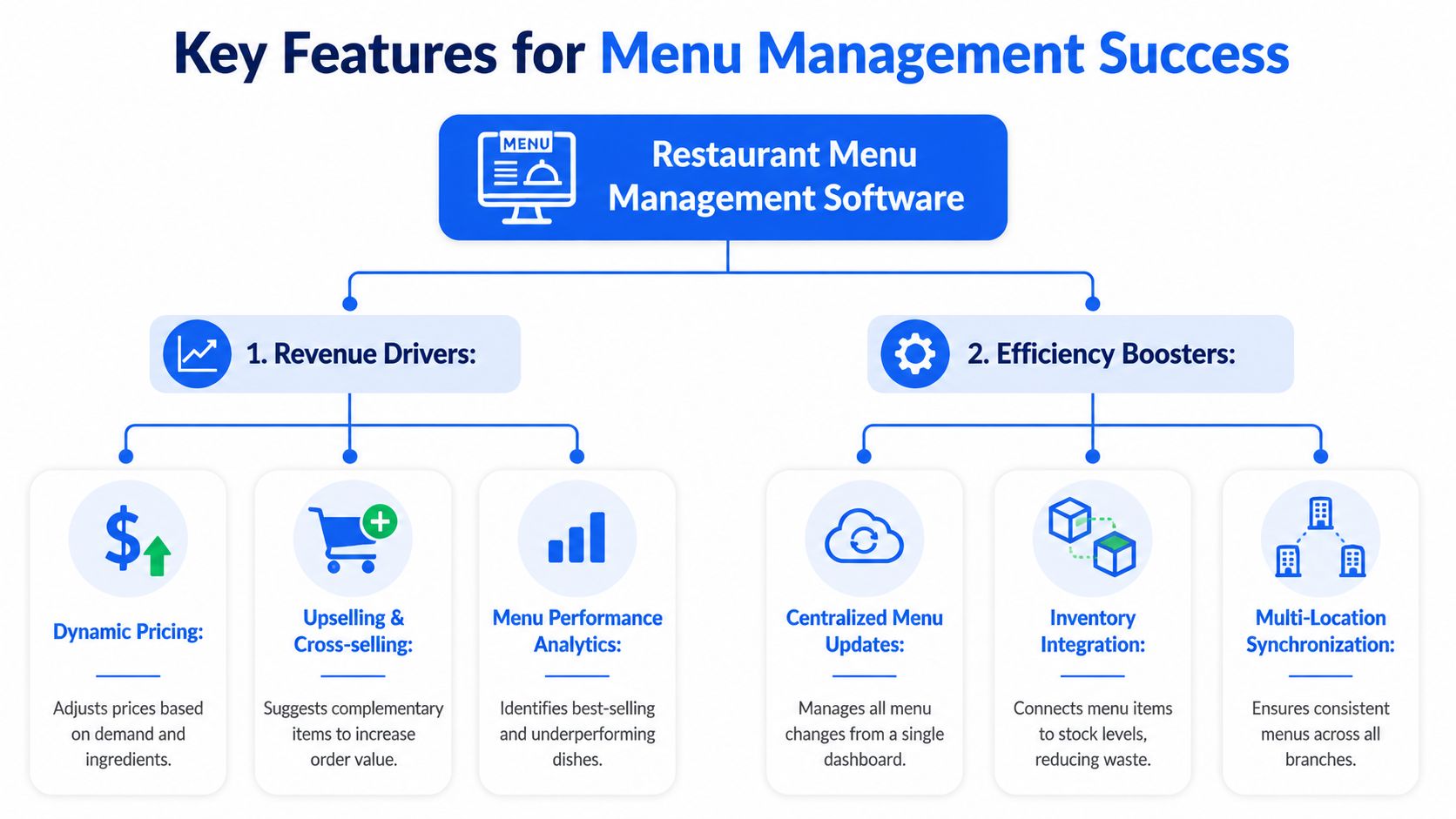
Start with upsells that feel natural to the guest and automatic to the operation.
Your software should support add-on prompts, bundles, premium modifiers, and featured placements that appear at the right point in the ordering flow. Those are not cosmetic tools. They are direct AOV controls. Earlier research already showed digital upselling can push average order value higher. The central question is whether your system lets you test those prompts quickly and keep the winners live.
Good platforms also apply menu psychology in ways operators can use:
- Highlight high-margin dishes with badges or placement rules
- Cut friction on add-ons so guests can accept in one tap
- Present pricing clearly so bundles look like value, not complexity
- Feature premium modifiers that raise spend without adding much prep time
Bundling deserves special attention because it is one of the fastest ways to raise revenue without rewriting the whole menu. Voosh Foods' bundling guidance for delivery orders notes that a modest effective discount often improves take rate while preserving margin. That matters because many operators discount too hard and train guests to wait for deals.
A lunch combo is the simple version. A better system goes further. It can show the combo only during lunch, hide it when an item runs out, and track whether the bundle beats separate-item ordering. Pair that with restaurant analytics software that tracks item performance and attachment rates, and you can stop guessing which offer lifts profit.
A quick visual walkthrough helps show what strong menu software should do in service:
Efficiency boosters
Revenue growth means less if your team still spends every shift cleaning up preventable problems.
The software should cut routine labor in a few clear areas:
- Centralized updates so one change applies everywhere the item appears
- Real-time availability control so sold-out dishes disappear before they create friction
- Multi-location synchronization so prices, modifiers, and visibility stay aligned
- Modifier rules that reduce order errors and kitchen confusion
These features protect margin in less obvious ways. Fewer wrong orders mean fewer remakes. Faster 86 updates mean fewer refunds and fewer awkward conversations at pickup. Consistent pricing across locations means fewer exceptions for managers to fix during service.
Speed matters here. If weather changes traffic, inventory drops faster than expected, or a manager wants to push a high-margin soup before dinner, the system should let them act in minutes. Slow menu updates cost sales first, then create staff work.
Insight tools
A menu should be managed like a revenue channel, not a design project.
That means the software needs to show operators what is happening:
- Which items get views but do not convert
- Which categories stall ordering
- Which add-ons attach consistently
- Which dishes earn premium placement
- Which promotions raise check average without hurting mix
Those insights are where software starts paying for itself. You can spot an item that gets attention but not orders, rewrite the description, change the photo, adjust placement, and measure the result. You can find modifiers that create friction and simplify them. You can promote dishes with strong margin and stable prep times instead of giving prime space to items that only look good on the menu.
That is the difference between a digital menu and a management system. One publishes items. The other helps you sell the right items, with less labor, at better margins.
The Measurable ROI of Smart Menu Management
Most software pitches are full of feature lists. Owners don't buy feature lists. They buy outcomes.
If restaurant menu management software doesn't improve check average, tighten operations, or reduce avoidable waste, it's just another monthly bill.
Where the return shows up first
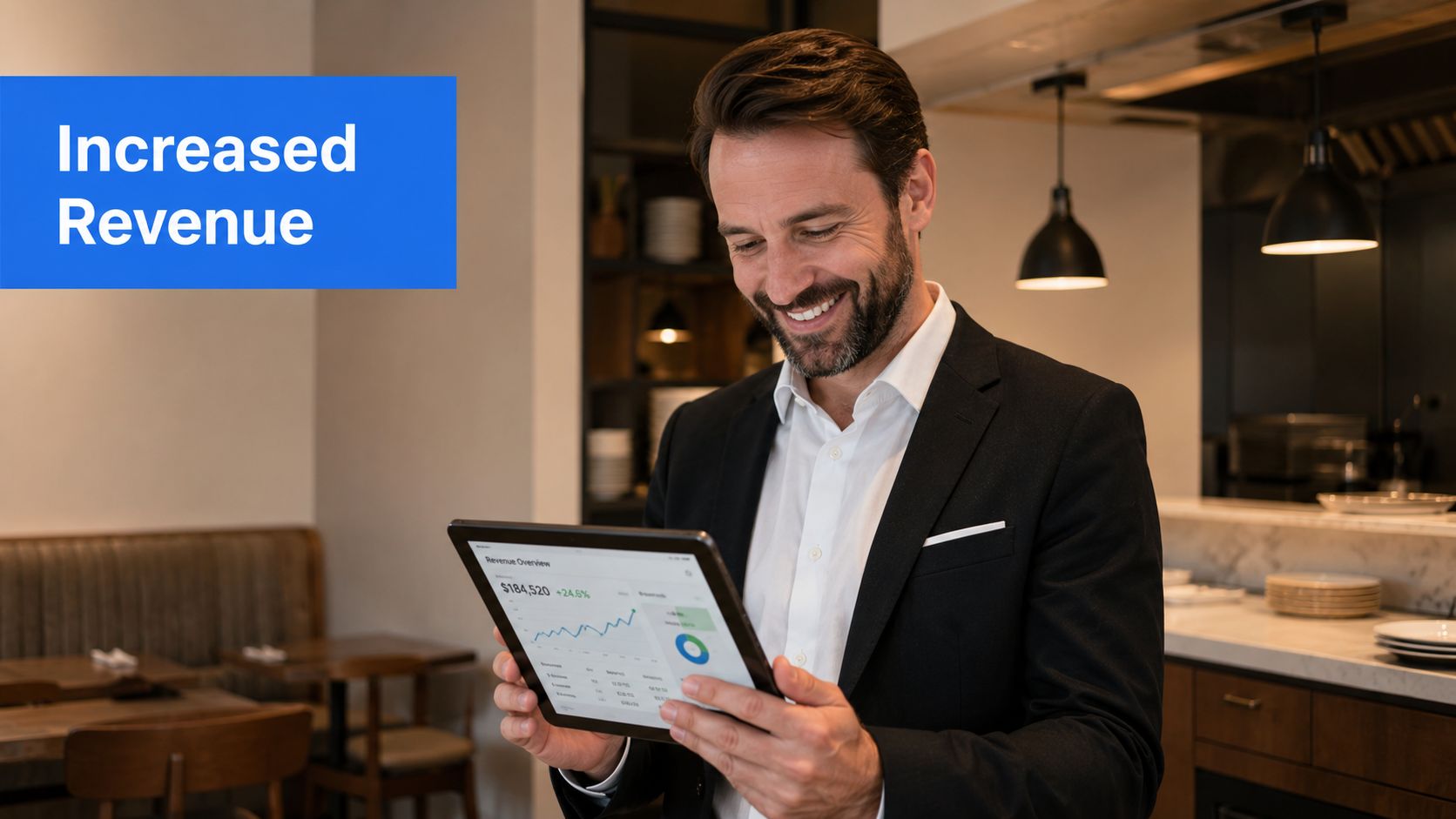
The first ROI lever is usually average order value.
When a menu presents relevant add-ons, cleaner bundles, and better item placement, guests spend more without needing a server to carry the whole upsell load. That matters even more during busy shifts when the team is stretched and consistency drops.
The second lever is promotional speed. Seasonal and limited-time offers work best when they're easy to launch and easy to remove. Implementing seasonal menus can boost total sales by up to 26%, according to Lightspeed's guidance on seasonal menu strategy. Operators using a strong restaurant analytics software approach can spot which seasonal items deserve more visibility and which ones should leave fast.
The third lever is waste and friction reduction. When teams can update availability quickly, they stop selling items the kitchen can't support. That saves staff time, avoids refunds and awkward table touches, and helps protect guest confidence.
A practical operator view of ROI
Here's where I see the wins in the field most often:
- Fewer ordering errors: Guests choose modifiers and add-ons more clearly, so the kitchen gets cleaner tickets.
- Less staff interruption: Front-of-house spends less time answering repetitive menu questions.
- Faster promotional execution: Managers can push bundles or limited-time items while demand is live.
- Better item visibility: The dishes you want to sell don't get buried.
The easiest profit in a restaurant often comes from selling the right item more often, not from chasing more traffic.
The soft costs matter too. Printing and reprinting menus sounds minor until every price change, sold-out item, and seasonal launch creates another scramble. Digital control cuts that noise. It also removes the lag between decision-making and guest experience.
A café group I'd advise to prioritize ROI would start with three moves:
- Feature the margin-rich items first on mobile and QR menus.
- Turn on smart bundle prompts for dayparts where staff are busiest.
- Review item performance weekly and demote dishes that get attention but don't convert.
The return from menu software isn't just more sales. It's cleaner execution. Teams make fewer avoidable mistakes. Managers react faster. Guests order with less confusion. Those compounding operational wins are usually what make the investment obvious after a short period.
A Vendor Selection Checklist for Operators
Most demos look good.
That doesn't mean the platform will survive a Friday night service, work with your current stack, or help your managers make faster decisions. Choosing restaurant menu management software is less about flashy features and more about operational fit.
The questions that actually matter
Start with integration. If the platform doesn't connect cleanly to the systems you already use, you'll end up paying for workarounds.
A serious requirement is bi-directional API synchronization between the POS and inventory, where a menu update instantly recalculates recipe costs and stock levels. Without that, operators can face a margin discrepancy of 3 to 5% before manual correction, as outlined in BEP Back Office's overview of restaurant software features.
Ask the vendor blunt questions:
- When I change a menu item, what updates automatically?
- Does price, availability, and stock move together or separately?
- Can a location manager make a safe change in seconds without calling support?
- How do you handle modifiers, allergens, and item variants?
- What happens if I need different menus by location or daypart?
Then look at usability. If your GM needs a training manual just to update a price, the software is too complicated. Good systems should make common tasks obvious.
Buy the system your managers will actually use during service, not the one that looks best in a sales deck.
Reporting is another dividing line. Some vendors show what sold. Better vendors help you see what should sell more, what needs repositioning, and where ordering friction is hiding.
Vendor Selection Checklist
| Evaluation Area | Key Question | Why It Matters |
|---|---|---|
| POS and inventory integration | Does the menu update trigger stock and cost changes automatically? | Prevents manual lag, pricing errors, and margin drift |
| Ease of use | Can a manager update an item, modifier, or price quickly? | Fast execution matters more than fancy admin screens |
| Multi-location control | Can I push changes across stores while keeping local flexibility? | Protects brand consistency without slowing operators down |
| Analytics and reporting | Does the dashboard help me improve item mix, not just read sales totals? | Better decisions come from actionable insights |
| Ordering experience | Is the guest journey fast, clear, and mobile-friendly? | A clumsy menu kills conversion |
| Support and onboarding | What happens when we hit a problem during service? | Response speed matters when the restaurant is live |
| Total cost of ownership | Are there extra charges for integrations, support, updates, or transactions? | Cheap software gets expensive fast when fees pile up |
The right vendor should fit your operation now and still make sense when you add complexity later. If you're planning more locations, more channels, or more menu variation, choose for that future now.
Implementation and Rollout Without Disruption
The rollout fails when operators try to do everything at once.
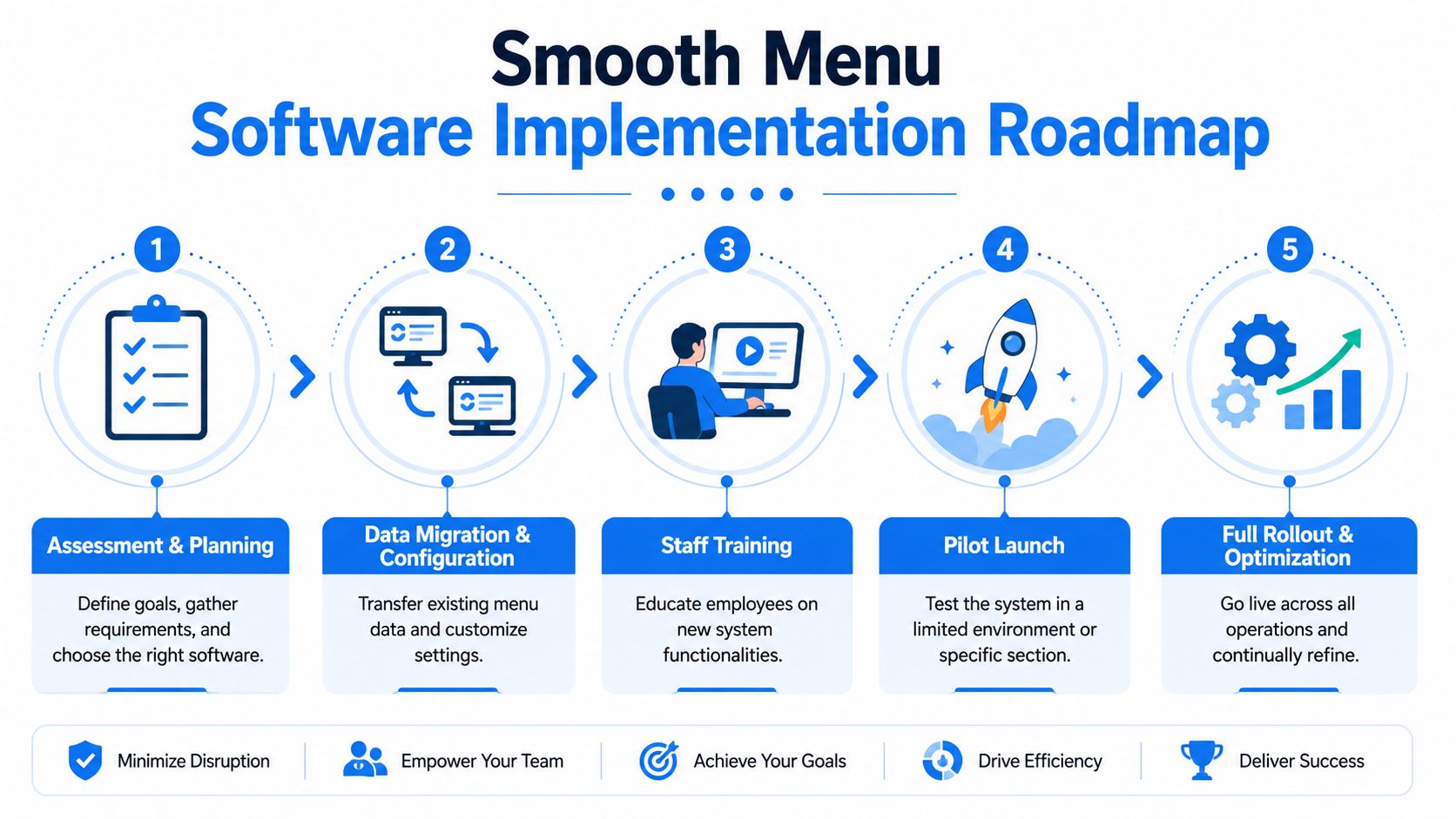
Good implementation is controlled. You clean the data, configure the essentials, train the staff on only what they need first, and launch in a way that doesn't punish the floor team.
A rollout plan that won't wreck service
Start with the menu itself. Before you touch software, get your house in order.
Use this sequence:
Clean the menu data
Remove duplicate items, outdated descriptions, and dead modifiers. Confirm pricing, allergens, photos, and category structure.Configure the platform
Set user permissions, locations, dayparts, and integrations. Keep the first version simple. Complexity can come later.Train by role
Servers need to know how guests use it. Managers need to know how to edit items, pause availability, and review performance. Nobody needs ten workflows on day one.Pilot before full rollout
Test it in one location, one daypart, or one service window. That's usually enough to expose broken modifiers, confusing descriptions, or clumsy category flow.
For operators comparing options, it helps to review platforms built specifically for fast guest-side adoption, such as this guide to best QR code menu software for restaurants.
What to watch after go-live
Speed matters once the system is live. Advanced platforms enable a full menu update across all locations in under 90 seconds, compared with a 45-minute average for legacy systems, and that speed correlates with a 12 to 18% increase in average ticket size when operators can deploy promotions during peak hours, according to TouchBistro's menu management feature overview.
That kind of speed changes behavior. Managers stop postponing updates. They react in real time.
After launch, watch these first:
- Which items guests tap but don't order
- Where they stall in the menu
- Which upsells attach cleanly
- Which categories need better flow
- Whether staff still workaround the system
Launch with the essentials. Optimize after service data starts coming in.
The smoothest rollouts aren't the most ambitious ones. They're the ones that get used immediately and improved steadily.
Turn Your Menu Into Your Best Employee
Your menu already does sales work. The question is whether it's doing that work well.
A strong restaurant menu management software setup helps you sell higher-margin items, reduce guest friction, cut repetitive staff tasks, and respond faster when the operation changes. That's why I don't treat it as a tech purchase. I treat it as a profit system.
The best part is that the menu works every shift. It doesn't forget the upsell. It doesn't show an outdated item if the platform is set up properly. It doesn't depend on who happened to be on the floor that day.
If you're serious about tighter operations and stronger margins, start with the menu. It's one of the few tools that touches revenue, labor, guest experience, and decision-making at the same time.
If you're ready to replace static menus with a faster, revenue-focused system, RevMenue is worth a look. It's built for restaurants that want better QR menus, smarter upselling, cleaner analytics, and easier multi-location control without forcing a painful overhaul of the systems they already use.