
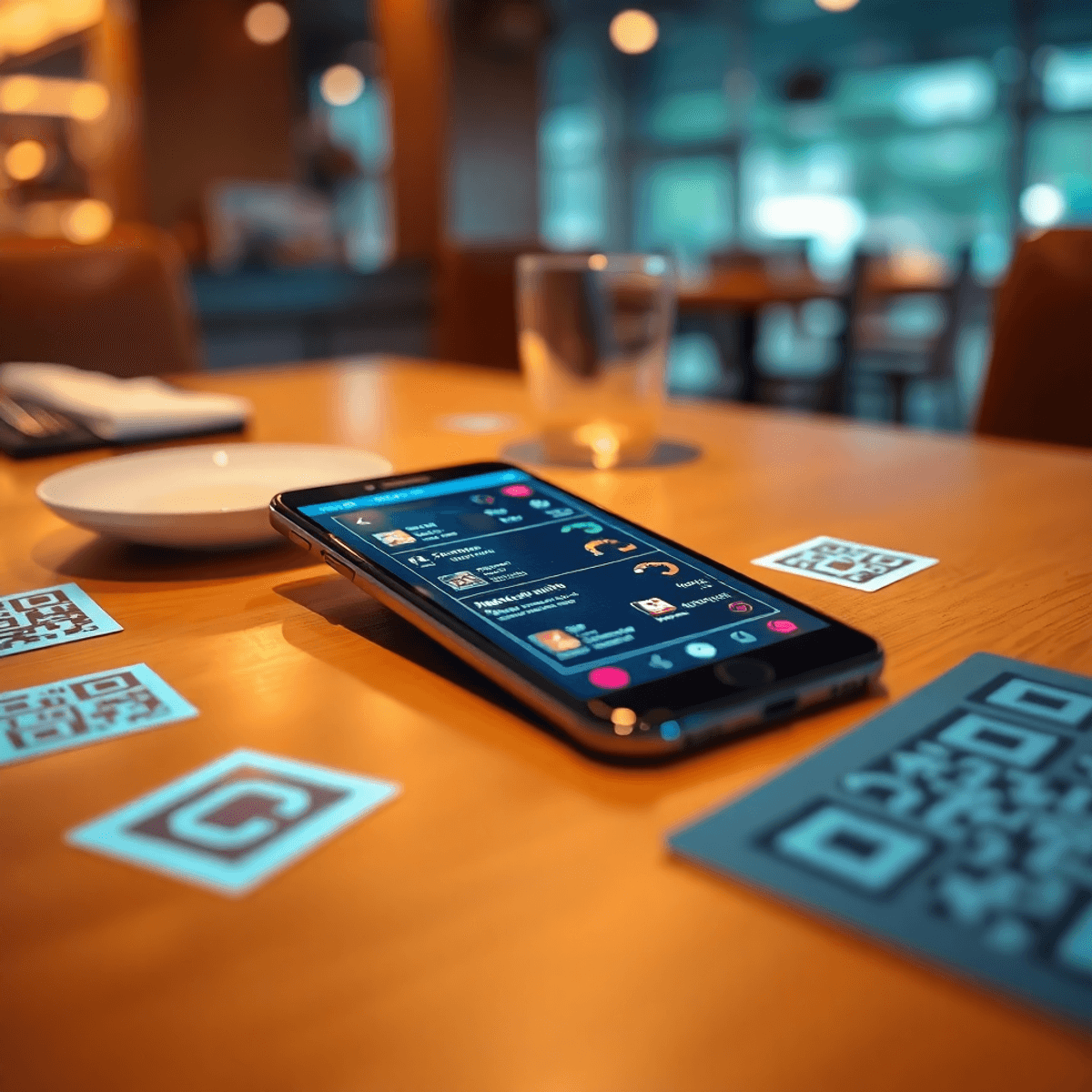
A guest sits down, spots a small QR code on the table, scans it, and your menu loads instantly. No waiting for someone to drop menus. No sticky menu books. No “sorry, we just ran out of that” confusion because the menu is already updated.
That simple scan is why “contactless menu QR” became the default. And it’s still growing, even long after the COVID-era rush.
When people search contactless menu QR, they typically mean:
- A scannable QR code
- That opens a mobile-friendly digital menu link
- In a browser, without needing an app
COVID accelerated adoption, but it wasn’t the real reason QR menus stayed. What’s driving growth now is practical:
- Faster service with fewer touchpoints
- Cleaner, more hygienic guest experience
- Staffing constraints and tighter operations
- Rising printing costs and constant reprint cycles
- The need to change menus quickly without chaos
In this guide, you’ll learn how QR menus work, what “one link” really means, how updates happen instantly, and how to roll it out in a way guests actually like.
Why “Contactless Menu QR” Became the Default (And Why It’s Still Growing)
QR menus stuck because they solve daily restaurant problems, not just health concerns.
Here’s what operators care about now:
- Speed: Guests can browse immediately. Staff can spend more time serving and selling.
- Hygiene: Less sharing. Less handling. Less cleaning menus.
- Labor reality: When you’re short-staffed, every avoided “menu touch” helps.
- Printing costs: Seasonal changes, price changes, and specials add up fast.
- Menu agility: You can 86 items, add specials, or fix mistakes in minutes.
The best part is this: once you set it up correctly with digital menus, you are not “switching to QR.” You’re switching to a menu system you can update anytime, everywhere, from one place.
Moreover, these smart QR menus are not just about convenience; they also make smart menus made effortless which ultimately enhances the overall dining experience for guests while alleviating operational burdens for restaurant staff.
What a Contactless Menu QR Actually Is (In Plain English)
A contactless QR menu has three basic pieces:
- A QR code (the square guests scan)
- A URL/link (where the QR points)
- A hosted menu page (a mobile-optimized menu that loads fast)
Where does the QR live? Anywhere guests might want the menu:
- Table tents or table stickers
- Posters at the entrance
- Counter signage for quick service
- Receipts
- Takeout bags
- Your website
- Your Google Business Profile
- Your Instagram bio link
The ideal outcome is simple:
Scan → fast load → easy browsing → clear prices + details + availability
Static PDF QR vs Live Digital Menu (Huge Difference)
Not all QR menus are equal. The most common problem is the “QR to PDF” approach.
- Static PDF QR: QR opens a PDF. It’s often hard to read on phones, slow to load, and annoying to scroll.
- Live digital menu: QR opens a mobile-friendly menu page. The link stays the same while the content can change anytime.
If you want “one link, unlimited updates,” you want the second option.
One Link, Unlimited Menu Updates: How It Works
This is the core promise restaurants actually want:
- Print the QR code once
- Update the menu forever
- Never reprint because the menu changed
Here’s how it works:
- Your QR code points to a stable URL (your menu link).
- The menu content behind that URL is dynamic, meaning you can edit it anytime.
- Guests always scan the same QR, but they always see the latest version.
To achieve this, utilizing digital menu board software for restaurants can be highly beneficial. This technology allows for seamless updates and optimizations of your menu content. For instance, if you’re looking to enhance your menu’s performance, exploring menu optimization strategies could yield significant results.
Moreover, understanding your customers better can also play a crucial role in this process. Gathering and analyzing customer insights can provide valuable information that helps tailor your offerings more effectively.
If you’re still unsure about how these digital solutions work, reviewing some sample pages of contactless menus could provide clarity and inspiration for your own restaurant’s digital transformation.
Real updates you can make instantly
With a live digital menu, you can change:
- Prices (without waiting for new prints)
- Item descriptions
- Photos
- Allergens and dietary notes
- Category order (push high-margin items up)
- Limited-time offers and specials
- Availability (hide sold-out items)
- “86” toggles during service
Why this matters operationally
This is not just convenience. It reduces mistakes.
- Fewer incorrect prices floating around
- Less staff improvising when something is unavailable
- Consistent menu across dine-in, patio, and online placements
- Faster changes during peak hours without disrupting service
The best systems also support:
- Scheduled menus (breakfast, lunch, dinner)
- Quick toggles for 86’d items
- Multi-location control without breaking brand consistency
The Real Benefits Restaurants See (Beyond “No Contact”)
A good QR menu is a revenue and operations upgrade. Here’s what restaurants typically see.
1) Lower printing costs
Menus change constantly:
- Seasonal changes
- Supplier-driven price changes
- New cocktails or specials
- Limited-time offers
A digital menu cuts the reprint cycle dramatically.
2) Speed and accuracy
If something is wrong, you fix it once.
- Correct typos immediately
- Update pricing errors instantly
- Remove unavailable items without confusion
That translates to fewer guest complaints and fewer staff interruptions.
3) Brand consistency across channels
One menu link can power:
- Dine-in tables
- Patio signage
- Takeout counters
- Online listings
No more mismatched “versions” of your menu.
However, these benefits are just the tip of the iceberg. By leveraging advanced technologies like restaurant KPI software for real-time performance, restaurants can gain deeper insights into their operations. This includes understanding customer preferences through analytics software for restaurants, which can significantly enhance decision-making processes.
Moreover, operational efficiency can be further improved by implementing strategies to control labor costs in a restaurant without hurting service. This not only helps in maximizing profitability but also ensures that the quality of service remains intact.
In addition to these operational advantages, it’s essential for restaurants to manage their customer flow effectively. Utilizing a restaurant waitlist software that reduces walkouts can play a crucial role in this aspect. Such tools allow restaurants to optimize their seating arrangements and manage customer expectations better, ultimately leading to enhanced customer satisfaction.
Lastly, with the implementation of metform-based solutions for collecting customer feedback and preferences, restaurants can continuously improve their offerings and services based on real-time data.
4) Upsell potential (without being pushy)
A clean digital layout lets you promote what matters without being intrusive. You can effortlessly incorporate add-ons and modifiers, combos and bundles, featured items, and high-margin categories. This approach doesn’t force upsells; rather, it makes the best items easier to discover.
5) Data and learnings (if supported)
If your QR menu system offers analytics, you can learn what guests engage with most, at an aggregated level:
- Most viewed categories
- Items that get attention
- Sections that get ignored
Used correctly, this is not creepy. It’s simply a way to improve layout and profitability over time.
What Makes a QR Menu Feel “Good” to Guests (Not Annoying)
Guests are not against QR menus. They’re against bad QR menus.
Here’s what makes the experience smooth.
Mobile-first design
Your menu should:
- Load quickly on cellular
- Use readable font sizes
- Have clear categories
- Minimize endless scrolling
- Show item details cleanly
No app required
The default expectation is simple:
- Scan
- Menu opens in the browser
- Done
Forced downloads add friction and reduce usage.
Clear instructions plus a fallback
At the table, your sign should do two things:
- Say exactly what to do: “Scan to view menu”
- Offer a simple fallback: “Prefer paper? Ask us.”
This removes tension for guests who do not want to use their phone.
Avoid huge PDFs
PDF menus often create a bad experience:
- Slow load times
- Tiny text
- Pinch-to-zoom
- Losing your spot while scrolling
A proper digital menu layout, which you can achieve by utilizing restaurant management software for busy owners, is easier to browse and helps guests order faster.
Wi‑Fi consideration (optional but helpful)
If your space has poor signal, include a small note:
- “Guest Wi‑Fi: Network / Password”
This prevents the most common QR failure: scanning with no connectivity.
Must-Have Features in a Contactless Menu QR System
If you’re choosing a platform, focus on what prevents reprints and saves time. Here are some must-have features to consider:
Dynamic QR with a stable link
This is the big one. You should not need to reprint QR codes every time you update the menu.
Easy editing
You should be able to update:
- Prices
- Descriptions
- Availability
- Specials
In minutes, not hours.
Multi-location management (if you have more than one store)
You want:
- Consistent branding
- Location-specific availability and pricing where needed
- Central control without confusion
Branding controls
At minimum:
- Logo
- Colors
- Cover image
- Clean formatting
The goal is to look on-brand without slowing load times.
Analytics (optional)
Helpful for iteration:
- What people view
- What gets ignored
- What might need repositioning or better naming
Common Mistakes (And How to Avoid Them)
Mistake: Using a PDF that’s unreadable on phones
Fix: Use a responsive digital menu layout with categories and item pages. This can be facilitated by using restaurant task management software.
Mistake: Tiny QR code or poor contrast
Fix: Test scan distance, lighting, and print quality. Use high contrast and adequate size.
Mistake: No backup option
Fix: Keep a few paper menus available or offer staff-assisted ordering.
Mistake: Too many popups and promos
Fix: Let guests browse. Keep calls-to-action subtle and secondary.
Mistake: Updating the menu in one place but not others
Fix: Centralize updates using one link across tables, takeout, and online placements.
How to Roll Out a Contactless Menu QR in 30–60 Minutes
You can launch fast if you keep the first version simple.
Step 1: Prepare your menu content
Collect:
- Categories
- Item names
- Descriptions
- Prices
- Allergens and dietary notes
- Add-ons and modifiers
Step 2: Choose the structure
Decide whether you need:
- A single menu (simple all-day menu)
- Multiple menus (breakfast/lunch/dinner, happy hour, late night)
Step 3: Build your menu in your system
Focus on clarity first:
- Clean category names
- Consistent item naming
- Simple descriptions that help guests decide
Step 4: Generate your QR code (one link)
Make sure the QR points to a stable link you will keep long-term.
Step 5: Print and place QR codes strategically
Place them where guests naturally look:
- Tables
- Counter
- Entrance
- Patio
- Takeout station
Step 6: Train staff with a 10-second script
Give your team a simple line like:
- “You can scan the QR for the menu. If you’d prefer a paper menu, I can bring one.”
This keeps it guest-friendly and avoids friction.
Step 7: Create a quick update routine
Decide:
- Who owns updates
- How often you review the menu
- A checklist before publishing changes (prices, availability, spelling)
Where to Place Your QR Codes for Maximum Scans (Without Being Pushy)
Table placements: tents vs stickers
- Table tents work well for visibility.
- Stickers work well if they are placed cleanly and not glossy.
- Avoid glare from laminated surfaces.
- Test the scan distance from a seated position.
At the counter
Perfect for:
- Quick-service restaurants
- Cafes
- Fast casual lines
Guests can browse while waiting, which speeds up ordering.
On receipts and takeout packaging
This supports repeat business:
- Guests can revisit your menu at home
- It’s an easy path back to ordering again
Online placements (use the same one link)
Use your primary menu link on:
- Website
- Instagram bio
- Google Business Profile menu link
Keep consistency
One primary menu link everywhere prevents outdated menus and guest confusion.
Why RevMenue Fits the “One Link, Unlimited Menu Updates” Promise
RevMenue is built for the practical reality of restaurant menus: they change constantly. With RevMenue, you can:
- Create a contactless menu QR that points to one stable link
- Update items, prices, photos, and availability anytime
- Publish changes without reprinting QR codes
- Keep your menu consistent across tables and online channels
This works especially well for:
- Daily specials and rotating items
- Frequent price updates
- Seasonal menus
- Multi-location consistency with location-specific control using our restaurant forecasting software
If you want to test the workflow before committing, keep it simple: start with one menu, one QR, and one placement.
Callout: Try RevMenue free for 14 days
Start RevMenue’s free 14-day trial, build your QR menu, and see how fast you can update your menu without reprints.
Additionally, if you’re considering selling your restaurant business in the future, it’s advisable to follow a selling restaurant business checklist to ensure all aspects are covered.
How to Measure Success After You Switch to a QR Menu
A QR menu is not “set and forget.” The best results come from small improvements over time.
Operational metrics
Track:
- Fewer menu reprints
- Fewer pricing mistakes
- Faster time-to-update
- Reduced staff confusion on 86’d items
Guest experience signals
Look for:
- Fewer menu-related questions
- Smoother ordering flow at peak times
- Less waiting for menus and fewer interruptions
Revenue nudges (if analytics are available)
Measure:
- Engagement with featured sections
- Add-on performance
- High-margin category visibility
Iteration approach
Make small weekly improvements:
- Reorder categories based on what people buy
- Rename confusing items
- Improve descriptions
- Add photos where it actually helps decision-making
Keep it balanced: optimize for clarity first, then upsells.
Wrap-Up: A Contactless Menu QR That Doesn’t Break When Your Menu Changes
A contactless menu QR only works long-term if it’s truly dynamic.
When you use one stable link, you can make unlimited menu updates without reprinting anything. That means faster changes, lower costs, better consistency, and a cleaner guest experience.
A practical next step:
- Build one live menu
- Test it in-house for a few days
- Then roll it out to every touchpoint: tables, counter, takeout, and online
If you want a straightforward way to do this, try RevMenue’s free 14-day trial and set up a contactless QR menu you can update in minutes.
FAQ: Contactless Menu QR
What is a contactless menu QR?
A contactless menu QR is a QR code guests scan to open your menu on their phone, usually in a mobile browser. It replaces or reduces the need for physical menus.
Do I need to reprint QR codes when my menu changes?
Not if your QR code points to a stable link connected to a live digital menu. Then you can update the menu content without changing the QR code.
Is a QR code that opens a PDF good enough?
Usually not. PDFs are often slow and hard to read on phones. A mobile-friendly digital menu page loads faster and is easier to browse.
Will guests be annoyed by QR menus?
They get annoyed by slow-loading, hard-to-read menus or forced app downloads. A fast, browser-based, mobile-first menu with a paper fallback option is typically well received.
Where should I put my QR code for the best results?
Use multiple placements that match guest behavior:
- Tables
- Counter
- Entrance signage
- Receipts and takeout bags
- Website and Google Business Profile
Just make sure they all point to the same primary menu link.
How fast can I launch a QR menu?
If your content is ready, you can launch in 30 to 60 minutes: build the menu, generate the QR, print, place, and train staff on a simple script. For an efficient process, consider using QR code menu software for restaurants which can streamline the setup significantly.
Can a QR menu help increase revenue?
Yes, if the system supports clean featured sections and smart layout. It helps you highlight high-margin items, add-ons, and specials without relying on staff to mention everything.
How do I try RevMenue?
You can start with RevMenue’s free 14-day trial, build one menu, place one QR code in-store, and expand once you’re happy with the guest experience and update speed.
FAQs (Frequently Asked Questions)
What is a Contactless Menu QR and how does it work in restaurants?
A Contactless Menu QR is a scannable QR code that opens a mobile-friendly digital menu link hosted on a web page optimized for phones. Guests scan the QR code placed on table tents, stickers, or other touchpoints, which instantly loads the menu without the need for physical menus, enhancing speed and hygiene.
How do dynamic QR codes enable unlimited menu updates without reprinting?
Dynamic QR codes point to a stable URL where the menu content can be updated anytime behind the scenes. This means restaurants print the QR code once, and can update prices, item availability, descriptions, photos, and allergens instantly without reprinting anything, ensuring operational efficiency and consistency across all channels.
What are the key benefits of using a Contactless Menu QR system beyond COVID-19 safety?
Beyond contactless convenience, benefits include significant cost savings by reducing printing cycles, improved speed and accuracy in menu updates, enhanced guest experience with readable fonts and photos, brand consistency across locations and platforms, upsell potential through highlighted items, and access to aggregated data insights on guest interactions.
What features should I look for in an effective Contactless Menu QR system?
Essential features include dynamic QR codes with stable links, an easy-to-use menu editor for quick updates, multi-menu scheduling (e.g., breakfast/lunch/dinner), item controls like marking sold-out items, allergen and dietary tags, multi-location management capabilities, branding customization (logos/colors/fonts), and optional analytics to understand guest behavior.
How can I ensure my digital menu provides a good user experience without annoying guests?
Design your digital menu to be mobile-first with fast load times, readable typography, clear categories, and minimal scrolling friction. Avoid requiring app downloads by using browser-based menus. Provide clear instructions at tables like ‘Scan to view menu’ with fallback paper options. Ensure accessibility with proper contrast and font sizes. Also consider guest Wi-Fi availability to prevent scanning issues.
What common mistakes should restaurants avoid when implementing Contactless Menu QR codes?
Avoid using unreadable PDFs on phones by opting for responsive digital layouts; ensure QR codes are large enough with good contrast for easy scanning; optimize page loading speed by compressing images; always provide backup paper menus or staff assistance; limit intrusive popups or promotions to prioritize browsing; and centralize menu updates to one link used everywhere to maintain consistency.
