
You closed service exhausted, the dining room felt busy, and the bank balance still looks wrong. The POS says one thing. Delivery apps say another. Payroll is due. Vendor invoices are piled up. Your bookkeeper will “sort it out at month end.”
That's not bookkeeping. That's delayed bad news.
In restaurants, weak books don't just create admin pain. They hide margin leaks until they've already done damage. If you want real control over profit, bookkeeping for restaurants has to show you what happened today, which sales channels paid, and where labor and product costs are drifting before the month is over.
Table of Contents
- Why Your Restaurant Bookkeeping Is Costing You Money
- Build Your Financial Foundation
- The Daily and Weekly Bookkeeping Rhythm
- Tracking Your Two Biggest Controllable Costs
- Handling Modern Revenue Streams and Compliance
- Using Financial Reports to Drive Profit
Why Your Restaurant Bookkeeping Is Costing You Money
A lot of owners think the problem is that bookkeeping is boring. It isn't. The problem is that most restaurant bookkeeping is late, messy, and disconnected from operations.
I've seen the same pattern over and over. The owner keeps sales in the POS, invoices in email, staff hours in a scheduling tool, delivery payouts in app dashboards, and bank activity in a separate login. Then at month end, someone tries to force all of it into a spreadsheet or QuickBooks. By then, the useful decisions are already behind you.
That approach is expensive because restaurants don't have room for sloppy financial control. Industry commentary notes that restaurants typically run on 3% to 6% profit margins, so small mistakes in sales recording, reconciliation, payroll, or food-cost tracking can materially change the result, as explained by restaurant accounting guidance on thin restaurant margins.
Where owners usually lose the thread
The loss rarely shows up as one dramatic error. It shows up in small misses:
- Uncleared sales differences: Cash, card, and app deposits don't line up with the POS.
- Late invoice entry: Food purchases hit the books too late to explain why margins moved.
- Payroll blind spots: Extra hours get approved without anyone tying them back to sales.
- Channel confusion: Delivery commissions, refunds, discounts, and tips get lumped together.
- Old reports: You're making staffing and pricing calls from numbers that are already stale.
Good bookkeeping should answer a hard question fast: did yesterday's sales actually create profit, or just activity?
That's why I push owners to treat bookkeeping as an operating system, not a back-office chore. Clean books tell you if menu pricing still works, whether staffing matched demand, and which revenue channels are subtly draining margin.
If you want sharper decisions, pair bookkeeping discipline with better visibility into menu and sales behavior. That's where tools for restaurant data analytics become useful. They help you see what the ledger alone can't. Which items drive value, which dayparts shift, and where customer ordering behavior is changing before it hits the P&L.
Build Your Financial Foundation
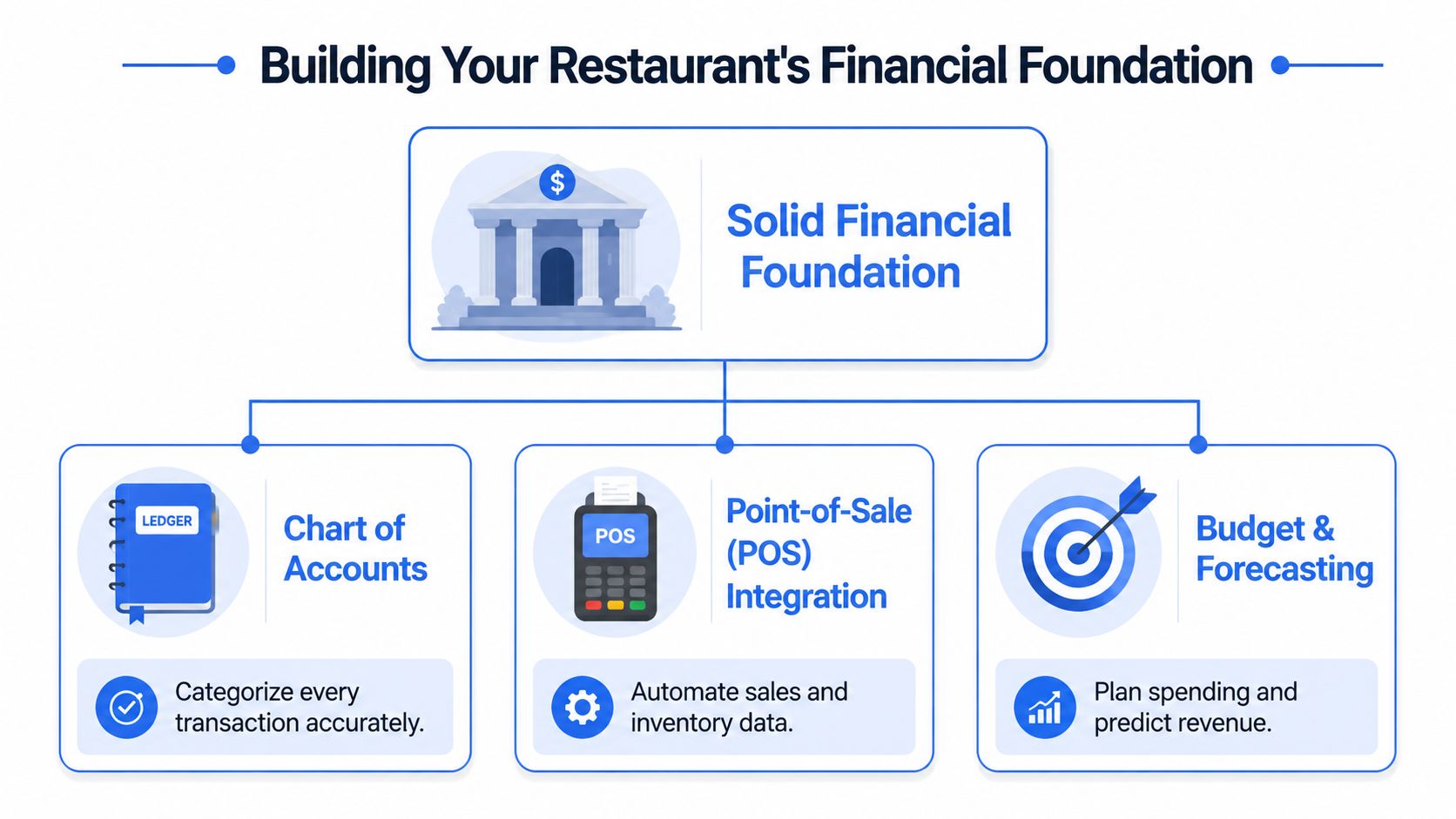
Most bookkeeping problems start before the first sale is entered. They start with a weak setup.
If your books weren't built for restaurant operations, you'll spend every month cleaning up categories, reclassifying deposits, and arguing over what the numbers mean. Fix the foundation first.
Start with the accounting method, not the software demo
For most operators, accrual accounting is the right choice. Major accounting guidance for restaurants says most restaurants use accrual accounting, record revenue and expenses when they're earned or incurred, reconcile monthly at minimum, and track sales daily through POS-linked systems, as outlined in QuickBooks guidance for restaurant bookkeeping.
That matters because cash movement doesn't tell you the full story.
If you buy product this week, run payroll next week, and receive a delivery-app payout later, cash timing can make performance look better or worse than it really is. Accrual accounting gives you a cleaner operating picture. That's what you need if you're trying to manage real margin, not just survive bank balance swings.
Build a chart of accounts that matches how restaurants actually operate
Generic bookkeeping for restaurants is useless. Your chart of accounts should reflect the business you run.
A practical setup usually separates revenue and cost buckets in ways that help operators act:
| Area | Useful categories |
|---|---|
| Revenue | Food sales, beverage sales, catering sales, gift card liability activity, service charges |
| Direct costs | Food purchases, beverage purchases, packaging, merchant fees, delivery commissions |
| Labor | FOH wages, BOH wages, management payroll, payroll taxes, tips payable |
| Operating expenses | Rent, utilities, repairs, marketing, software, cleaning supplies |
A bad chart of accounts hides what matters. A good one shows patterns fast.
For example, if delivery commissions sit inside a generic “bank fees” account, you won't see channel economics clearly. If catering revenue sits inside food sales with no class or location tagging, you can't judge whether that channel deserves more attention.
Practical rule: If a category could change a pricing, staffing, or purchasing decision, it deserves its own account or class.
Connect the POS early
Too many owners add integrations later, after the manual pain becomes unbearable. That's backwards.
Your POS should feed daily sales into the accounting workflow from the start. That doesn't mean you stop reviewing entries. It means you stop retyping data that already exists and start checking exceptions instead.
Here's the order I recommend:
- Choose the accounting platform: QuickBooks Online or Xero are common choices because most restaurant bookkeepers already know them.
- Set the chart of accounts: Keep it restaurant-specific from day one.
- Map POS categories carefully: Food, beverage, discounts, gift cards, taxes, tips, and service charges should land in the right places.
- Set bank feeds and merchant accounts: Deposits should reconcile against sales activity without detective work.
- Decide who owns review: Automation without ownership just creates faster confusion.
Software doesn't solve bad habits. But good setup removes friction, and friction is what causes owners to avoid the numbers until they become a problem.
The Daily and Weekly Bookkeeping Rhythm
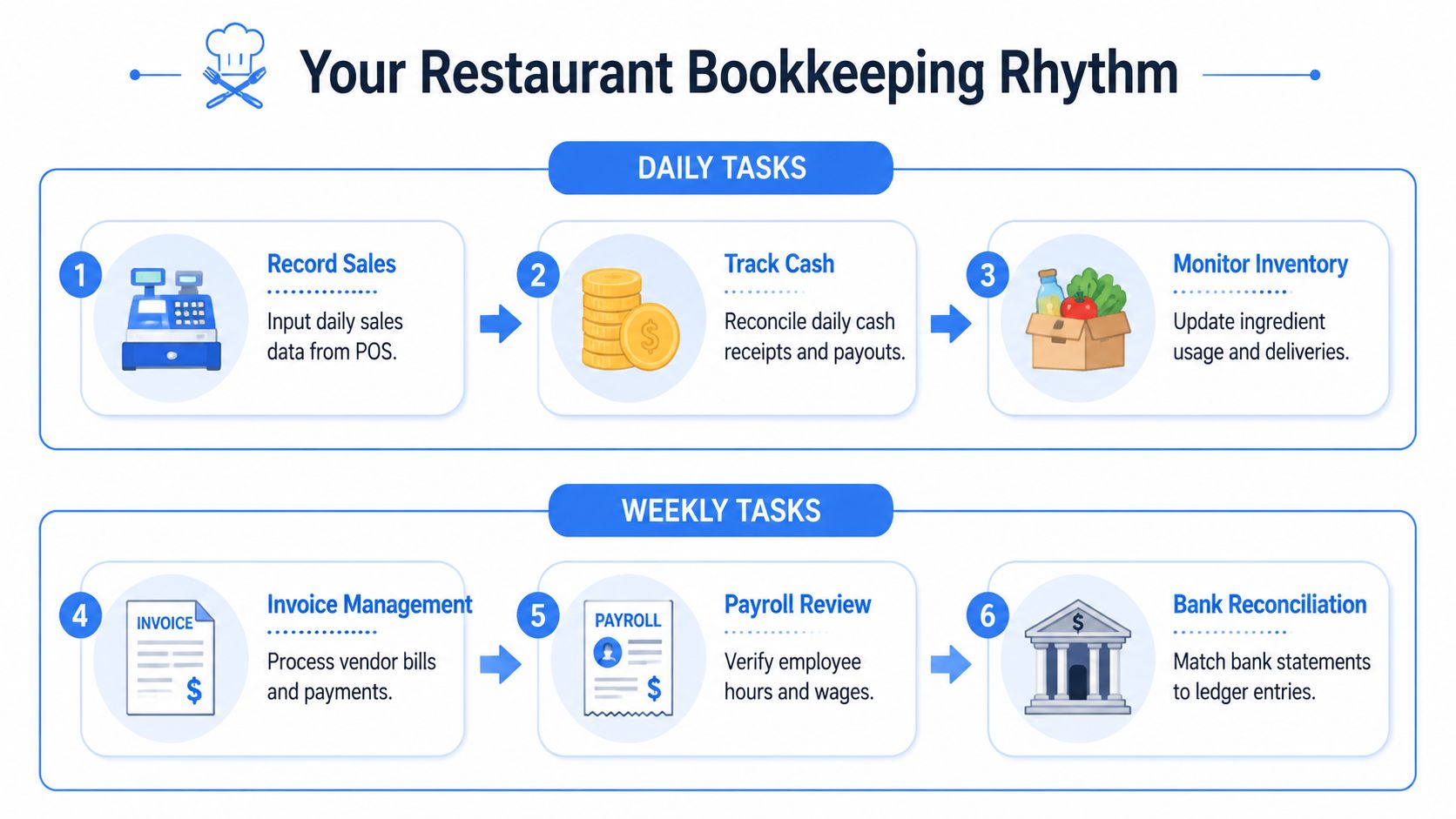
Restaurant bookkeeping falls apart when it depends on memory. You need a rhythm. Same tasks. Same timing. Same owner every time.
The right workflow is straightforward. Configure the books, set up the chart of accounts and POS integration, then handle daily transaction recording, accounts payable tracking, and routine reporting. Daily sales and expenses should be coded into the ledger, reconciled against bank and POS activity, and rolled into financial reports, as described in this step-by-step restaurant accounting workflow.
A simple visual helps teams stick to the routine.
What has to happen every day
Daily work is where margin protection starts. Skip it, and month end becomes fiction.
Daily checklist
- Close sales cleanly: Match POS sales to cash, card, and third-party totals.
- Log paid-outs: Staff purchases, emergency supply runs, and petty cash activity need same-day recording.
- Review voids and comps: Not because every comp is suspicious, but because patterns matter.
- Post the sales entry: Don't wait for someone to “catch up later.”
- Check deposit expectations: If card settlements or app payouts look off, flag them immediately.
This isn't busywork. It keeps your books tied to what took place on the floor.
A manager shouldn't need accounting training to do the basics. They need a clean checklist, clear ownership, and a deadline. I like this done after close or early next morning, before the day gets noisy.
Here's a useful training aid for teams building repeatable admin habits: restaurant task management software.
Later in the week, use a short video refresher if a manager needs the big picture before taking over the process.
What managers should review every week
Weekly bookkeeping is where you stop reacting and start steering.
Use a short working session to review:
- Vendor invoices: Enter them promptly. Don't let purchases float in email inboxes.
- AP timing: Decide what gets paid now, what gets scheduled, and what needs follow-up.
- Payroll preview: Scan hours, overtime, role mix, and any obvious errors before payroll runs.
- Bank activity: Look for unmatched deposits, duplicate charges, or missing withdrawals.
- Sales versus labor: Check whether staffing matched the business you had.
Waiting until month end to review labor is how operators end up “surprised” by costs they approved every day.
What this looks like in a real operation
A café group with dine-in, takeaway, and app delivery shouldn't book “daily sales” as one lump total. That hides too much.
A better weekly review might reveal:
- Tuesday lunch takeaway was strong, but app orders carried too much friction once commissions were considered.
- Friday dinner sales looked healthy, but labor was too heavy because the rota matched an old traffic pattern.
- A supplier price increase showed up in invoices before anyone adjusted menu mix or purchasing.
That's the point of bookkeeping for restaurants. It shouldn't sit in the office as paperwork. It should feed the decisions that change next week's result.
Tracking Your Two Biggest Controllable Costs
If you don't control product and labor, the rest of your bookkeeping barely matters. These are the two cost lines operators can influence every week, sometimes every shift.
This is also where owners fool themselves. They assume a busy service means the numbers must be fine. It doesn't. You can fill seats and still lose control through waste, over-portioning, poor prep discipline, weak scheduling, or casual overtime approval.
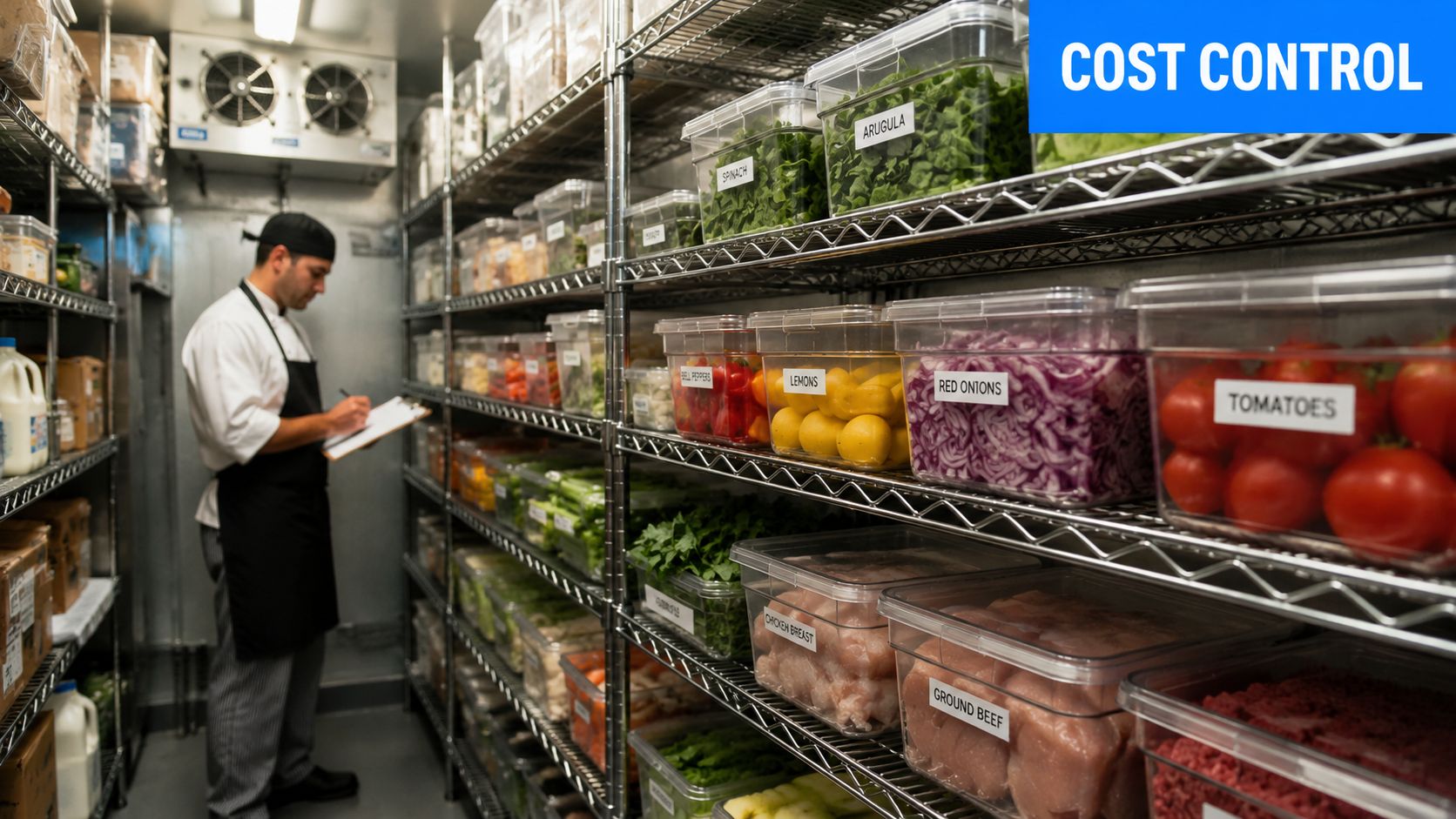
Food cost starts in receiving, not in the P and L
Food cost tracking begins when product arrives at the back door.
If the invoice is wrong, if prices changed, if yield assumptions are unrealistic, or if stock is poorly counted, the accounting result will be distorted no matter how clean the bookkeeping looks later.
A workable discipline looks like this:
- Check deliveries against orders: Don't approve invoices blindly.
- Code purchases consistently: Food, beverage, and packaging shouldn't blur together.
- Keep inventory counts routine: Inconsistent counting creates fake food-cost swings.
- Separate waste from sales usage: Staff meal, spoilage, and overproduction need visibility.
- Tie recipes back to menu pricing: Popular doesn't always mean profitable.
When owners complain that food cost “came out of nowhere,” it usually didn't. The warning signs were sitting in receiving logs, invoice detail, or prep behavior.
Labor cost is more than payroll processing
Payroll tells you what you paid. Bookkeeping should help explain why.
Labor control means tracking wages, tips, overtime, role mix, and timing against the sales pattern you saw. If front-of-house labor spikes on slow lunch shifts, that's not a payroll issue. It's a scheduling issue. If kitchen prep hours creep up because the menu is bloated, bookkeeping should help expose that.
For operators trying to tighten staffing without damaging hospitality, this guide on how to control labor costs in a restaurant without hurting service is worth a look.
Use simple formulas, then act fast
You don't need complicated finance language to run this well. You need a few core formulas and the discipline to respond.
| Metric | Simple formula | Why it matters |
|---|---|---|
| Food cost | Cost of goods sold ÷ food sales | Shows whether menu pricing and kitchen control still work |
| Labor cost | Total labor cost ÷ total sales | Reveals staffing efficiency |
| Prime cost | Cost of goods sold + labor cost | Gives the clearest operating view of controllable spend |
A few examples from real life:
- A signature brunch item sells well but uses too many premium ingredients. Sales look great. Margin doesn't.
- A manager keeps extra closers “just in case.” Service feels safe. Labor gradually rises.
- Delivery packaging costs rise, but no one separates them from general supplies. Channel profit gets overstated.
Bookkeeping for restaurants should catch these patterns early enough to do something about them. That's the difference between reporting and management.
Handling Modern Revenue Streams and Compliance
Most restaurant bookkeeping advice is stuck in a simpler era. It assumes one dining room, one POS stream, one clean deposit trail.
That's not how restaurants operate now.
A modern operator may be dealing with dine-in, takeaway, direct online orders, delivery apps, catering, gift cards, tips, automatic gratuities, and service charges all in the same week. Practical guidance has pointed out that this is an underserved area, and that most guides don't fully explain how to separate gross sales, discounts, commissions, and tips across channels or locations, as discussed in this restaurant bookkeeping article on mixed revenue channels.
Stop netting everything together
The most common mistake is netting app sales down to the payout and calling it revenue. Don't do that.
Book the gross sale. Then separately record the commission, discounts, refunds, tips, and taxes according to your setup. If you only book the net deposit, you lose visibility into what the channel costs you.
That mistake creates three problems:
- It makes sales look smaller than the operation produced.
- It hides channel-specific leakage.
- It makes margin comparisons across dine-in, takeaway, and delivery unreliable.
If a sales channel touches revenue, fees, fulfillment, and customer experience differently, it needs separate visibility in the books.
A practical structure is to track by channel and, where relevant, by location or accounting class. That gives you a cleaner read on which revenue streams deserve marketing support, menu adjustments, or operational tightening.
Gift cards and service charges need their own logic
Gift cards are not immediate revenue in the same way a meal sale is. Treating them casually creates confusion fast.
When a guest buys a gift card, you're holding value you still owe. When they redeem it later, that liability clears against the actual sale. If the bookkeeping doesn't reflect that distinction, sales timing gets messy and reports become less useful.
Service charges need similar care. Don't lump them into tips by default. They may need separate tracking so operators can clearly see what was charged, what was distributed, and how it should appear in reporting.
A clean setup usually separates:
- Gross food and beverage sales
- Discounts and comps
- Third-party commissions
- Tips payable
- Service charge income or liability treatment
- Gift card liability and redemption activity
Multi-location groups need channel visibility by store
For single-site operators, mixed-channel bookkeeping is already tricky. For groups, it gets worse if every location books things differently.
If one store records delivery commissions as marketing and another records them as merchant fees, the consolidated result becomes misleading. If one café books gift card redemption at store level and another leaves it in a holding account too long, you can't compare performance properly.
Discipline matters more than complexity. Standardize the account structure. Standardize the journal logic. Standardize the daily close process.
Then compare locations on the same basis.
That's how you move from “sales were up” to something more useful. Which channel brought the sale, what it cost to fulfill, and whether it was worth the push.
Using Financial Reports to Drive Profit
A lot of owners review reports like a weather update. They read them, shrug, and move on. That's wasted effort.
Reports should trigger action. If they don't change pricing, staffing, menu mix, purchasing, or channel strategy, you're just filing paperwork with better formatting.
The three reports that matter
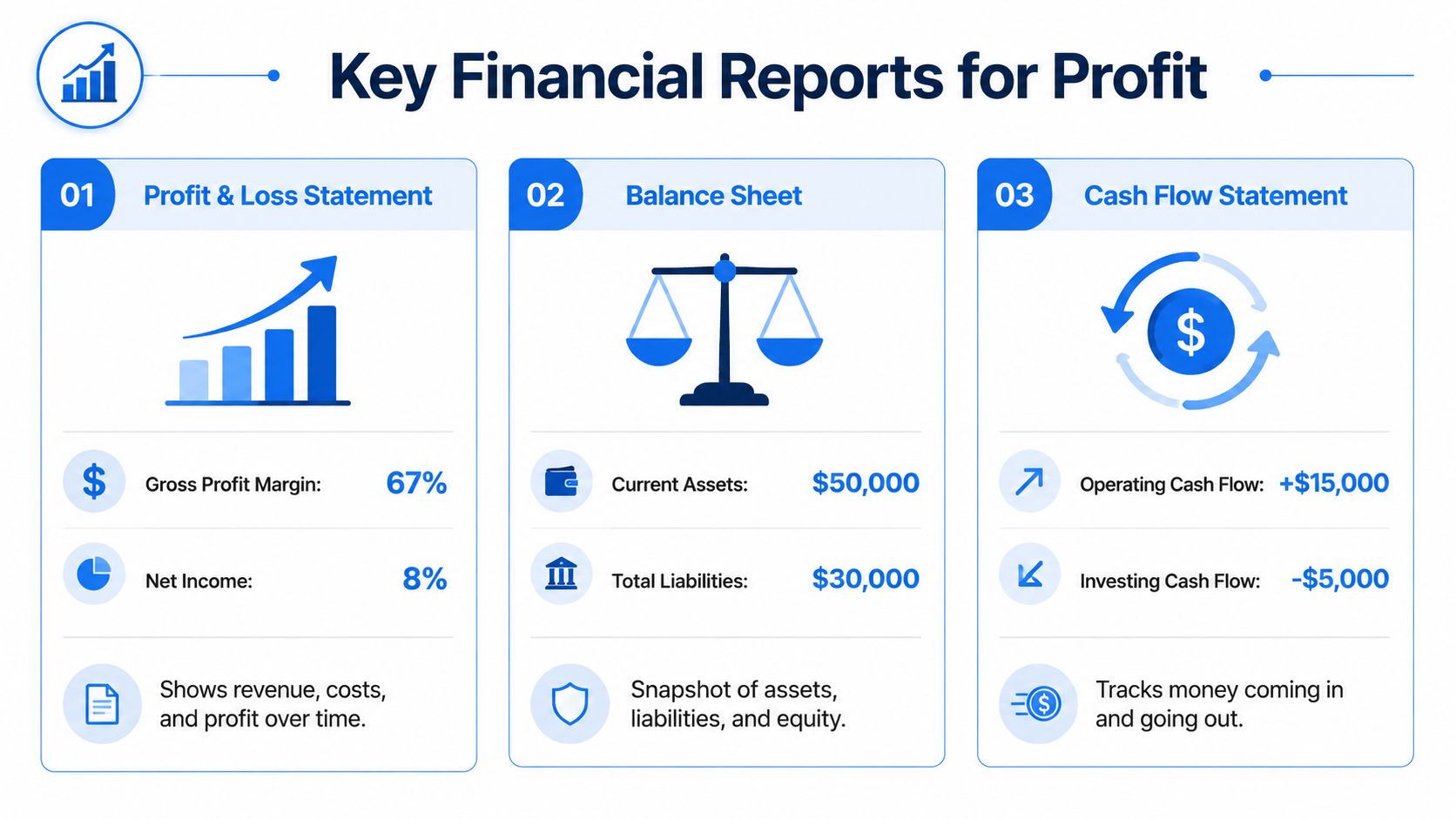
You don't need fifty dashboards. You need three reports reviewed with discipline:
- Profit and loss statement: Shows whether the business model is working over the period.
- Balance sheet: Shows what you own, what you owe, and whether the structure is healthy.
- Cash flow statement: Shows how money moved, which matters because profitable and cash-rich are not the same thing.
Best practice for restaurant operators is to review labor and sales weekly and prepare P&L and cash-flow statements monthly, according to restaurant accounting benchmarks focused on cadence and prime cost.
Prime cost is the operating truth
If I could only keep one operating metric in front of an owner, it would be prime cost. That's your combined cost of goods sold and labor.
The common target is below 60% to 65% of total sales, based on the same restaurant accounting benchmark source. That's why prime cost gets so much attention. It combines the two biggest controllable levers into one number that operators can manage.
If prime cost rises, don't stop at the total. Split it apart:
- Did product purchasing change?
- Did mix shift toward lower-margin items?
- Did labor get heavy on slow dayparts?
- Did delivery or catering volume alter production demands?
Bookkeeping records the past. Good operators use that record to change next week.
Use reports to change operations, not admire history
A strong monthly review should end with decisions, not observations.
For example:
- Menu changes: Remove or rework items that create work without enough contribution.
- Schedule changes: Match labor to actual patterns, not manager habit.
- Purchasing changes: Push back on supplier drift and tighten receiving controls.
- Channel changes: Promote channels that leave more margin behind.
- Pricing changes: Adjust where costs have clearly moved and value still holds.
That's the core job of bookkeeping for restaurants. It gives you clean financial truth, fast enough to act on it.
If your team wants better visibility between menu performance, ordering behavior, and margin decisions, RevMenue is a smart next step. It helps restaurants turn digital menus into a revenue tool, with QR ordering, upsell logic, and real-time analytics that support the same goal good bookkeeping should support: clearer decisions and stronger profit.
