
You already know the feeling. The walk-in is full, but the one ingredient you need for tonight's top seller is missing. A case of produce is turning soft in the back. Someone over-ordered one category, under-counted another, and now your margin problem looks like a kitchen problem.
That's why food inventory software matters. Not because it's trendy, and not because vendors love dashboards. It matters because food cost leaks rarely come from one big mistake. They come from dozens of small misses in purchasing, receiving, prep, portioning, waste logging, and menu planning.
Most operators don't need more software. They need a system that gets used, ties into service reality, and gives them better purchasing and pricing decisions without creating another admin job.
Table of Contents
- Your Food Costs Are Higher Than They Should Be
- Beyond Counting The Job of Modern Inventory Software
- Key Features That Directly Impact Your Profit
- How to Choose the Right System for Your Restaurant
- Getting Your Team Onboard and Using the Software
- Measuring Success ROI and Key Performance Indicators
- Common Pitfalls and the Path Forward
Your Food Costs Are Higher Than They Should Be
A familiar pattern plays out in restaurants every week.
You order heavy because you don't want to run out. A few deliveries arrive with slight quantity issues that nobody flags properly. Prep gets done for items that don't move fast enough. Then service hits, a high-volume item sells hard, and the team still ends up 86'd on a key ingredient because the count was wrong in the first place.
That isn't bad luck. It's weak inventory control.
The real problem is concentration
Menu sales are rarely spread evenly across the menu. Industry research cited by Apicbase says 80% of restaurant sales come from only 16% of menu items, and 10% of all food purchased is wasted before it even reaches a plate. That should change how you think about inventory.
If a small slice of your menu drives most of your sales, then a small slice of your ingredient list drives most of your risk.
That means three things:
- Your top-selling dishes need tighter controls because stock errors there hit revenue fastest.
- Your core ingredients deserve daily attention because they carry most of your margin pressure.
- Waste on slow movers is only half the story because shortages on best sellers can hurt just as much.
Practical rule: Don't try to manage every SKU with the same intensity. Protect the ingredients tied to your highest-volume menu items first.
What this looks like in real operations
A café may only have a handful of ingredients that make or break the week. Milk, coffee beans, pastry inputs, grab-and-go proteins, bakery staples. A casual dining restaurant might have a short list of critical proteins, fryer oil, produce lines, and high-use sauces.
When those items are miscounted, the impact spreads fast:
| Operational miss | What happens next |
|---|---|
| Over-ordering perishables | Spoilage rises and cash sits on shelves |
| Under-ordering a top seller input | Staff 86 a profitable item during service |
| No waste logging | Managers blame purchasing instead of execution |
| No recipe-level visibility | Menu prices drift away from real cost |
Most operators look at food cost only when the month ends. That's too late. By then, the waste has happened, the theft is invisible, and the wrong menu mix has already done damage.
Food inventory software is useful because it turns inventory from a monthly accounting exercise into a daily operating discipline. That's where the money is.
Beyond Counting The Job of Modern Inventory Software
If you're still thinking of food inventory software as a digital stock sheet, you're underselling it.
A spreadsheet tells you what someone counted. Good software tells you what should be there, what moved, and where margin started leaking.
Think ledger, not checklist
The easiest way to understand modern food inventory software is to compare it to a bank ledger.
A checklist says, “Here's what's in the room right now.” A ledger says, “Here's what came in, what went out, what should remain, and where the numbers stopped making sense.”
That's the difference between manual inventory and perpetual inventory.
Restaurant365's inventory guidance describes effective systems as using perpetual inventory logic. Stock records update continuously as items are received, transferred, or sold. In practice, that means the POS, purchasing activity, and inventory records stay connected instead of living in separate silos.
What the software is actually doing
Modern food inventory software should handle a few core jobs at the same time:
- Track movement continuously so stock doesn't only change when someone does a count
- Connect sales to depletion so every sale affects ingredient usage
- Compare actual versus theoretical usage so variance shows up quickly
- Support ordering decisions based on live stock position, not guesswork
- Give managers one source of truth across one site or multiple locations
If your system only helps you count faster but doesn't help you spot variance, it's not solving the real problem.
Margin management is the real purpose
Owners often buy inventory software because they want tighter stock control. Fair enough. But the bigger payoff is margin management.
When stock updates properly, managers can reorder with more confidence. They can spot over-portioning earlier. They can see when recipe cost changes are making a menu item less attractive. They can stop treating inventory as a painful weekly ritual and start using it to guide pricing, prep, and purchasing.
That's the line between basic software and useful software.
If the system doesn't help you protect gross profit, it's just a nicer clipboard.
Key Features That Directly Impact Your Profit
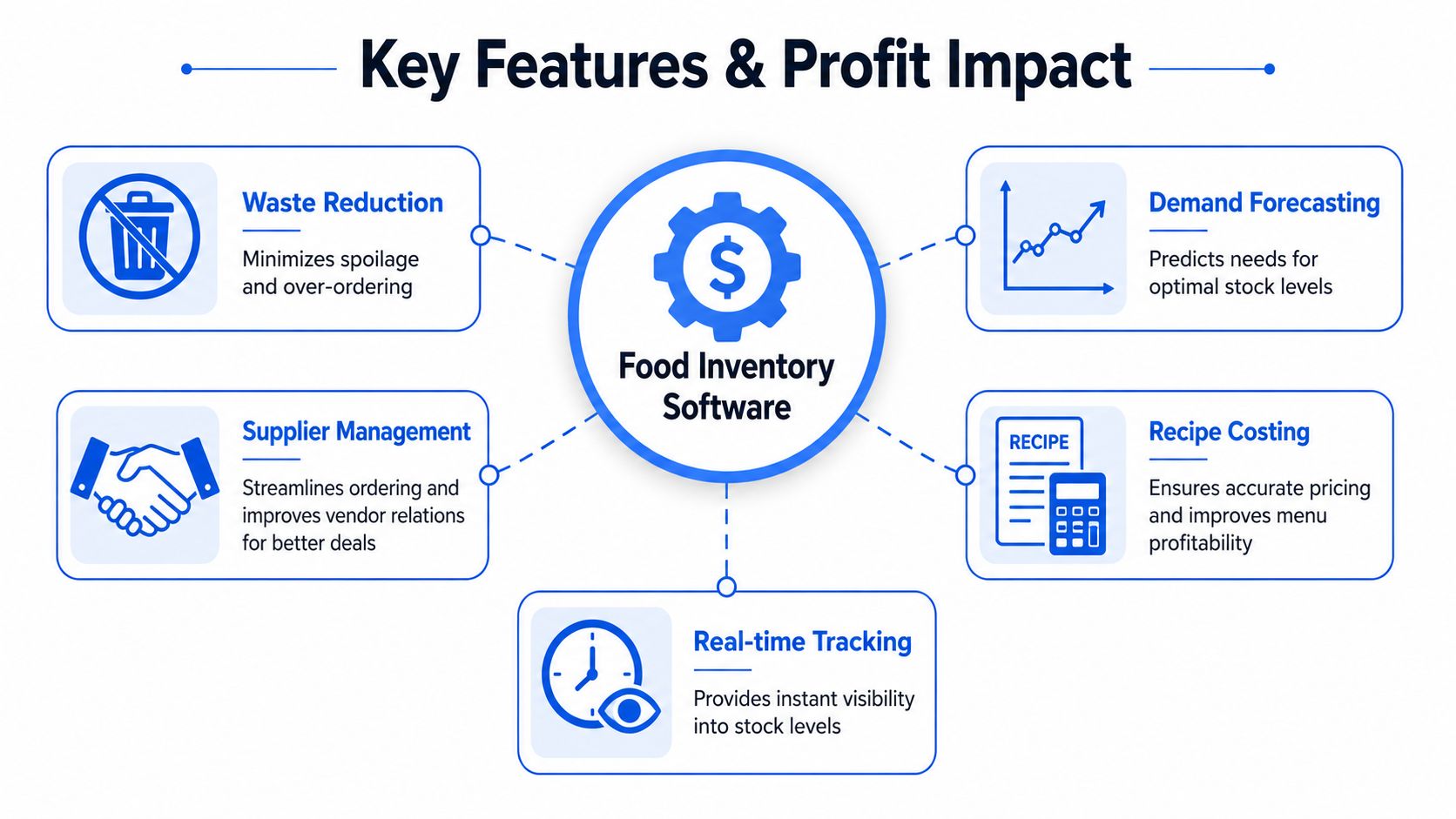
A vendor shows you polished dashboards, predictive ordering, and a flood of reports. Then your managers get stuck doing extra data entry, recipes never get cleaned up, and the software turns into an expensive counting tool. I've seen that mistake too many times.
Focus on features that change your daily operation, cut labor waste, and tighten margin control. If a feature looks good in a demo but adds setup work your team will not keep up with, it will not help your P&L.
POS integration is the first filter
If the system does not connect cleanly to your POS, cross it off the list.
That connection drives depletion, variance reporting, and menu-level visibility. Without it, managers waste time fixing exports, reconciling mismatched items, and questioning whether the numbers are even usable. Software that creates more admin work than insight will get ignored fast.
Multi-unit operators need one more level of discipline. Item mapping, recipes, and sales categories have to stay consistent across locations or your reports become a pile of half-matching data that nobody trusts.
Purchasing also gets cleaner when supplier information is organized alongside inventory. If you want tighter ordering controls, vendor management software for restaurant operations can support the inventory system by keeping suppliers, pricing, and order history easier to manage.
Here's a quick walkthrough worth watching before you shortlist vendors:
Expiry control, waste logging, and recipe costing protect margin
Perishable operations need more than quantity tracking. They need systems that catch small losses before they become accepted routine.
Expiry tracking helps staff rotate product properly and use older stock first. Waste logging forces managers to record what was lost, where it happened, and whether the problem came from prep, spoilage, overproduction, or poor ordering. Recipe costing shows when an item still sells well but no longer earns enough.
Lot and batch tracking also matter for kitchens with tighter traceability needs. That is not just about compliance. It improves receiving discipline because teams have to confirm what arrived instead of waving invoices through.
Here's the practical test. If chicken prices climb, can the system show which menu items took the hit, how much margin moved, and whether waste increased at the same time? If not, you are looking at reporting noise, not decision support.
Good inventory software should show where profit is leaking, not just how much stock is on the shelf.
Ordering tools should reduce mistakes, not add steps
Supplier tools matter because rushed ordering is expensive. Wrong pack sizes, duplicate orders, missed deliveries, and outdated pricing all chip away at margin.
Useful systems usually include:
- Centralized supplier records so buyers are not ordering from memory
- Low-stock alerts tied to actual usage so orders happen with better timing
- Receiving workflows so deliveries can be checked against what was ordered
- Mobile counting and receiving so managers can work on the floor instead of printing sheets and re-entering numbers later
Par levels help, but only if someone maintains them. Static pars become fiction within weeks. The better systems make pars easier to adjust based on sales patterns, seasonality, and purchasing habits, without turning every manager into a spreadsheet mechanic.
Keep your shortlist tight. Start with POS connection, then look at recipe costing, waste tracking, expiry control, and ordering tools that save labor. Fancy forecasting can wait. Clean execution pays first.
How to Choose the Right System for Your Restaurant
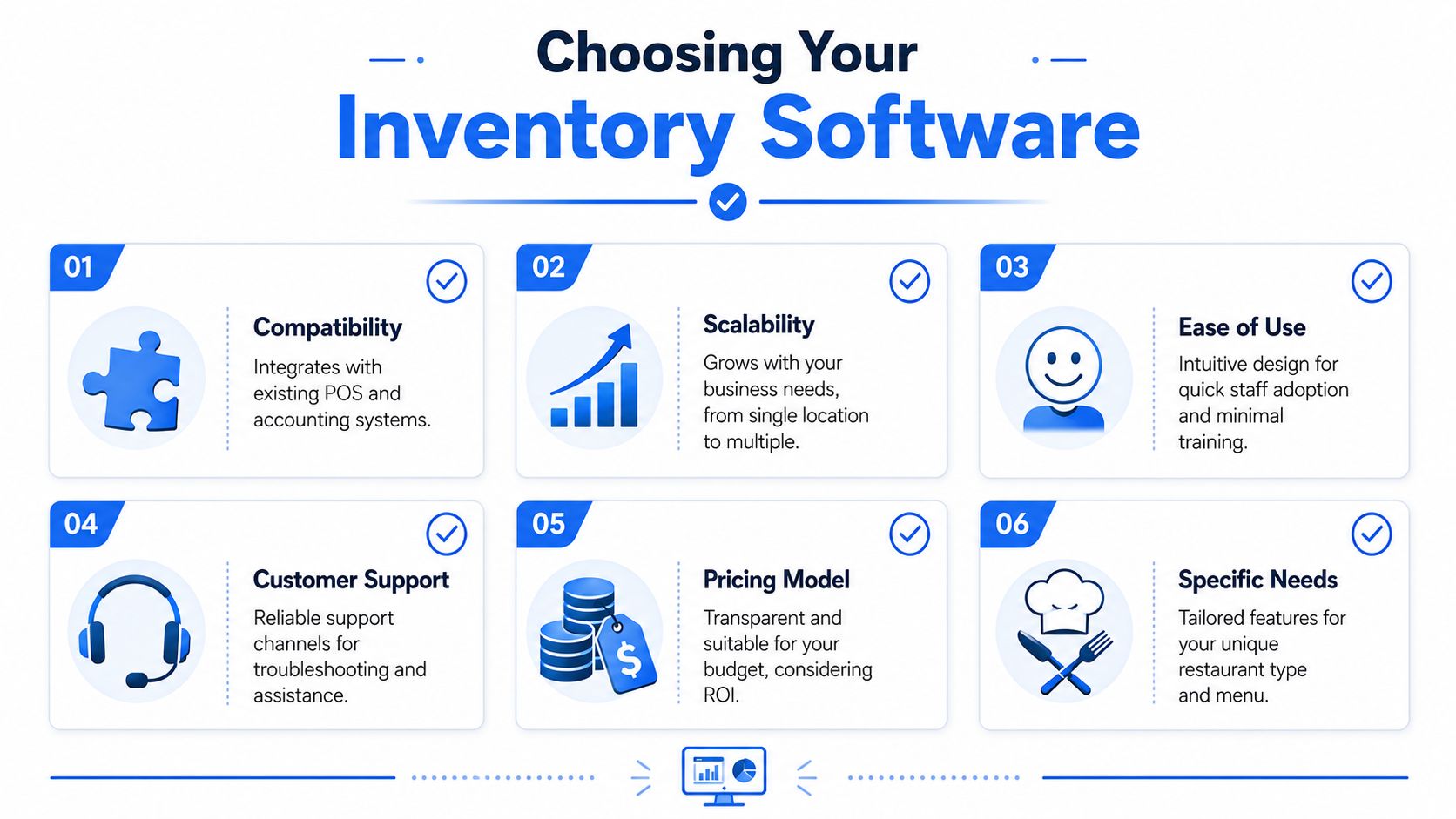
The best food inventory software isn't the one with the most features. It's the one your team will use without creating operational drag.
That's where owners get burned. They buy a powerful system, then discover it needs heavy recipe setup, constant maintenance, manager babysitting, and staff habits they haven't built yet.
Choose for operational fit
Buyers Edge Platform's guidance addresses the core issue. The key question, especially for smaller operators, is how much manual work is still required day to day. Even with software, results still depend on disciplined receiving, waste tracking, and recipe updates.
That's why I'd rank selection criteria in this order:
POS compatibility
If integration is weak, the rest doesn't matter.Ease of implementation
Can your team build recipes, units, and item mappings without turning setup into a month-long project?Daily usability
Can a manager receive deliveries, log waste, and check stock during a busy day without fighting the interface?Operational fit by concept
A bar, bakery, café, and multi-unit casual dining group don't need the same workflow.
If you operate multiple sites, planning matters even more. Pairing inventory control with restaurant forecasting software for multi-location operations can help leadership connect purchasing and demand more intelligently across stores.
Questions to ask before you buy
Don't leave a demo with “looks good.” Leave with answers.
Ask these instead:
- What still has to be counted manually?
- How are recipes built and updated?
- How does the system handle receiving discrepancies?
- Can staff log waste in seconds, or is it clunky?
- How hard is it to maintain units of measure?
- What happens when vendor pack sizes change?
- Can a small team keep it accurate without one manager owning it full time?
Here's the blunt version. If the software needs perfect behavior from an imperfect restaurant team, it won't stick.
A simpler system used consistently will beat an advanced system used badly every time.
Getting Your Team Onboard and Using the Software
Friday night. A delivery shows up short on chicken, nobody records it, prep trims get tossed without a waste log, and the count gets skipped because the closing manager is buried. By Monday, the software says one thing, the shelves say another, and the owner blames the system.
The system is rarely the problem. Bad operating discipline is.
Food inventory software pays off only when your team uses it the same way every week. Receiving has to be checked. Waste has to be logged. Recipes have to stay current. Counts have to happen on schedule. If those habits are loose, the software becomes an expensive dashboard sitting on top of bad inputs.
Phase 1 setup
Start with the items that can hurt you fast.
That means high-cost proteins, high-velocity perishables, core produce, and any ingredient that creates frequent variance. Do not load every spice, garnish, and backup dry good on day one. That slows setup, confuses the team, and creates cleanup work before you have a repeatable process.
Your first build needs four things locked down:
- Storage locations that match how the building is stocked
- Units of measure that match purchasing, prep, and counting
- Recipes and prep items tied to real depletion
- Waste categories that show where margin is disappearing
Perishable-heavy operations need extra rigor here. Expiry dates, shelf life rules, and waste reasons need to be set up early, or spoilage gets buried inside vague variance.
Phase 2 training
Assign one operating owner for the process.
Pick a chef, kitchen manager, or GM who is respected, detail-oriented, and in the building enough to correct bad habits in real time. Ownership cannot sit with someone who only checks reports after the fact. It has to sit with the person who sees deliveries, prep, and closing routines as they happen.
Their standard is simple:
- deliveries are checked against what arrived
- waste is logged before it disappears
- counts follow the same route every time
- recipe or portion changes are updated quickly
Train people on moments, not menus and settings. Show the receiver what to do at the back door. Show the prep lead how to log trim loss before the bin is emptied. Show the closer how to review critical items before leaving. Restaurants keep what fits the shift.
One more rule. Keep training short, repeated, and tied to the job. A 45-minute workflow session on the floor beats a two-hour office walkthrough every time.
Phase 3 habit building
The software has to fit the day you already run.
Build inventory tasks into existing routines so the team does not see them as extra admin work.
| Operational moment | Inventory action |
|---|---|
| Delivery arrives | Verify quantity and quality, then record shortages or substitutions |
| Prep ends | Log waste, trim loss, and spoilage |
| Shift close | Check stock on critical items and flag issues for the next day |
| Count day | Follow the same count route in the same order |
Small routines beat big resets. If your team cannot hold the process during a slammed week, you set the bar too high.
Keep the rollout boring on purpose. Boring sticks. Fancy workflows do not.
A good adoption plan also includes accountability. Review one short scorecard each week with the manager who owns the process: missed counts, unlogged waste, receiving errors, recipe updates, and the biggest variance items. If you want those reviews tied to the rest of your financial controls, use a clear set of restaurant KPI benchmarks instead of treating inventory as its own separate project.
Measuring Success ROI and Key Performance Indicators
A month after rollout, the dashboard looks clean, counts are getting entered, and everyone says the system feels better. That is the point where weak operators fool themselves.
If you cannot show lower food cost, lower waste, fewer inventory surprises, or less manager labor, the software is just a prettier way to do the same work.
What good results look like
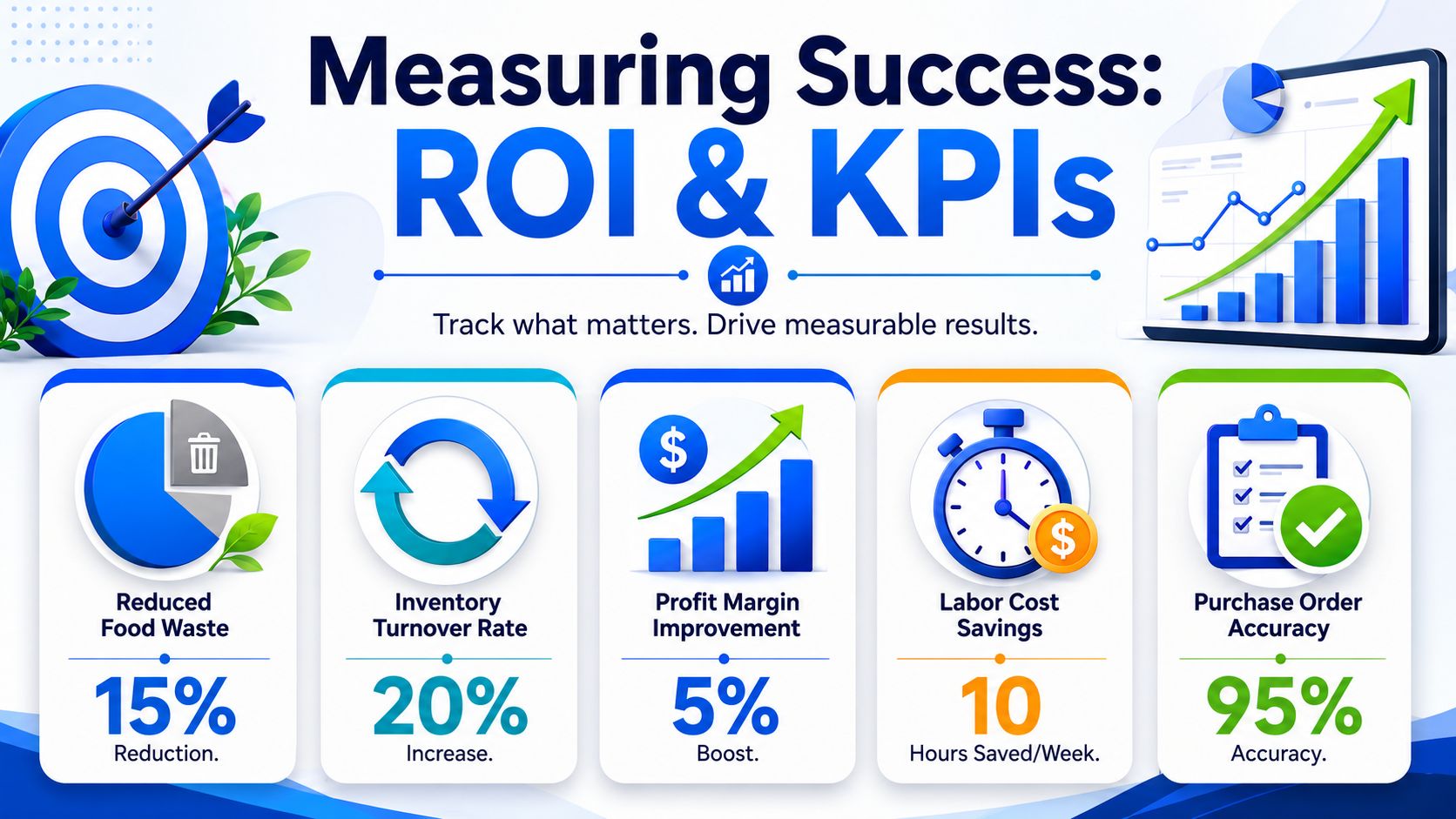
Supy's restaurant inventory analysis reports that food inventory software can cut food costs by 2% to 5%, reduce COGS by 5% to 15%, cut food waste by up to 20%, and reduce time spent on inventory tasks by 30% to 50%.
Those gains matter for one reason. They hit margin and management time, which are the two resources most restaurants waste first.
Supy also gives a simple example. A restaurant spending $30,000 per month on food could save $6,000 per month or $72,000 per year if food costs fall by 20%. That is the standard to use when you evaluate software. Tie the monthly subscription, setup work, count labor, and manager review time to dollars saved. If the savings do not beat the total operating cost of the system, you do not have ROI.
If you want tighter financial tracking across the whole business, use a practical set of restaurant KPI benchmarks so inventory results are measured against the rest of the operation.
Don't judge inventory software by the quality of the dashboard. Judge it by whether food cost, waste, and manager time improve.
The KPIs that matter
Track a short list. Review it every week, not once a quarter.
Food cost percentage
This shows whether ingredient spending is improving relative to sales.COGS trend
Purchasing discipline and stock accuracy should improve over time, not just during the first few weeks after launch.Waste value and waste patterns
This shows where spoilage, prep loss, overproduction, or poor ordering are draining profit.Inventory variance
Variance exposes over-portioning, theft, receiving mistakes, count errors, and bad recipe setup.Time spent on inventory tasks
Good software should reduce admin hours. If managers are spending more time feeding the system than using it to make decisions, the process is wrong.
Start with a baseline. Then compare results after the team has settled into the routine.
If the system is live and the KPIs are flat, do not blame the software first. Check receiving discipline, waste logging, recipe accuracy, unit setup, and whether anyone is reviewing variance reports. That is where most ROI leaks out.
Common Pitfalls and the Path Forward
Most inventory projects fail in ordinary ways. Not dramatic ways.
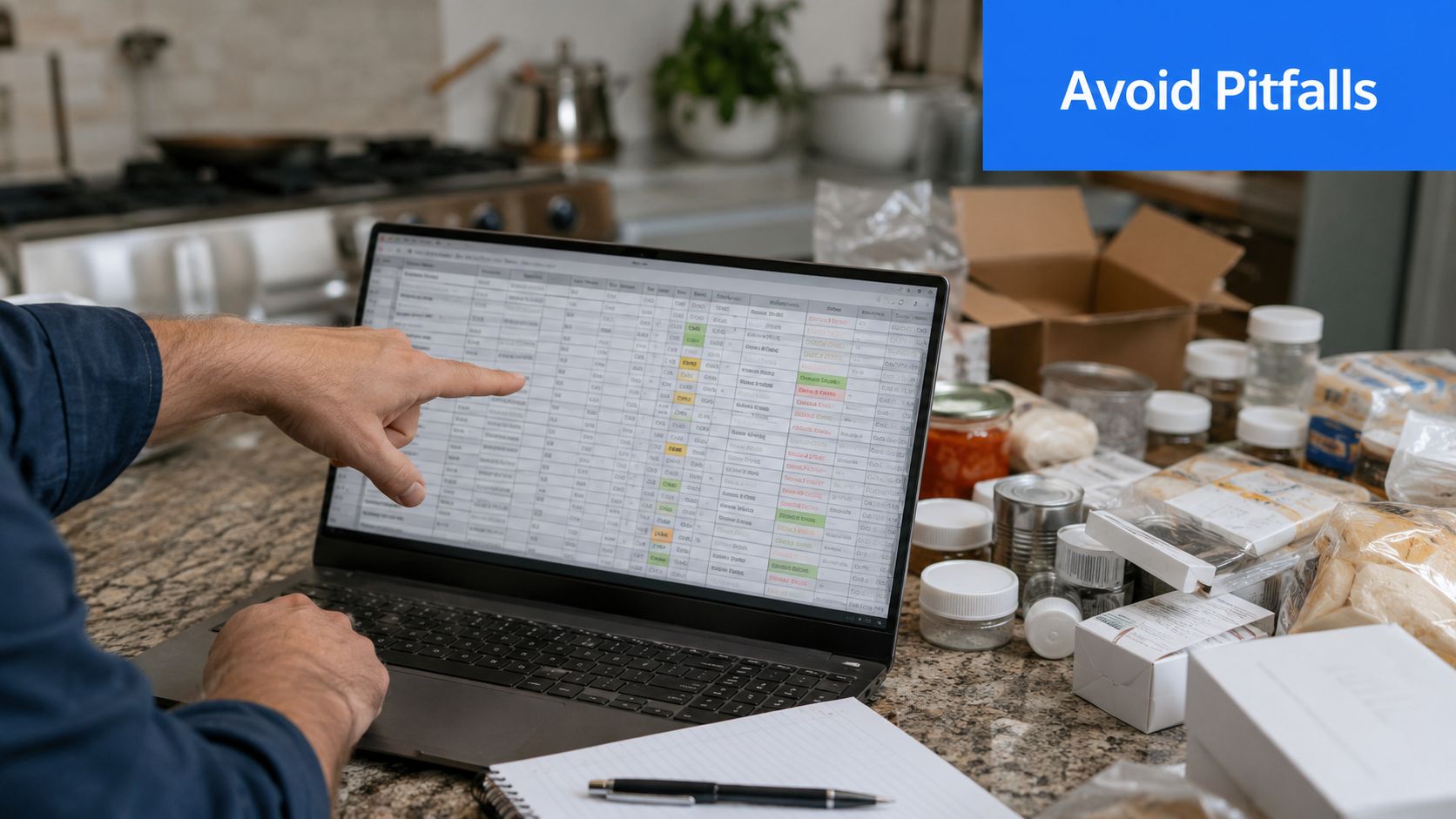
The data is messy at setup. Staff skip logs when service gets busy. Managers stop reviewing variance because they're dealing with labor issues. Recipes drift. Units get mismatched. A few weeks later, the software is technically installed and practically ignored.
Where operators go wrong
Here are the common mistakes I see most often:
Buying for features instead of workflow
Fancy capability doesn't help if the team can't use it during real service weeks.Treating setup as one-and-done
Inventory systems need maintenance. Recipes change. vendors change. pack sizes change.Ignoring variance reports
Variance reports reveal the truth. If nobody reviews variance, the software becomes decorative.Expecting full automation
Restaurants still need disciplined receiving, counting, and waste logging. No platform removes that reality.Keeping spreadsheets too long
Spreadsheets are fine as a starter tool. They stop being fine when complexity, staff turnover, and multi-location oversight increase.
What a smarter restaurant stack looks like
The operators who get real value from food inventory software don't treat it as an isolated tool. They connect it to how the business runs.
Inventory informs purchasing. Purchasing affects recipe cost. Recipe cost should influence menu pricing and menu focus. Menu performance should shape what gets pushed, bundled, simplified, or cut.
That's the broader lesson. A disciplined restaurant uses data across the whole commercial chain, from stockroom decisions to guest-facing menu strategy.
If you tighten inventory but leave your menu static, you're only solving half the margin problem.
RevMenue fits that broader picture well. It helps restaurants turn digital menus into stronger margins with QR menus, add-on prompts, bundles, and menu analytics that work alongside your existing systems instead of forcing a full replacement. If you want tighter control from the front of house to the back office, take a look at RevMenue.