
Your Menu Is Costing You Money. Here's How to Fix It.
Most restaurants lose revenue through their menus without realizing it. Every typo that forces a reprint, every missed chance to highlight a high-margin item, and every minute staff spend explaining an outdated special cuts into profit.
A great menu isn't decoration. It's a sales tool, an operations tool, and a brand tool at the same time. If your menu is hard to update, your team moves slower. If it's cluttered, guests hesitate. If it doesn't guide choices, average order value stalls.
That's why a menu template for Word still matters. Microsoft says users can open free printable menu templates in Word for web, double-click a template to edit it, swap in menu items and contact details, add a logo, then save, share as PDF, or print. On the same Microsoft tutorial page, the example menu uses a table with 5 columns and 17 rows, which tells you something important. Word menus are often built from standard document tools, not specialist design software.
That's good news for operators. It means you can launch fast, train almost anyone to update the file, and keep control without waiting on a designer for every seasonal change.
Table of Contents
- 1. Microsoft Create – Menu templates for Word
- 2. Microsoft Word Online Template Gallery
- 3. Template.net – Word menu templates
- 4. StockLayouts – Microsoft Word menu templates
- 5. PoweredTemplate – Word menu templates
- 6. OfficeTemplatesOnline – Food and restaurant menu templates for MS Word
- 7. 101Planners – Wedding menu templates
- 8. WPS Office Templates – Word-compatible menu templates
- 9. SampleTemplates – Menu template collections with Word format
- 10. NewOrchards – Free Word weekly menu templates
- Top 10 Word Menu Templates, Quick Comparison
- Final Thoughts
1. Microsoft Create – Menu templates for Word
If you want the safest starting point, use Microsoft Create menu templates. You're getting templates from the company that makes Word, so compatibility headaches are less likely and your team won't waste time repairing broken formatting before service.
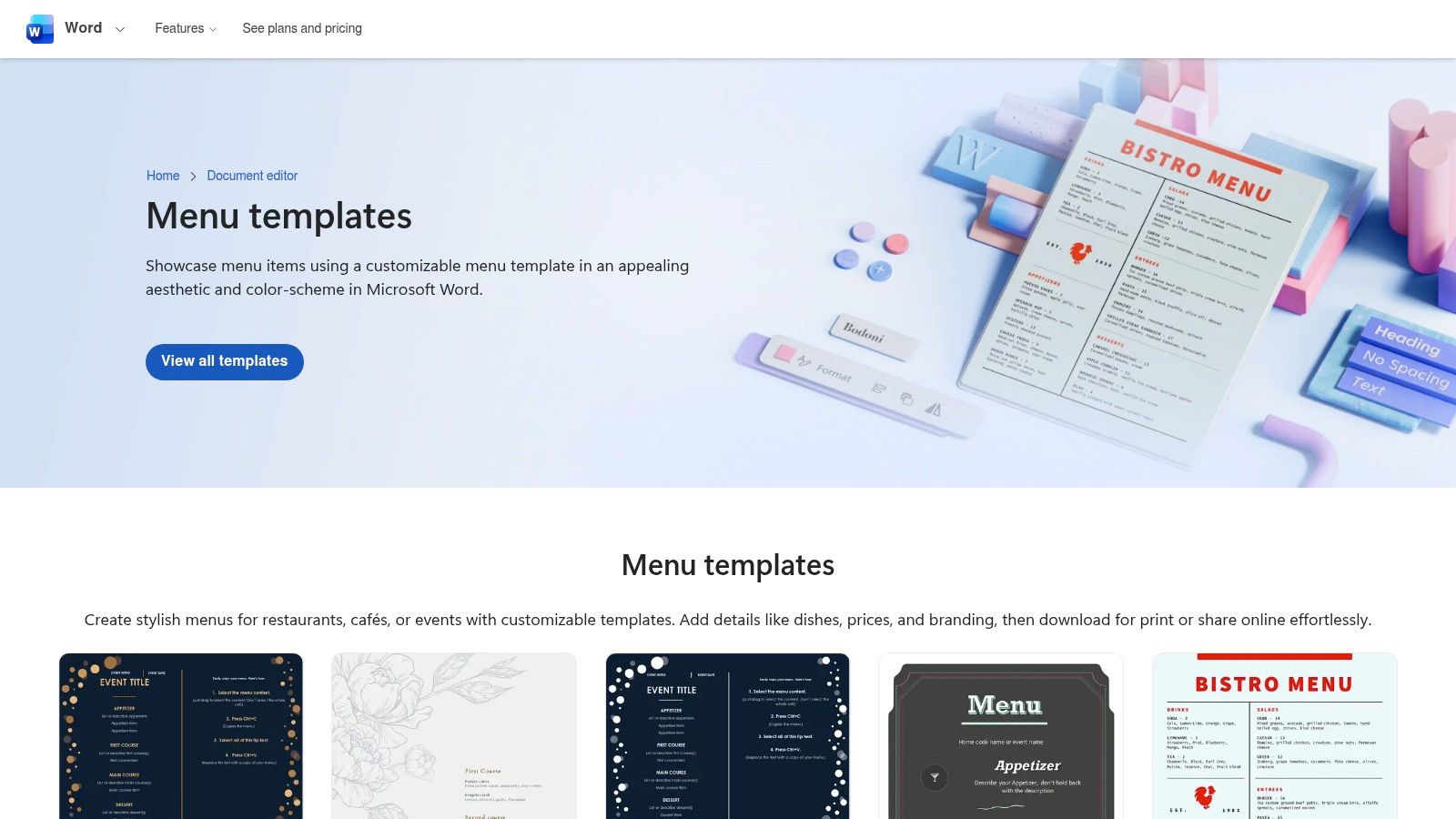
The designs cover restaurant, café, and event use cases. That matters if you run a business that needs more than one menu format, such as dine-in, brunch, catering, tasting events, or holiday inserts.
Why it works in real operations
Microsoft's own Word template workflow is built for quick editing in-browser and easy export to print or PDF. For a restaurant team, that's the difference between updating a lunch special in minutes and having a manager text a designer during prep.
Use Microsoft Create if you need:
- Reliable Word compatibility: Files behave the way staff expect inside Word.
- Fast branding edits: Swap fonts, colors, text blocks, and logo placement without rebuilding the layout.
- Basic collaboration: A manager can review copy while marketing handles layout inside the same Microsoft ecosystem.
Practical rule: If your team already lives in Word, Excel, and Outlook, don't complicate menu production with another design stack unless your menu strategy truly needs it.
The main drawback is range. You'll find solid mainstream styles, but not every niche concept. If you run a craft cocktail bar, omakase counter, or ultra-modern bakery, you may outgrow the design options.
Still, for independent operators and multi-unit teams that need consistency, this is one of the strongest choices. Start here if you care more about speed, control, and clean execution than visual novelty.
2. Microsoft Word Online Template Gallery
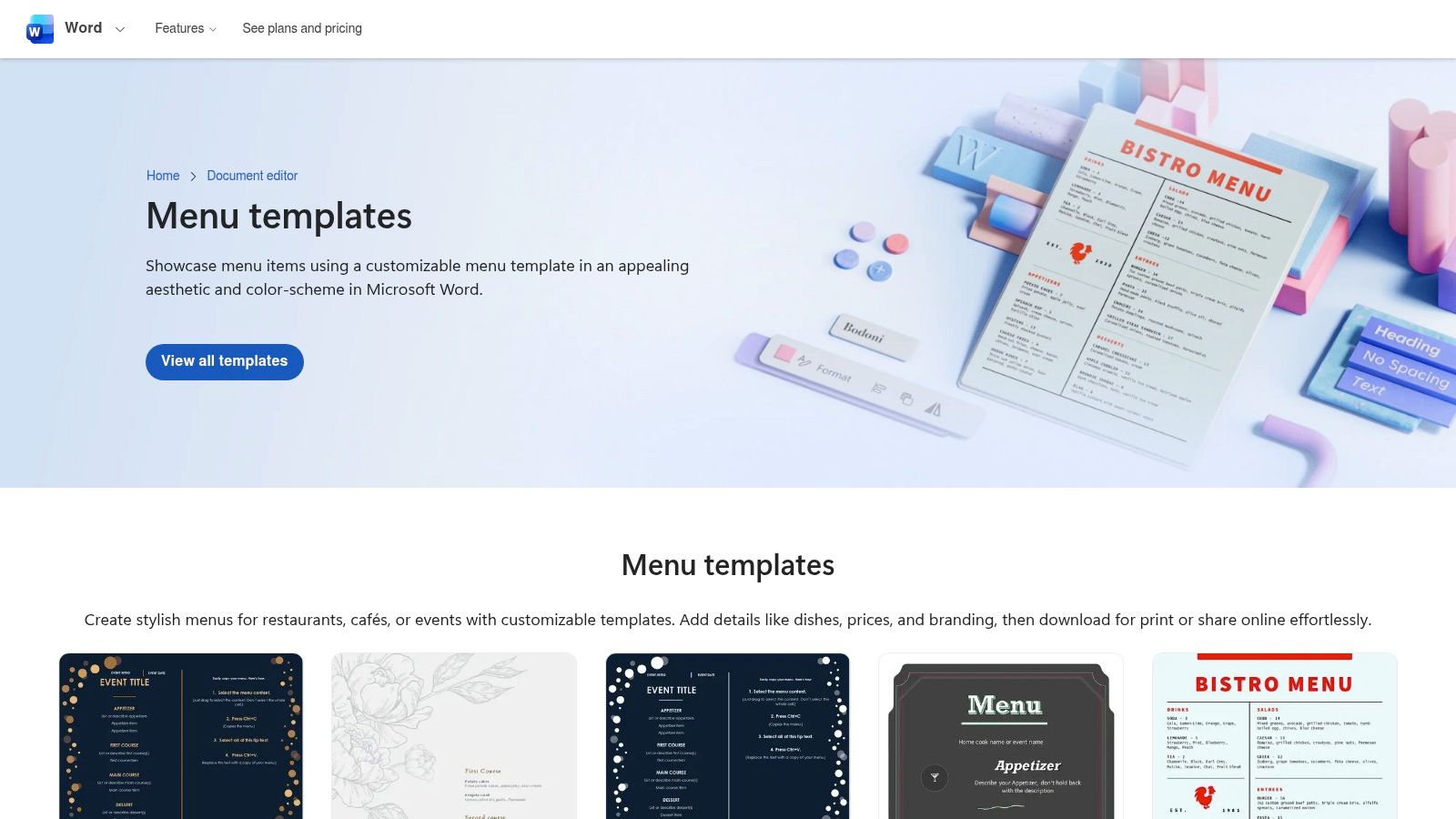
The Microsoft Word online menu template gallery is the best option for restaurants that need something live today. Open the template in Word for the web, edit the text, add your details, save as PDF, and send it to print. That workflow is simple enough for a GM, café lead, or admin manager to own.
Menus change more often than owners think: prices shift, availability changes, and seasonal dishes come and go. If updating the menu feels technical, operators delay changes, and guests end up seeing items you no longer want to push.
Best fit
This is a strong menu template for Word if your biggest need is speed with low friction.
- Quick launches: Good for soft openings, pop-ups, test menus, and event menus.
- PDF-ready output: Useful when you need a print file that holds formatting cleanly.
- Straightforward customization: Replace placeholder copy with real menu items, prices, and contact information fast.
The limitation is the same one you'll hit with many default libraries. You won't get highly specific restaurant styles or deeper menu engineering baked into the design. You still have to do the strategic work yourself.
Don't confuse an editable template with a profitable menu. Layout is only the wrapper. Product mix, placement, naming, and offer structure do the selling.
If you're running one location and need a dependable file for print and simple online sharing, this is a practical pick. It's especially strong for cafés, bakeries, lunch spots, and neighborhood restaurants that need frequent edits without drama.
3. Template.net – Word menu templates
If design variety matters, Template.net's Word menu templates give you a much bigger catalog to work with. You'll see templates across banquet, bar, café, and event styles, which is useful when you're trying to match a specific concept instead of forcing your brand into a generic layout.
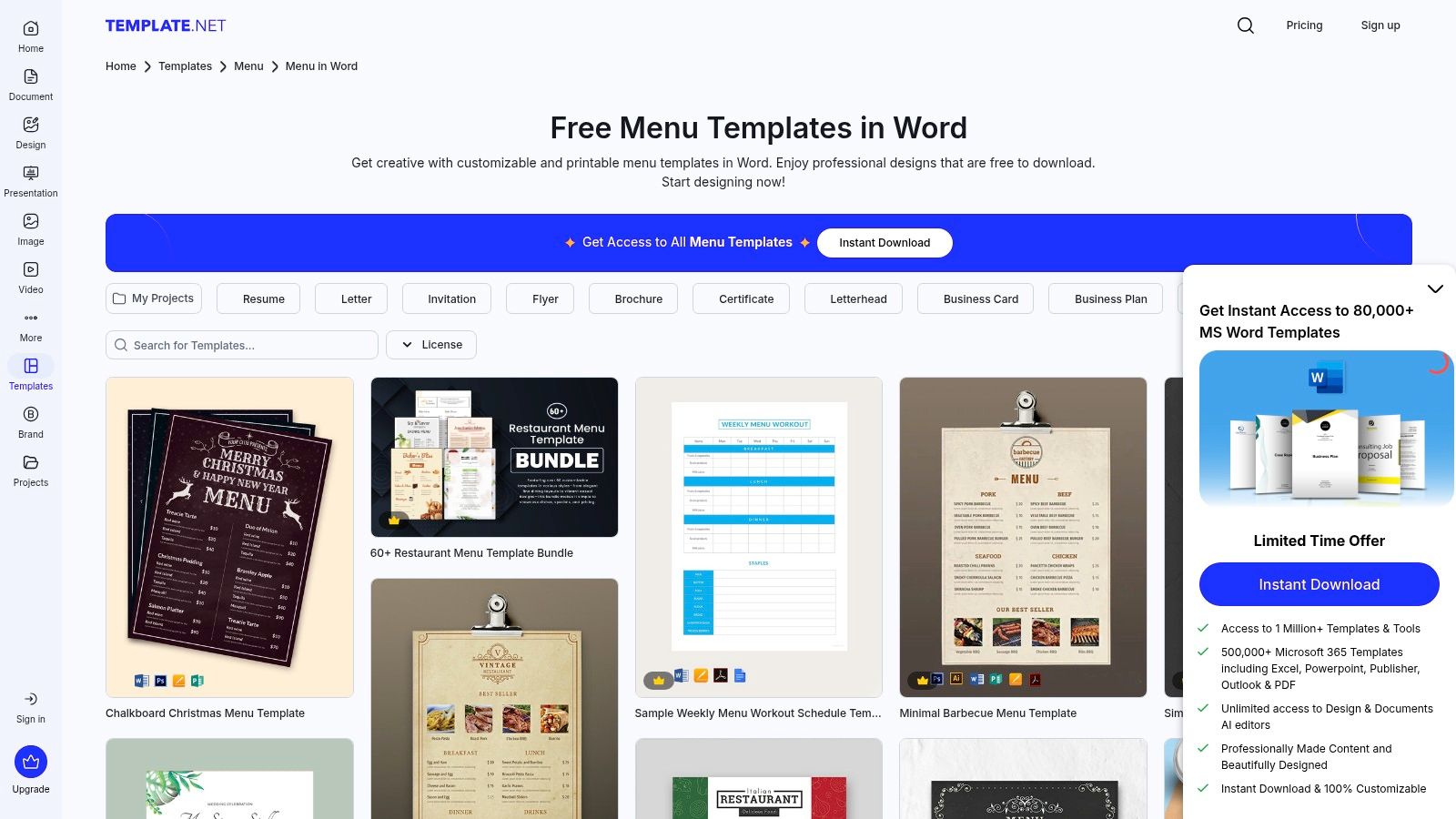
That flexibility helps when your menu has to support positioning. A premium wine bar shouldn't look like a school fundraiser. A fast-casual lunch brand shouldn't look like a wedding stationery set. Guests read those signals before they read the food.
Where it helps most
Template.net is useful when operators need options quickly, especially across multiple formats.
- Broad style selection: Better for brands that care about visual identity.
- Online editing first: You can make rough changes in-browser, then export to Word for final cleanup.
- Multiple use cases: Helpful for groups that need catering menus, drink cards, event inserts, and service menus.
The tradeoff is friction around gated downloads and paid tiers. If your team needs one file right now, that can slow you down. Also, more choice can lead to worse decisions if nobody's thinking about sales flow.
A practical example. Say you run a brunch café with strong beverage margins. Don't choose the prettiest layout. Choose the one that gives premium placement to coffee upgrades, signature drinks, and add-ons near the items guests already order most.
Template.net is best for operators who know what they want the menu to do and need a larger shelf of starting designs to support that strategy.
4. StockLayouts – Microsoft Word menu templates
StockLayouts Word menu templates are for operators who care about print quality and polish. If your menu is part of the dining experience, not just an order sheet, premium templates begin to demonstrate their value.
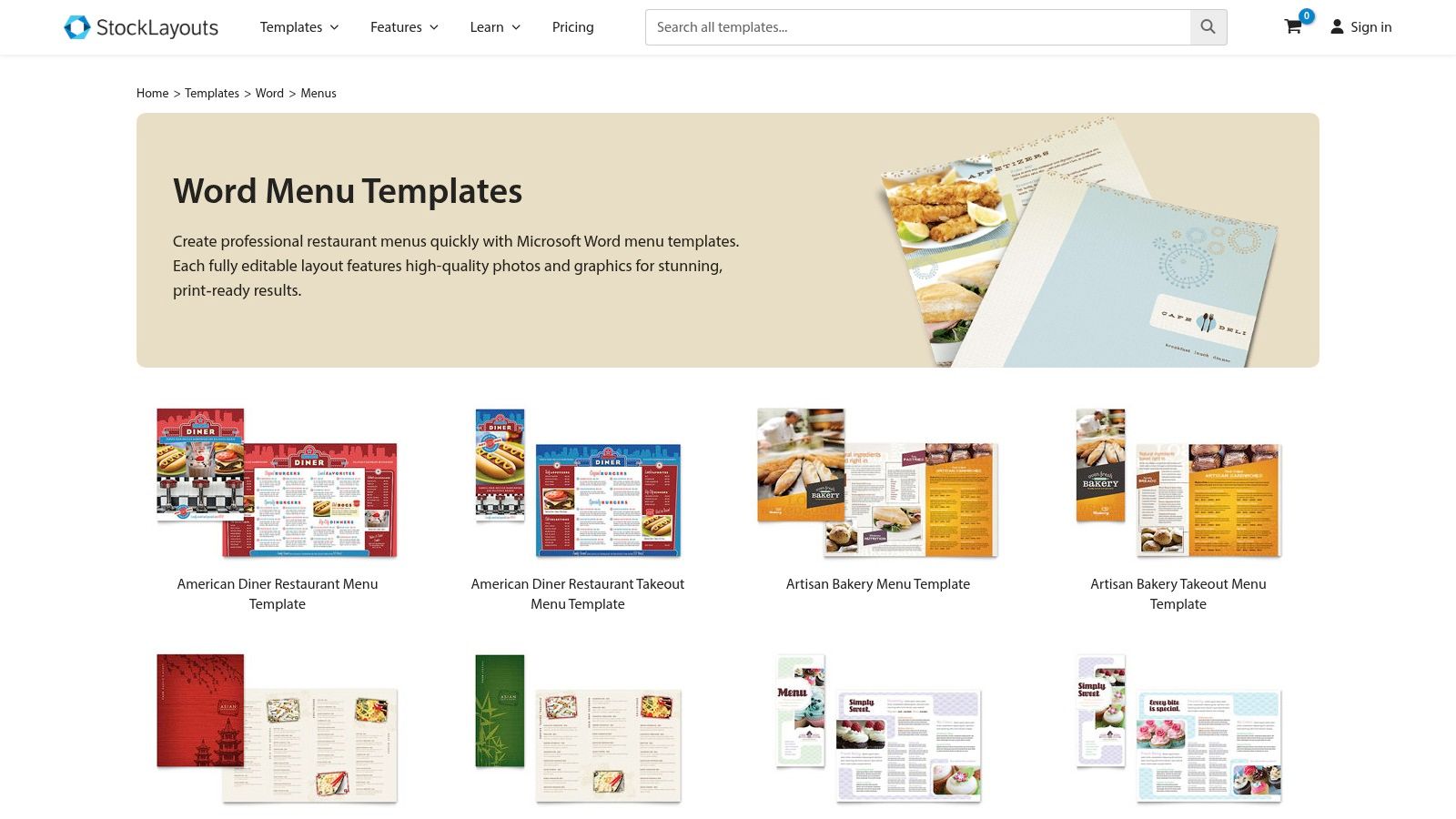
This is especially relevant in full-service dining, hotel restaurants, wine-led concepts, and private dining programs. Better typography and stronger visual hierarchy can make a menu feel more expensive, more deliberate, and easier to trust.
When premium design is worth it
You should pay for a premium template when menu presentation affects perceived value.
- Higher-end dining rooms: Guests expect a polished first touchpoint.
- Print-heavy businesses: If your menu gets handled constantly, print-readiness matters.
- Cross-platform teams: Coordinated versions in other formats help if marketing also uses other design tools.
The downside is cost. If you're a small operator testing menu structure every week, premium files can be overkill. You'll get more value from a simpler template and tighter menu strategy than from expensive ornament.
A polished menu helps only when the offer is clear. If guests can't find your profitable dishes in seconds, design quality won't save the sale.
I recommend StockLayouts for established concepts that already know their menu mix and want the presentation to match the experience. For a steakhouse, upscale bistro, or event venue, that's money well spent. For a chaotic menu still changing every few days, it's premature.
5. PoweredTemplate – Word menu templates
PoweredTemplate food and beverage Word templates make sense when you need more than one asset type. This isn't just about a single restaurant menu. It's useful if you also need flyers, event materials, promo pieces, or multiple menu variants under one creative library.
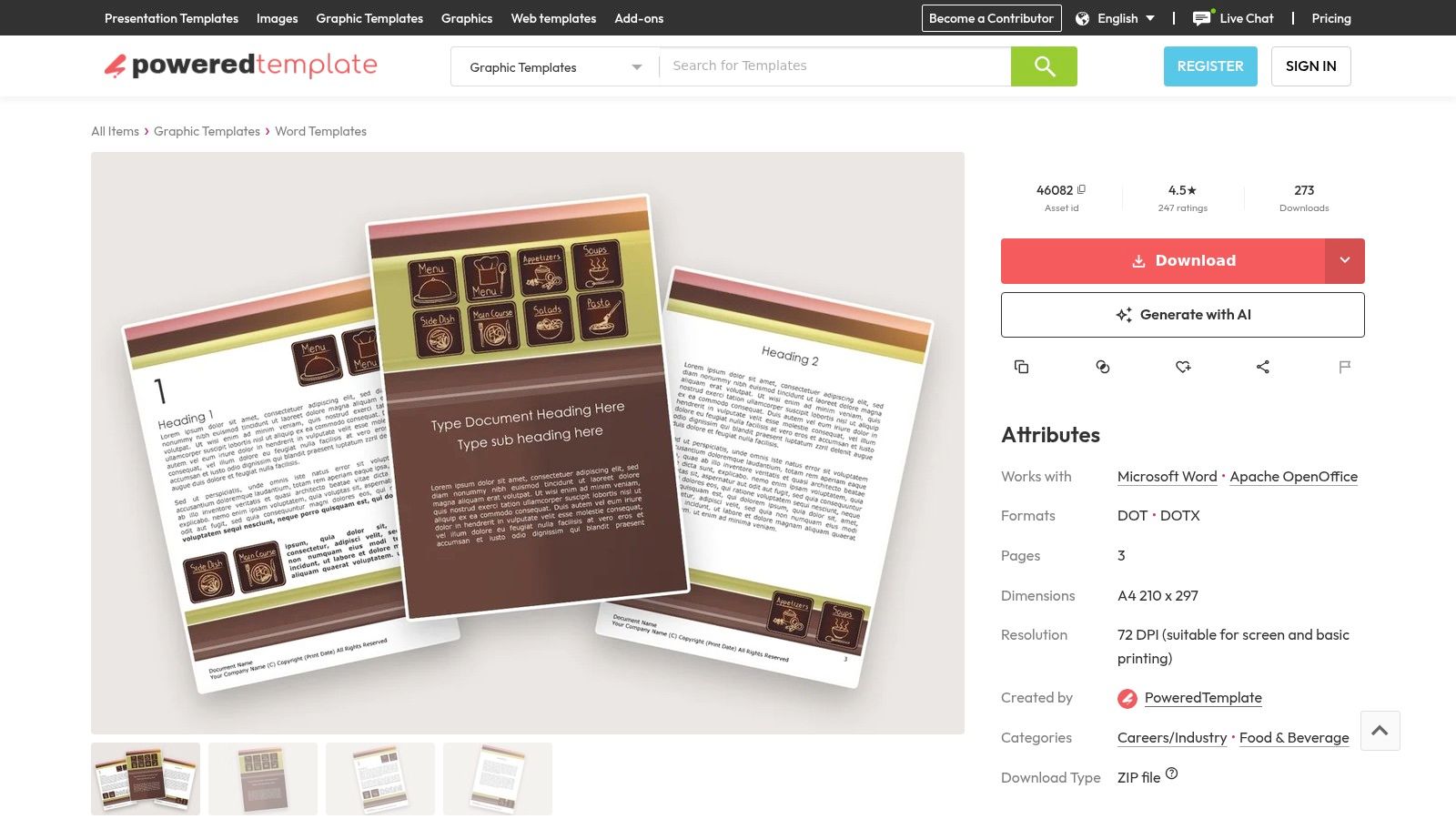
That matters for hospitality groups and operators with several revenue channels. A venue with dine-in service, catering, tasting nights, and seasonal promotions often loses brand consistency because every file gets built from scratch by a different person.
Good option for groups with multiple menu needs
PoweredTemplate works well if you want a menu template for Word but also need supporting visuals across the business.
- Word-native editing: Staff can make practical text changes without specialist software.
- Broader creative library: Useful for marketing managers juggling multiple formats.
- Membership access: Better suited to teams that download often, not one-off buyers.
The weak point is pricing complexity. Individual purchases can add up, and the best value often sits behind a membership decision. If you only need one simple menu, this probably isn't your best buy.
Where I'd use it: a hospitality group with several outlet concepts, or a restaurant that runs frequent themed nights and private events. In those settings, the wider creative library saves time and keeps the brand from drifting every time someone creates a new menu.
6. OfficeTemplatesOnline – Food and restaurant menu templates for MS Word
OfficeTemplatesOnline restaurant menu templates for MS Word are practical, plainspoken, and useful. That's a compliment. A lot of restaurants don't need visual drama. They need a file staff can edit without breaking it five minutes before print.
The included walkthroughs also help. If your assistant manager or front-of-house lead isn't confident with formatting, basic guidance reduces avoidable errors.
Why simple often wins
Simple templates often outperform overdesigned ones in live service because guests scan faster and teams update them more reliably.
- Free .docx files: Easy to open and modify in standard Word workflows.
- Ready-to-print formats: Good for tasting menus, price lists, bar service menus, and straightforward food menus.
- Low training burden: Better for smaller teams with no in-house designer.
The downside is limited style range. These templates won't give you a distinct brand world on their own. You'll need stronger copy, better item naming, and smart product placement to make the menu feel commercial.
A realistic use case is a bakery or neighborhood café changing pastry assortments, sandwich specials, or weekend offers often. In that environment, simple wins because execution speed beats visual ambition. If your current menu process is messy, this kind of tool can clean it up fast.
7. 101Planners – Wedding menu templates
101Planners wedding menu templates aren't built for everyday restaurant service, but they're useful for event-focused hospitality businesses. If you host weddings, private dining, chef's tables, or tasting events, these single-page menu cards can do the job well.
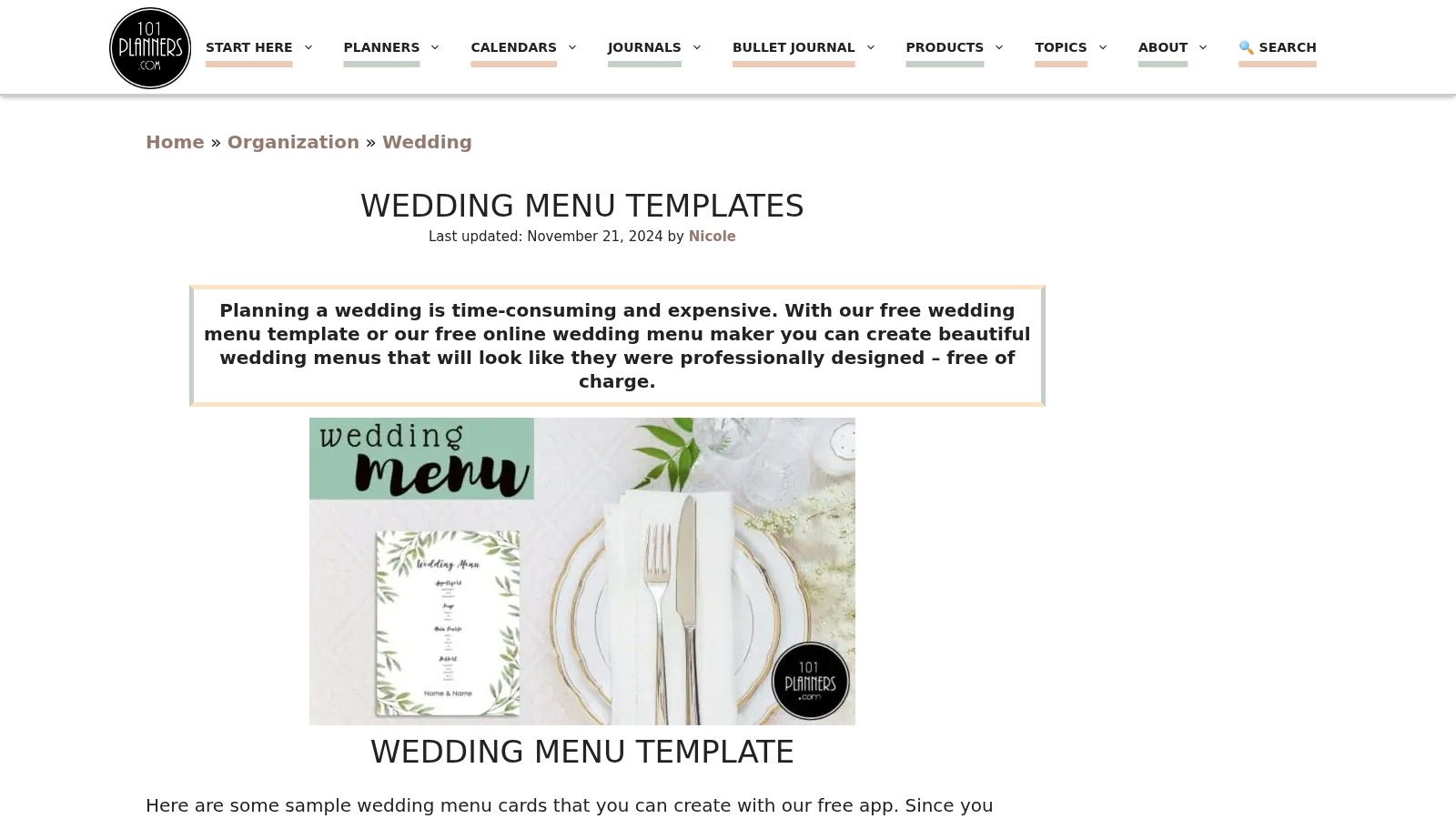
Many venues miss easy profit in this manner. They invest in food, flowers, and staffing, then hand guests a rushed event menu that doesn't match the experience.
Best use case
Use 101Planners when presentation matters for one-time or premium occasions.
- Event menu cards: Strong fit for weddings, banquets, and private dinners.
- Editable decorative styles: Good for venues that need polished stationery without hiring a designer.
- Print-friendly output: Works for place settings and table presentation.
This is not your core restaurant menu system. It's too event-specific for that. But for private dining teams, it can save time and keep event materials from looking improvised.
If you sell premium events, every guest touchpoint should support the perceived value. The menu card is part of that sale.
I'd recommend it to banquet managers, venue coordinators, and restaurant groups with a strong events business. For daily à la carte operations, skip it. For special occasions, it's a useful niche tool.
8. WPS Office Templates – Word-compatible menu templates
WPS Office menu templates make sense for operators who need to edit fast, from anywhere, without waiting to get back to the office. That matters in real restaurant operations. Price changes, item outages, and seasonal swaps rarely happen at a desk.
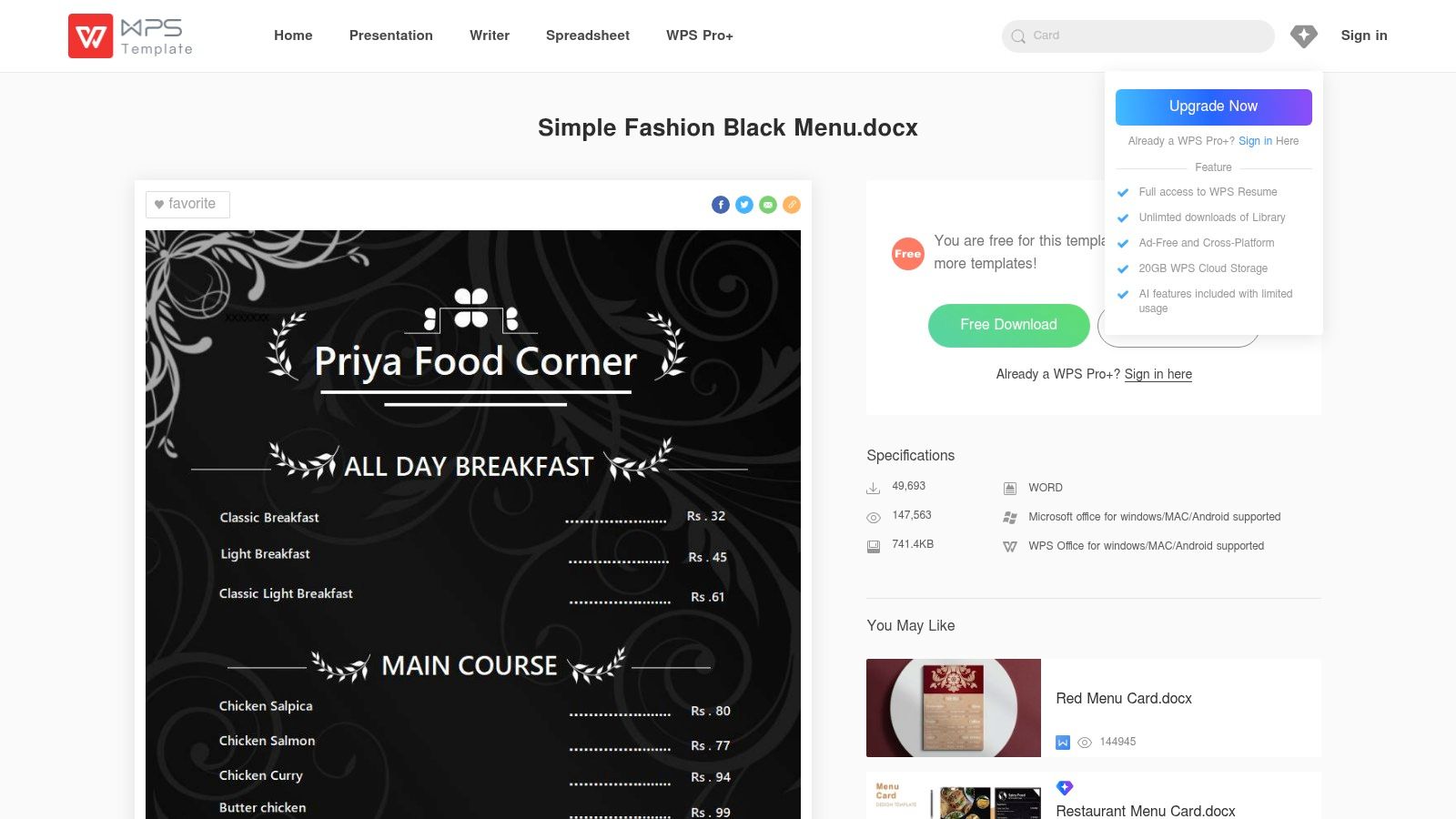
Value is speed. If a manager can update a menu from a phone after a supplier call, or fix a missing item from a home laptop before service, the template is doing its job. Word compatibility helps, but profit comes from keeping the live menu accurate and easy to maintain.
Where mobile access matters
WPS works best for teams that need quick operational edits more than polished design control.
- Word-friendly files: Useful if your staff still passes around .docx files.
- Cross-platform access: Good for owners and managers who edit menus on phones, tablets, and laptops.
- Free and premium options: A practical starting point for small operators watching costs.
There is a catch. Formatting can drift between WPS and Microsoft Word, especially with multi-column layouts, tight spacing, or decorative fonts. Keep the structure simple. Clean sections, readable type, and limited styling usually protect both usability and margins better than a fancy layout anyway.
I'd use WPS for fast-casual shops, kiosks, coffee counters, food stalls, and small independents where one person often handles pricing, editing, and print prep. It is a strong starting tool, not the strategy itself. Once menu changes become frequent across multiple channels, print, online ordering, in-store screens, and third-party apps, stop treating the template as the system and move to a setup built for centralized menu control.
9. SampleTemplates – Menu template collections with Word format
SampleTemplates menu template collections are best used as a browsing tool. If you aren't sure what format suits your concept, this kind of roundup helps you compare styles across bars, weddings, weekly menus, school formats, and more.
That exploration can be useful at the early decision stage. A sports bar, tasting room, school café, and chef-driven dining room shouldn't start from the same menu structure. Looking across niches can help owners see what kind of information density, pacing, and layout they need.
Use it for idea mining, not blind downloading
This is the right place to gather direction, not the right place to stop thinking.
- Wide assortment: Good for comparing menu formats by use case.
- Word format visibility: Helpful if Word compatibility is essential.
- Mixed aesthetics: Useful when you're still deciding on tone and presentation.
The quality can vary, and some items may route you to third-party sources. So don't hand this off to a junior team member and assume the first download is good enough.
Use SampleTemplates to answer practical questions. Do you need a single page or a folded menu? A weekly grid or a category-driven layout? A minimal drinks sheet or a full service book? Once you know that, move to a stronger platform and build with intent.
10. NewOrchards – Free Word weekly menu templates
NewOrchards weekly menu templates for Word are simple, but they solve a real problem. Rotating menus can create confusion fast. Weekly specials, cafeteria cycles, prix-fixe changes, and limited-run offers all need a format people can update without rebuilding the whole file.
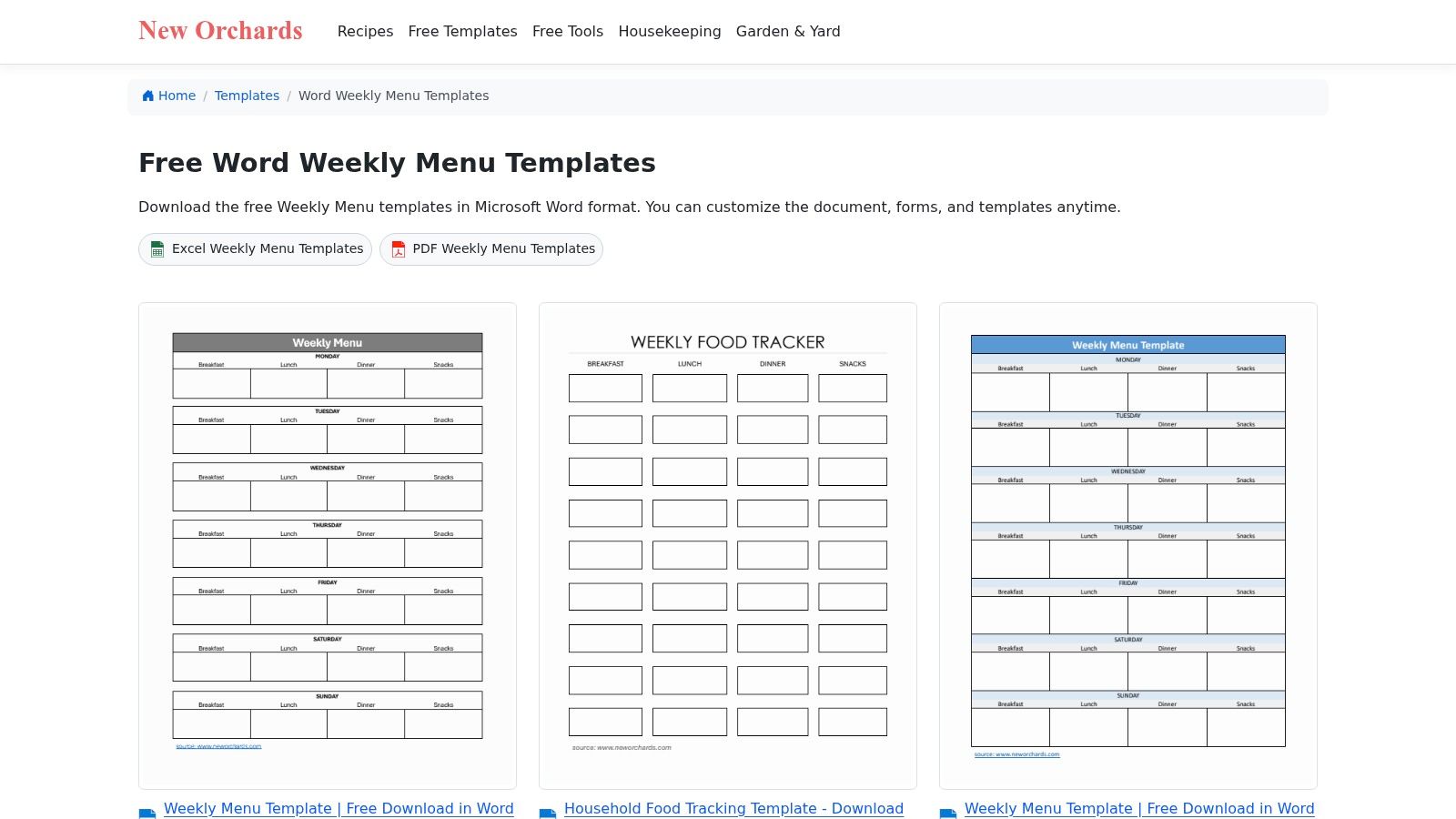
A clean weekly grid is operationally useful because it aligns the front of house, the kitchen, and the guest. Everyone sees the same structure. That reduces service friction.
Strong operational use
This is the best menu template for Word on this list if your offer changes on a cycle.
- Weekly layouts: Ideal for cafeterias, meal plans, set lunch rotations, and changing specials.
- Fast item edits: Good for teams updating names and prices frequently.
- Print-friendly structure: Useful for guest handouts and back-of-house planning copies.
The limitation is branding. These aren't built to express a full restaurant identity. They're functional tools, not flagship menu designs.
I'd use NewOrchards for schools, corporate dining, cafés with rotating lunch sets, or restaurants running changing specials alongside a core menu. It's not glamorous. It is useful. In operations, useful beats glamorous more often than owners want to admit.
Top 10 Word Menu Templates, Quick Comparison
| Provider | Core features ✨ | UX / Quality ★ | Value / Price 💰 | Target audience 👥 | Standout 🏆 |
|---|---|---|---|---|---|
| Microsoft Create – Menu templates for Word | ✨ Word-ready templates, cloud edit, modern layouts | ★★★★☆ Strong Word fidelity | 💰 Free | 👥 Restaurants, cafés, event planners on M365 | 🏆 Trusted Microsoft compatibility |
| Microsoft Word Online Template Gallery | ✨ One‑click Open in Word web, print‑sized layouts | ★★★★☆ Consistent print/export | 💰 Free for M365 users | 👥 Quick editors, print-focused teams | 🏆 Zero-friction web→Word workflow |
| Template.net (freemium) | ✨ Hundreds of Word designs, filters, online editor | ★★★☆☆ Broad variety, mixed polish | 💰 Freemium (many free, paid tiers) | 👥 Teams needing many style options | 🏆 Vast style selection & filters |
| StockLayouts (premium) | ✨ Print‑optimized Word files, high-res imagery | ★★★★☆ Professional typography & imagery | 💰 Paid per template / premium | 👥 Print-focused restaurants, designers | 🏆 Print-grade layouts & coordinated formats |
| PoweredTemplate (premium) | ✨ Word-native files, category browsing, membership | ★★★★☆ Large creative library | 💰 Paid / membership options | 👥 Agencies, businesses needing bulk assets | 🏆 Flexible licensing & asset breadth |
| OfficeTemplatesOnline (free) | ✨ Ready-to-print .docx, video walkthroughs | ★★★☆☆ Practical, easy-to-edit | 💰 Free | 👥 Small restaurants, quick DIY menus | 🏆 Free templates + editing guides |
| 101Planners (free) | ✨ Wedding/event Word + online editor, print-ready | ★★★☆☆ Elegant single-page styles | 💰 Free | 👥 Wedding planners, event venues | 🏆 Upscale event-focused menus |
| WPS Office Templates (free + premium) | ✨ .docx downloads, cross-platform access | ★★★☆☆ Good variety; occasional quirks | 💰 Free + premium upgrades | 👥 Cross-platform/mobile users | 🏆 Many free options & mobile edits |
| SampleTemplates | ✨ Category roundups, Word‑format indicators | ★★★☆☆ Mixed quality & licensing | 💰 Mostly free; some paid links | 👥 Browsers seeking many use-cases | 🏆 Wide niche assortment |
| NewOrchards (free) | ✨ Weekly/grid Word menus, print-friendly | ★★★☆☆ Simple, functional layouts | 💰 Free | 👥 Cafeterias, delis, rotating specials | 🏆 Clean weekly/rotating menu grids |
Final Thoughts
A menu template for Word is a tool, not a strategy. That's the core decision restaurant owners need to get right.
If your menu changes often, Word is still one of the fastest ways to keep control. You can update copy, prices, and layout without waiting on a designer or learning a complicated platform. For daily operations, that speed matters. It helps you react to supply issues, launch limited offers, and keep the guest-facing version accurate.
But the template itself won't lift revenue. What drives profit is how you use it.
Put your highest-margin items where guests naturally look first. Keep category names clear. Reduce clutter. Don't overload the page with low-performing dishes that slow decisions and complicate prep. Build in obvious add-ons, pairings, and premium upgrades. If your menu makes guests ask too many questions, it's not just a design problem. It's a sales and labor problem.
For most operators, the smart path is simple:
- Start with a reliable Word template if you need fast control.
- Standardize one clean version for print and PDF.
- Tighten the menu around profitable items and easy upsells.
- Review the file every time pricing, availability, or priorities change.
- Upgrade only when static files start slowing growth.
That last point matters. At some stage, a static menu becomes a bottleneck. Reprints pile up. QR menus get outdated. Staff keep explaining missing items. Promotions take too long to launch. Multi-location changes become messy. That's when you stop thinking about templates and start thinking about a menu system.
The broader market is already moving in that direction. As noted earlier, digital menu management is scaling quickly, and that lines up with what operators are dealing with every day. Faster edits, cleaner rollouts, less print waste, and better control.
So use Word templates when they fit the job. Microsoft Create and the Word online gallery are the best starting points for reliability. Template.net and StockLayouts are stronger when style matters. OfficeTemplatesOnline and NewOrchards are excellent when practicality matters more than polish.
Choose the tool based on how your restaurant runs, not on what looks impressive in a gallery. The best menu is the one your team can maintain, your guests can read fast, and your business can profit from consistently.
If your restaurant has outgrown static files, RevMenue is the next logical step. It helps restaurants, cafés, and hospitality teams turn menu views into higher-margin orders with fast QR menus, instant updates, built-in upsells, and clear revenue analytics. You keep control of your menu without the reprint cycle, while guests get a smoother ordering experience and your team gets fewer repetitive questions during service.
