
Most restaurants lose money through the menu long before they notice it on the P&L.
A printed menu goes out of date fast. Staff forget to mention the high-margin add-on. A sold-out item stays on the page too long. Guests sit there waiting to order while your best opportunities to upsell disappear. That's why the online menu qr code matters now. Not because it's trendy, but because it fixes slow, expensive, manual menu habits.
The good operators already know the menu isn't just a list of dishes. It's a sales tool, a speed tool, and a decision tool. If your QR menu is just a PDF glued to a table tent, you're leaving money on the table.
Table of Contents
- Your Menu Is Losing Money (And How a QR Code Can Fix It)
- Setting Up Your QR Menu Foundation
- Design Your Digital Menu for Profit
- Smart Placement and In-Store Deployment
- Using Menu Analytics to Increase Revenue
- Advanced Strategies and Troubleshooting
- Frequently Asked Questions About Online Menu QR Codes
Your Menu Is Losing Money (And How a QR Code Can Fix It)
Paper menus hide problems because they feel familiar.
You pay to print them. You reprint them when prices change. You disappoint guests when an item is unavailable but still sitting there on the page. Then your staff has to clean up the confusion table by table. That's wasted labor and a worse guest experience.
A smart online menu qr code fixes that if you treat it like an operating tool, not a decoration. Restaurant-focused reporting says well-designed digital menus can drive 10% to 30% higher average checks, cut ordering errors by around 30%, and reduce complaints tied to out-of-stock items or incorrect menu information by more than half, according to restaurant QR menu ROI benchmarks.
That's the key opportunity. Better revenue. Fewer mistakes. Less friction.
The old setup versus the useful setup
A lot of operators make the same mistake. They upload a menu PDF, generate a code, print it, and call it done.
That isn't a revenue system. It's a digital photocopy.
What works better is a setup built around three parts:
- A mobile-friendly menu experience that loads cleanly on any phone
- A QR code that stays usable even when the menu changes
- A menu layout designed to sell, not just inform
Practical rule: If your guest has to pinch, zoom, scroll sideways, or ask a server where the modifiers are, your QR menu isn't helping.
What this changes on the floor
Think about a Friday dinner rush.
Your kitchen runs out of one starter. On paper, every table keeps seeing it. On a live digital menu, you remove it immediately. A server is busy greeting a six-top, so no one has time to pitch the premium side or dessert pairing. A digital menu can surface those prompts without adding pressure to staff.
That's why a good online menu qr code earns its keep. It protects margin, reduces confusion, and keeps selling when the room gets busy.
Setting Up Your QR Menu Foundation
The setup decision that matters most is simple. Are you creating a menu people can use, or are you pushing them into a clumsy file that happens to open on a phone?
The recommended workflow is straightforward: publish the menu in a mobile-optimized format, generate a dynamic QR code that points to that URL, and test it on multiple devices. Restaurant guides also note that table tents, counters, and entrance signage perform best because they reduce scan friction, as shown in this restaurant QR menu setup guide.
Stop linking to a bad PDF
A PDF is easy for the operator and often annoying for the guest.
It can work in a pinch, but it usually creates the wrong experience. Tiny text. Slow loading. Endless zooming. Hard-to-find sections. No clean path to upsells, specials, or modifiers.
A proper digital menu page is better because it's built for the way guests browse on a phone. They tap categories. They scan photos. They make fast decisions.
Static PDF vs. Dynamic Menu Platform
| Feature | Static PDF Menu | Dynamic Menu Platform (e.g., RevMenue) |
|---|---|---|
| Updates | Requires replacing the file manually | Changes instantly without reprinting |
| Readability on phones | Often awkward | Built for mobile screens |
| Sold-out items | Easy to forget | Faster to remove or hide |
| Promotions | Hard to swap quickly | Easy to feature specials and bundles |
| Upsells | Minimal | Can be built into the browsing flow |
| Operational control | Basic | Better for active menu management |
If you're comparing tools, this review of QR code menu software for restaurants is a useful place to benchmark what matters.
Build it the right way
Keep the launch simple and disciplined.
Publish the menu on a responsive page
Don't start with design tricks. Start with fast load speed, clean category structure, and readable item detail.Use a dynamic QR code
Dynamic matters because the destination can change without reprinting. That gives you room to update specials, hide sold-out items, and refine the experience over time.Test on real phones
Check iPhone and Android. Check Wi-Fi and cellular. Check that the menu opens fast, text is readable, and any ordering flow works without weird break points.Print for actual restaurant conditions
Use strong contrast and a code size that scans easily from table distance. Don't get cute with low-contrast branding if it hurts scan reliability.
The QR code is only the doorway. The menu behind it does the real work.
Design Your Digital Menu for Profit
A digital menu should guide decisions.
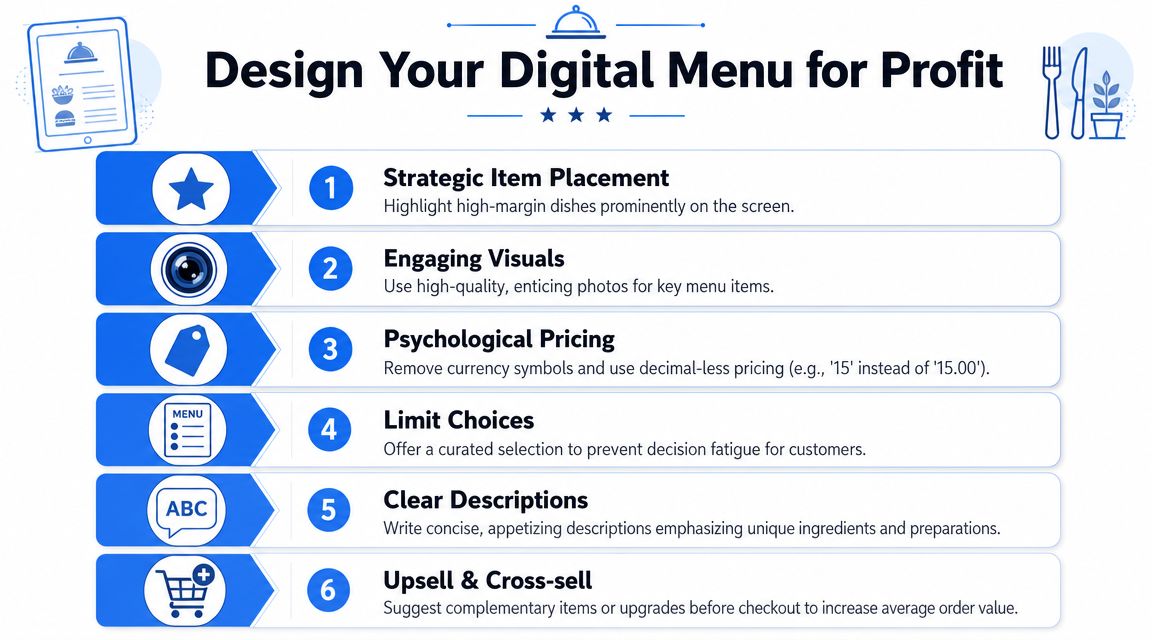
If it only displays information, it's underperforming. The best online menu qr code setups use menu psychology in a clean, practical way. They make profitable choices easier to notice and easier to add.
Merchandise the menu, don't just list items
Start with the categories.
Don't dump everything into long, messy sections. Break the menu into logical paths that match how guests buy. Starters, signatures, sides, drinks, desserts. Keep it tight. If a category feels bloated, guests stall.
Then shape attention on the page:
- Lead with the items you want to sell. Put high-margin dishes near the top of a category, not buried halfway down.
- Use photos selectively. Feature strong images for the items you most want to move. Not every dish needs a photo.
- Write descriptions that earn the click. Short, clear, appetizing language works better than chef monologues.
- Use light badging. “Chef's Favorite,” “Popular,” or “New” can guide choice without clutter.
- Keep pricing clean. Present prices clearly so the guest focuses on the dish, not just the number.
If you want a stronger framework for that work, this guide to restaurant menu optimization covers the commercial side well.
Build upsells into the flow
Upselling shouldn't depend on whether a server remembers the script during a rush.
The menu itself should do some of that work. The key is relevance.
A few examples:
- A pasta dish can prompt an add-on like garlic bread or a protein upgrade.
- A burger can suggest premium fries, extra cheese, or a local beer.
- A dessert screen can offer coffee or an after-dinner drink.
- A lunch combo can bundle a side and drink without making the guest build it from scratch.
A good upsell feels helpful. A bad one feels random.
The simplest rule is to attach add-ons to moments when the guest is already deciding. Don't force them to hunt for sides in another section. Put the profitable choice in front of them while they're still in buying mode.
Smart Placement and In-Store Deployment
You can build a strong digital menu and still get weak usage if the code is hard to spot or awkward to explain.
That part is usually operator error, not guest resistance. Global usage data shows 59% of smartphone users scan a QR code daily, and a 2025 to 2026 roundup says 65% of restaurants use QR menus, up from 15% in 2020, according to G2's QR code statistics roundup. Guests know what QR codes are. Your job is to make scanning feel obvious and easy.
Put the code where decisions happen
Most operators under-place QR menus.
One code on the table isn't enough if guests also make decisions while waiting at the door, standing at the counter, or ordering another round at the bar.
Use placements that match real traffic flow:
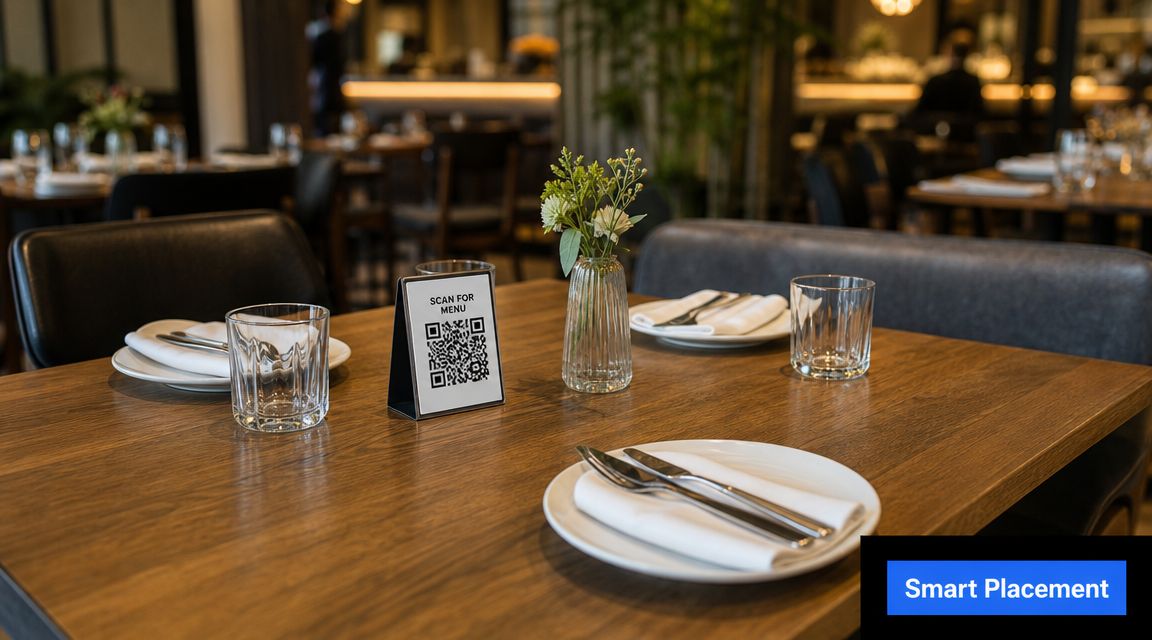
- Table tents for seated browsing
- Counter displays for quick-service and pickup
- Entrance signage so guests can start browsing before they sit
- Bar placements where drink decisions happen fast
The wording matters too. “Scan to view menu” is basic. Better is a short benefit-led prompt such as “Scan to see photos, specials, and order when ready.”
Train the team to introduce it properly
Don't leave servers to improvise.
Give them a short script that sounds natural:
- For dine-in: “You can scan the code to see the full menu with photos and today's specials.”
- For busy periods: “If you're ready to move quickly, the QR menu makes it easy to browse while I get your drinks started.”
- For hesitant guests: “If you'd rather not use your phone, I can bring a printed menu.”
That last line matters. It keeps the technology from feeling forced.
A quick example helps operators get this right in live service:
The best QR rollout doesn't feel like a rollout. It feels like smoother service.
Using Menu Analytics to Increase Revenue
Once the QR menu is live, stop treating the menu like a fixed asset. Treat it like a weekly revenue lever.
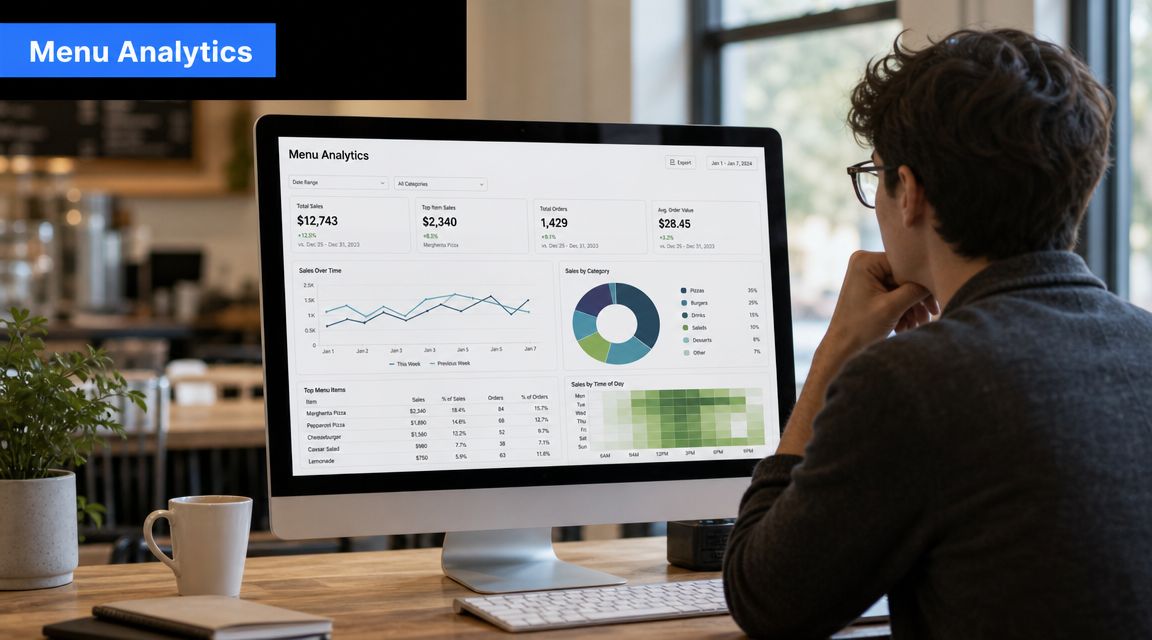
A digital menu shows behavior you can't see on paper. You learn what guests look at, what they ignore, where they drop off, and which prompts influence the order. That's the difference between guessing and operating with evidence.
Watch behavior, not just sales totals
Sales reports only tell you what was sold. Menu analytics tell you what almost sold.
That distinction matters. If a dish gets attention but not orders, the issue usually sits in one of a few places:
- The item looks interesting, but the price feels off
- The description doesn't explain the value clearly
- The photo is weak or missing
- The item sits in the wrong category
- A better-positioned alternative is stealing the sale
That's the kind of work operators should review every week. Not once a quarter.
For a practical look at what to track, this overview of restaurant data analytics is useful.
Turn menu data into weekly actions
Here's the working routine I'd recommend.
| Signal | What it may mean | Action |
|---|---|---|
| High views, low orders | Friction or weak offer | Adjust price, photo, or copy |
| Strong mains, weak add-ons | Upsells aren't visible enough | Move prompts closer to item selection |
| Heavy traffic to one category | Buying intent is concentrated there | Feature profitable items first |
| Slow movement on a profitable dish | It isn't being discovered | Reposition it or badge it |
A few operational habits make this stick:
- Review one category at a time so the team doesn't get overwhelmed.
- Change one major variable per item or you won't know what worked.
- Compare menu behavior with floor feedback from servers and managers.
- Check whether the ordering path matches service reality if you use POS-connected ordering.
That last point gets missed. A menu can be beautifully designed and still create friction if the handoff into ordering, payment, or fulfillment feels clumsy.
Advanced Strategies and Troubleshooting
Most QR menu problems aren't technical. They're service problems wearing a tech costume.
The biggest one is forcing every guest into the same behavior. Industry coverage notes that diners still get frustrated when venues require scanning without a clear alternative for older guests, low-connectivity situations, or privacy-conscious users, as discussed in this guide to using QR code menus in restaurants.
Don't force a QR-only experience
If the online menu qr code is your only menu, you need a fallback that's immediate and graceful.
Use one or more of these:
- Printed backup menus kept clean and current
- A staff-assisted ordering path for guests who don't want to scan
- Strong venue Wi-Fi signage when signal is unreliable
- A simple privacy notice if you collect guest data or feedback
This isn't about being old-school. It's about removing avoidable friction.
Keep the operation flexible
The strongest setup works alongside your existing systems instead of creating a side process no one owns.
A few practical standards help:
Assign one menu owner per shift or per day
Someone should be responsible for hiding sold-out items, checking promos, and confirming pricing accuracy.Tie menu changes to pre-service checks
If the kitchen 86s a dish, the menu should change at the same time. Not twenty minutes later.Review the guest path end to end
Scan. Browse. Customize. Order. Pay. Get served. If one step feels awkward, fix that before adding more features.Be transparent about data collection
If you ask for contact details, feedback, or consent for marketing, say so plainly. Don't bury it.
Guests usually accept technology when it saves time and stays respectful.
If you remember that, you'll make better decisions. The point isn't to replace hospitality. The point is to remove dumb friction so staff can spend more time being hospitable.
Frequently Asked Questions About Online Menu QR Codes
Should I use a free QR generator or a paid platform
Use a free tool only if you need a bare-minimum link to a simple menu and you don't expect frequent changes. If you want real control over updates, better presentation, and stronger operational use, a dedicated platform is the better call.
Is a PDF good enough
Only as a temporary stopgap. A PDF is easy to publish and often annoying to use. A mobile-friendly menu page is the stronger option for readability, upsells, and day-to-day updates.
What's the best fallback for guests who don't want to scan
Keep printed menus available and train staff to offer them without making it awkward. The fallback should feel normal, not like a special request.
How should I handle large or multi-language menus
Break them into clean categories and let guests switch sections fast. For multiple languages, keep the structure identical across versions so staff can support the experience easily.
What should I test before putting codes on every table
Check scan speed, page load, readability, and ordering flow on iPhone and Android. Also test in real conditions inside the venue, not just in the office.
How often should I update the digital menu
Any time availability, pricing, or promotions change. The whole advantage of a digital menu is speed. If your online menu qr code shows stale information, you're wasting the tool.
If you want a system built for margin, speed, and practical restaurant operations, RevMenue is worth a serious look. It helps operators turn a basic QR menu into a cleaner sales flow with faster updates, smarter upsells, and clearer revenue insight without forcing a full tech overhaul.
