
Most restaurants lose money through their menus long before they lose it through labor, rent, or ads.
The usual problem isn't the food. It's the ordering path. Guests sit down, scan a code that opens a clunky PDF, pinch and zoom, get annoyed, and default to the safest item. Staff then spend half the shift answering the same questions, explaining sold-out dishes, and fixing avoidable confusion. That setup doesn't save time, and it definitely doesn't maximize spend.
A good digital menu qr code fixes more than menu access. It shapes what guests notice, what they add, what they skip, and how much work your team has to do to keep service moving. If you treat it like a live selling system instead of a digital flyer, it becomes one of the easiest profit levers in the building.
Table of Contents
- Beyond the Scan Why Your Digital Menu Is a Profit Center
- Creating a Scan-Ready QR Code That Always Works
- Designing a Mobile Menu That Actively Sells for You
- Automating Your Menu for Peak Operational Efficiency
- Using Menu Analytics to Make Smarter Business Decisions
- Your Digital Menu Launch Plan and Troubleshooting Guide
Beyond the Scan Why Your Digital Menu Is a Profit Center
Friday at 7:30 p.m., a four-top sits down, scans your code, and waits. The menu loads slowly, the text is cramped, the cocktails are buried, and two items are already sold out. Your server gets pulled into a five-minute rescue job instead of greeting the next table or selling appetizers.
That is what owners miss. A digital menu qr code is not a convenience feature. It is a sales tool, a labor tool, and a service-speed tool tied directly to average check size and floor pressure.
Treat it like a file delivery system and you get a weaker version of your printed menu. Treat it like an operating system and you get faster ordering, fewer repetitive questions, better item mix, and tighter control over what the guest sees first.
A QR menu should reduce friction and raise spend
Guests do not scan a code because they love QR technology. They scan because they want to decide quickly and order with confidence. If your menu makes that easy, tables turn faster and staff spend more time on hospitality. If it makes that hard, your team becomes the patch for a broken process.
That is why the menu on a phone has to do more than display items. It should guide choices, surface profitable dishes, keep unavailable items out of sight, and make add-ons feel obvious instead of forced.
Weak QR menus cost money in three places
A static menu file behind a code usually creates the same three problems:
- Lower conversion at the table: Guests delay ordering because the menu is harder to browse on a phone.
- Smaller checks: High-margin items, modifiers, and bundles do not get enough visibility.
- More staff interruptions: Servers keep answering preventable questions about ingredients, sides, substitutions, and sold-out items.
Those costs show up every shift. They are not technical annoyances. They are operational leaks.
Practical rule: If your QR code opens a PDF, you are still managing yesterday's menu problem.
Profit comes from control
Operators who get results use the menu to shape demand, not just publish it.
They place profitable items where attention is highest. They update menus by service period. They remove dead stock fast. They make upsells part of the ordering flow. They cut confusion before it hits the floor.
That approach is why restaurant menu optimization improves more than design. It improves margin, labor efficiency, and the consistency of the guest experience.
A digital menu qr code should help guests buy well and help your team work faster. If it does neither, it is not a system. It is just a scan.
Creating a Scan-Ready QR Code That Always Works
Friday dinner rush. A four-top sits down, scans the code, and two phones fail on the first try. One guest gives up and asks for a paper menu. Your server stops greeting the next table to help. Service slows down before anyone orders.
That is what a bad QR setup does. It creates friction at the exact moment you need speed, confidence, and a larger first round.
Use a dynamic destination, not a file
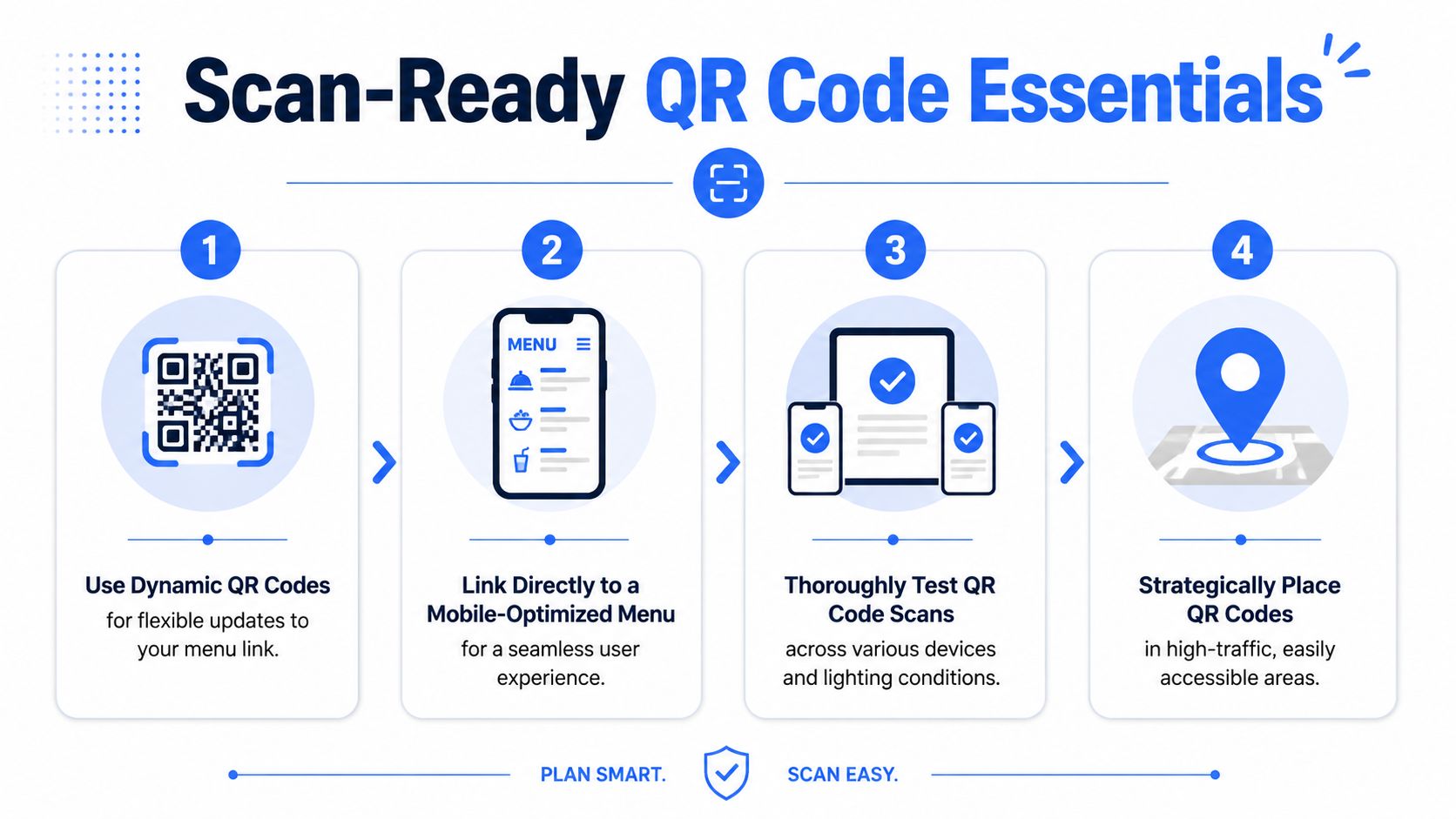
A QR code should point to a live mobile menu, not a PDF sitting in cloud storage.
That choice affects revenue and floor operations immediately. A live destination lets you remove sold-out items before guests ask for them, adjust prices without reprinting, swap in lunch or happy hour menus by time of day, and keep modifier choices current. It also gives you a cleaner path to restaurant upselling techniques that raise check averages because the menu can surface add-ons and bundles in the right places instead of burying them in a static file.
With a PDF, every change turns into a manual fix. Operators delay updates. Old prices stay live. Servers spend time apologizing for items the kitchen no longer has.
Practical rule: if the code opens a PDF, your setup is still creating avoidable staff questions.
Build the code for real dining conditions
The code has one job. Scan fast from a seated position under imperfect lighting.
For table tents and indoor placements, a printed size around 4 cm × 4 cm (1.5 in × 1.5 in) gives smartphone cameras a better chance of reading the code reliably, especially on older devices and in dimmer rooms, according to Pageloot's QR code guidance for restaurant menus.
Use these standards:
- Print high contrast. Black on white is still the best option for scan reliability.
- Keep a quiet zone around the code. Do not crowd it with logos, borders, or dense text.
- Place it where the guest naturally looks first. Table tent, check presenter, bar top, host stand, and front window all work if the code is easy to spot.
- Protect the surface. Grease, glare, scratches, and condensation lower scan success.
- Add one clear instruction. "Scan to view menu" is enough. Do not write a paragraph.
Branded QR art usually performs worse than plain, readable codes. Owners like the look. Guests like speed. Pick speed.
Quick placement table
| Placement | Best use | Common mistake |
|---|---|---|
| Table tent | Dine-in scan at seat | Code printed too small or only visible from one side |
| Front window | Pre-entry browsing | Sun glare or reflections on glass |
| Bar top | Fast drink decisions | Wet surface, poor lighting, or sticky residue |
| Takeout counter | Queue management | Menu loads poorly on mobile data |
Test the full path, not just the code
A code can scan perfectly and still fail the guest if the page loads slowly, opens the wrong menu, or drops people onto a page that requires pinching and zooming.
Run a floor test before launch and after every menu update:
- Scan from every table type at normal seated distance.
- Test day and night lighting because evening conditions change camera performance.
- Use different phones across iPhone and Android, including at least one older device.
- Check mobile data, not just Wi-Fi because many guests are not on your network.
- Confirm the right menu appears for that service period, location, and language.
- Tap into categories and item pages to verify speed, readability, and working buttons.
Make one manager responsible for this checklist. If ownership is vague, broken links stay live too long.
Treat scan rate like an operating metric
A QR code is part of service, not a print project.
If guests struggle to scan, you get slower ordering, more interruptions, and fewer add-ons sold in the first few minutes. If the code works every time, guests start browsing faster, staff spend less time on preventable menu questions, and the table gets to ordering mode sooner. That is the point. A digital menu qr code should shorten the path from seat to confident order.
Designing a Mobile Menu That Actively Sells for You
A guest sits down, scans in three seconds, and is ready to order in under two minutes. That outcome is not luck. It comes from a mobile menu built to sell, guide, and reduce decision friction at the table.
If your menu on a phone is cluttered, slow to understand, or badly organized, you lose orders in small ways that add up fast. Guests default to the safest item. They skip starters. They ignore cocktails. Servers get pulled into basic menu translation instead of higher-value service.
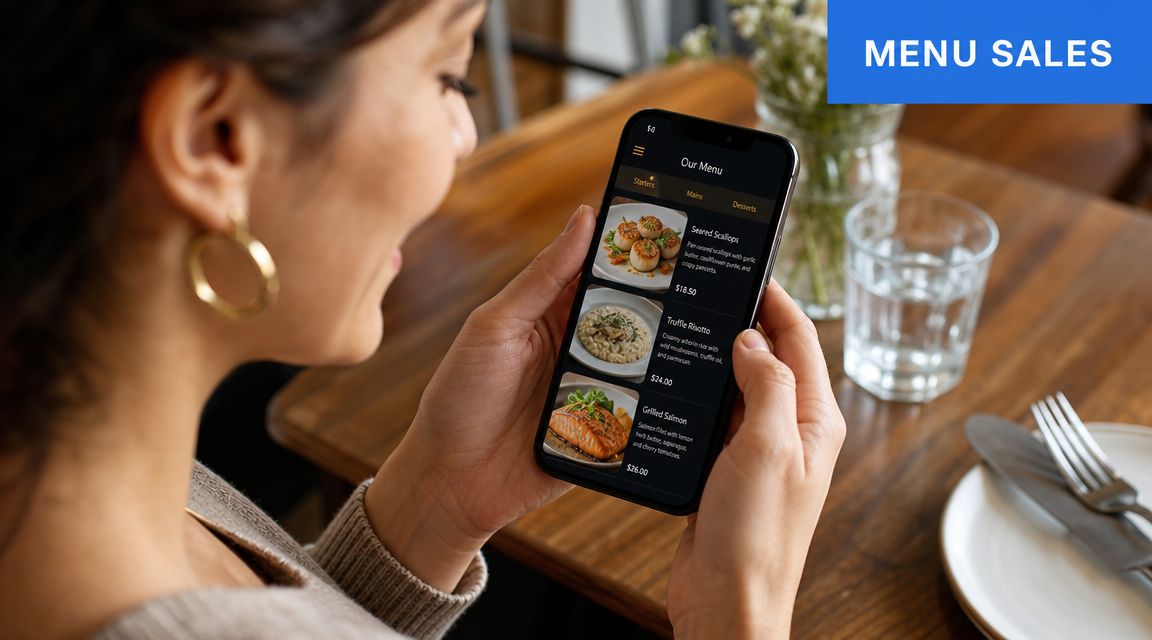
Your menu on a phone is the product
Guests are not judging the QR code itself. They are judging what appears after the scan.
That screen has four jobs:
- direct the first choice
- show what is popular, premium, or high value
- suggest the next item naturally
- remove enough uncertainty that the guest orders faster
This is why a digital menu qr code should be treated as a sales system, not a PDF replacement. Layout affects what gets seen first. Descriptions affect confidence. Photos affect appetite. Add-on prompts affect check size. Every one of those choices changes revenue and service flow.
Design for spend and speed
Owners often focus on readability and stop there. Readability matters, but it is only the baseline.
A good mobile menu should also push the guest toward profitable decisions without feeling pushy. Put signature dishes, proven sellers, and strong-margin items near the top of each category. Keep dead space low. Keep category names obvious. Give people enough information to choose, then get out of their way.
The best-performing menus usually share the same traits:
- Selective photography: Use photos for hero dishes, premium items, desserts, and drinks that benefit from visual selling.
- Short descriptions with buying cues: State the dish, one or two appetite triggers, and anything that helps justify price.
- Tight category flow: Starters, mains, sides, desserts, cocktails, and add-ons should be easy to scan in seconds.
- Clear dietary markers: Gluten-free, vegan, spicy, and allergen notes reduce hesitation and cut repetitive staff questions.
- Smart item order: Put profitable crowd-pleasers where the guest lands first, not buried halfway down the screen.
A menu that is easy to scan but weak at selling leaves money on the table. A menu that sells well also speeds up ordering because guests feel confident faster.
Build add-ons into the decision path
Upselling works best when it solves the guest's next question.
If someone is viewing a burger, show fries, bacon, onion rings, and a draft beer. If they are browsing pasta, show garlic bread, a side salad, and a glass of wine. If they order coffee, show one dessert, not six. Relevance beats volume every time.
Use contextual prompts at moments where the guest is already deciding:
| Menu moment | Best add-on type | Why it works |
|---|---|---|
| Guest views mains | Side dishes | The meal is being built |
| Guest views burgers or sandwiches | Fries, upgrades, drinks | Easy bundle expansion |
| Guest views cocktails | Bar snacks | High fit, low resistance |
| Guest views desserts or coffee | After-dinner drinks or pastry | Intent is already there |
For operators refining restaurant upselling techniques, the mobile menu is one of the fastest ways to raise average order value without asking staff to memorize more scripts.
A quick walkthrough helps clarify what good mobile selling looks like:
Write menu copy that helps people buy
Phone screens punish lazy copy.
A bare item name gives the guest almost nothing to work with. Long, overwritten descriptions are just as bad. What works is concise copy that answers the buying question fast. What is it. Why is it good. Why is it worth this price.
Use a simple formula:
- Name the dish clearly: "Chargrilled chicken skewers"
- Add appetite detail: "smoky glaze, lemon yogurt"
- Keep the line tight: one sentence usually beats three
- State premium value directly: house-made, dry-aged, local, wood-fired, tableside, or whatever makes the item special
Good mobile menu writing does more than sound polished. It reduces doubt, supports pricing, and helps guests commit sooner.
That is the standard to aim for. Your digital menu qr code should help the table order with less staff intervention, more confidence, and a higher total check.
Automating Your Menu for Peak Operational Efficiency
At 7:00 on a Friday, the kitchen 86s salmon, brunch should be off, and the bar wants the happy hour list gone. If your menu cannot change in real time, your staff becomes the update system. That means more table touches, more apologies, more voids, and more comps.
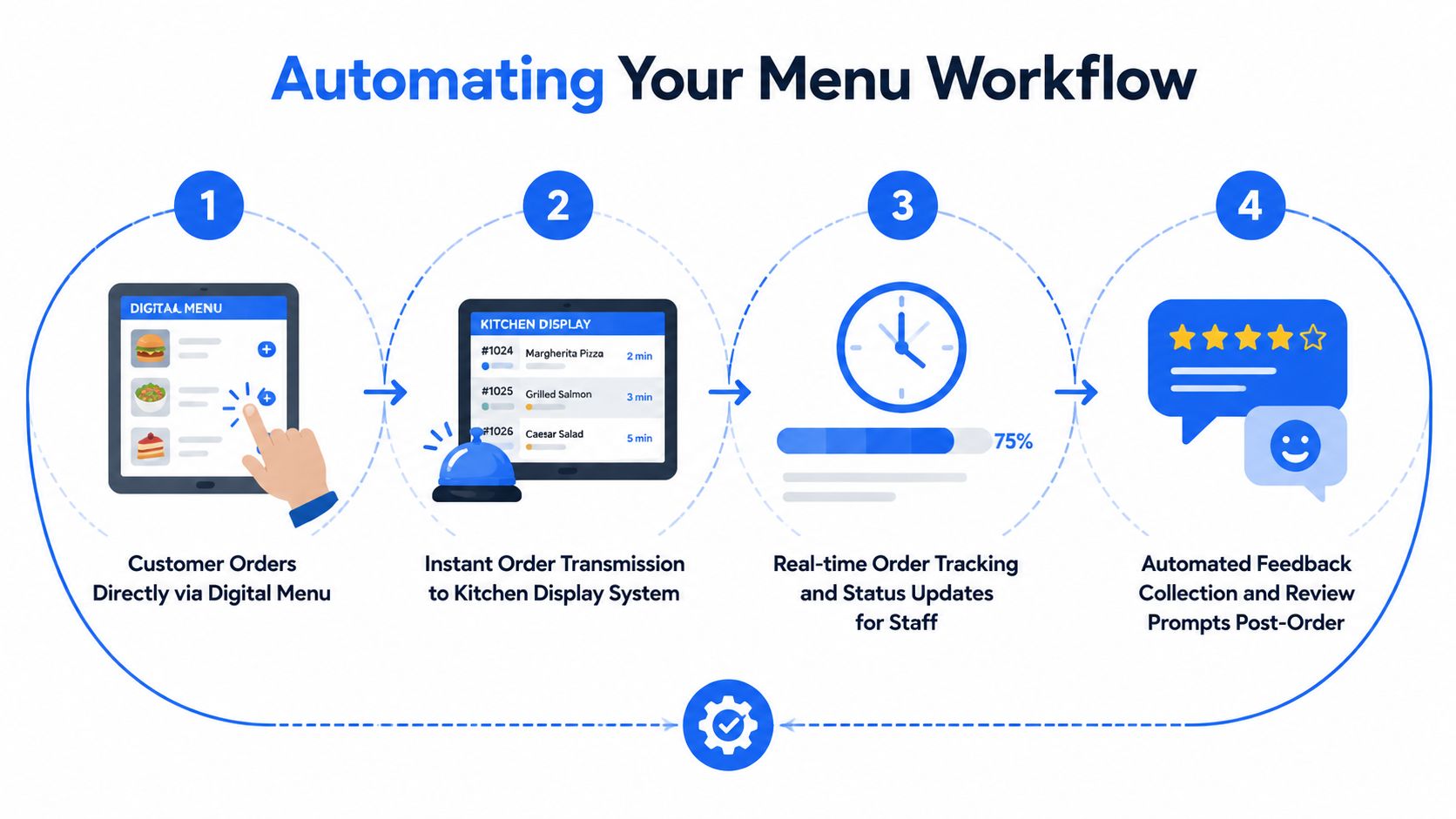
A digital menu qr code should do more than display items. It should control what guests can see, when they can see it, and what your team no longer has to explain five hundred times a week. That is where the labor savings show up, and it is also where margin protection starts.
Handle live service problems in real time
Speed matters most when something changes mid-service.
If an item sells out, remove it at once. If costs move, update the price once instead of asking servers to explain a mismatch all night. If lunch ends at 3:00, switch the menu automatically instead of leaving the wrong items live and forcing the kitchen to reject orders.
Use your menu system to handle:
- sold-out items
- daypart changes
- limited specials
- modifier availability
- price updates by service window
- location-specific differences if you run more than one unit
These are not cosmetic edits. They cut ordering mistakes, reduce manager interventions, and keep the kitchen from wasting time on tickets it cannot produce.
Operational rule: If the kitchen changes the item, the menu changes the same minute.
Remove repetitive questions before they reach the floor
Owners often underestimate how much service time disappears into the same basic menu questions. Staff answer them table after table, shift after shift. That work adds no real hospitality value.
Your digital menu should carry the routine load clearly:
- dietary tags
- spice level
- add-ons and upcharges
- serving times
- item availability
- short descriptions that answer common questions fast
When that information is handled on the guest's phone, staff can spend their time where it pays back. Greeting tables well. Selling another round. Catching a problem before it becomes a refund.
Common tasks a digital menu can absorb
| Staff interruption | Better menu solution |
|---|---|
| “Are you out of this?” | Live item availability |
| “Do you have a lunch menu?” | Scheduled daypart menu |
| “What's in this dish?” | Clear item description |
| “Can I add a side?” | Modifier options in-menu |
Build around dayparts, prep limits, and service modes
One giant menu is lazy setup. It creates clutter for the guest and confusion for the staff.
Build the menu around how your operation runs. A cafe may need breakfast, lunch, grab-and-go bundles, and an afternoon coffee push. A full-service restaurant may need lunch, dinner, bar, brunch, private dining, and event versions. If takeout and dine-in have different packaging needs, prep times, or pricing, separate them.
A digital menu transitions from being a digital version of paper to acting like an operating system. You are not just publishing dishes. You are controlling flow, protecting prep capacity, and steering demand toward what the kitchen can execute well.
Keep the workflow browser-native and friction-free
Do not send guests to an app store. Do not require account creation before they can even read the menu. Do not stack extra clicks between scan and order intent.
The right flow is simple:
- scan the code
- open the menu in the phone browser
- browse, customize, order, or call for service
Every extra step lowers completion. Every point of friction creates more staff assistance, not less.
If your menu connects to ordering, payment, waitlist, or feedback, keep those tools in one connected path. The guest should feel like they are using one system, not bouncing between four vendors taped together. For operators who want to tie menu changes to measurable labor and sales outcomes, this guide to restaurant data analytics for operators is the next piece to get right.
Using Menu Analytics to Make Smarter Business Decisions
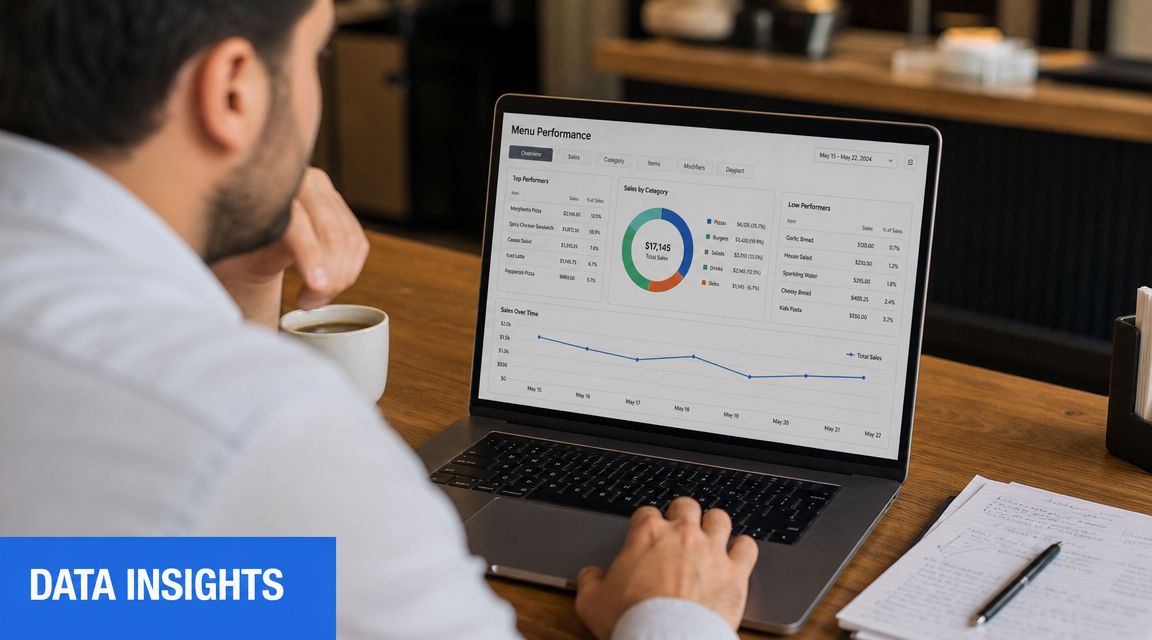
Friday dinner starts in an hour. Your host stand is full, the bar is filling up, and the kitchen is about to get hit. One menu layout choice in the next 15 minutes can change what guests order all night. That is why menu analytics matter.
A QR menu should do more than publish items on a phone screen. It should help you sell higher-margin dishes, spot friction before it hurts conversion, and make better labor decisions with less guessing.
Track guest behavior before you change pricing
Sales reports only show the final transaction. Menu analytics show the decision path that led to it.
That gap matters. If a dish gets plenty of views but few orders, the problem usually sits in one of four places. Price, photo, description, or placement. If guests open a modifier often, that add-on deserves better placement. If they drop out of a category fast, your layout is wasting attention.
Watch these signals every week:
- item views
- item-to-order conversion
- category exits
- modifier selection rate
- time-of-day browsing patterns
- repeat visits by service period
Use those signals to make small, fast changes. Rewrite one weak description. Move one profitable item higher. Cut one dead category. Operators who treat the menu like a live sales tool usually get better results than operators who wait for monthly sales reports to confirm what already went wrong.
Use menu data to raise average check and reduce staff friction
Analytics should lead to action on the floor.
If bar guests spend time on cocktail pages but skip food, add a visible pairing prompt on the drink item itself. If dessert views spike and orders stay flat, your servers may not be mentioning it, or the mobile presentation is weak. If lunch guests keep opening a category with slow-ticket items, you may be creating prep bottlenecks during your shortest service window.
Those are not tech problems. They are profit problems.
A good review process connects menu behavior to operating decisions:
- Move high-margin items into the first few mobile positions before your busiest service.
- Turn popular modifiers into preset upgrades that require less explanation from staff.
- Remove low-conversion items that create kitchen complexity without earning their space.
- Schedule promos during the hours guests browse, not when the marketing calendar says you should.
- Compare scan and order behavior by daypart so you stop staffing and merchandising on instinct.
If you want a stronger framework for tying menu behavior to labor, pricing, and promotion decisions, use this guide to restaurant data analytics for operators.
Run a weekly review that leads to decisions
Do not turn this into a long meeting. A 20-minute review is enough if your team looks at the right numbers and makes one or two changes each week.
Start with a simple checklist:
- Which items got attention but did not convert?
- Which profitable items stayed buried too low on the screen?
- Which modifiers added margin cleanly and should be featured more aggressively?
- Which browsing windows justify a timed promo or bundle?
- Which categories had traffic but weak order completion?
For multi-location groups, review each store separately. Guest behavior shifts by neighborhood, daypart, and service style. One menu structure rarely performs equally well across every unit.
The operators who win with QR menus do not just track scans. They use menu analytics to control mix, protect throughput, and push average order value up without adding friction for guests or staff.
Your Digital Menu Launch Plan and Troubleshooting Guide
Friday at 7:15 p.m., your dining room is full, two tables cannot get the menu to load, a server is explaining the QR process for the fourth time in five minutes, and the bar is waiting on an order because a guest never found the modifier screen. That is not a tech problem. That is a launch problem, and it costs sales fast.
A digital menu qr code has to work as an operating system for service, not just a menu link. If guests get stuck, ordering slows down. If ordering slows down, table turns slip, staff gets dragged into phone support, and your average check drops because the upsell path never gets seen.
Guidance on QR rollouts often skips the guest recovery plan. That is the mistake. As noted in GetSauce's article on QR menu implementation gaps and accessibility concerns, accessibility and implementation gaps create friction that restaurants have to solve on the floor, not in a software demo.
Launch with a hybrid model
Use QR as the default and keep print as an active backup. That setup protects hospitality and protects revenue.
As noted earlier, many diners still want a physical menu option. Owners should treat that as an operating reality, not resistance to change. A hybrid model reduces service friction, keeps ordering moving, and gives your staff a clean fallback instead of a long apology.
Set up these basics before day one:
- Printed menus at every service point: Host stand, bar, expo, and one floor station
- Large-print menus: Easy to grab, not hidden in an office
- A clear accessibility option: Staff-assisted ordering or another format your team can deliver immediately
- Simple table prompts: One instruction to scan, plus a short note that printed menus are available
Do not make guests ask twice.
Train staff to recover the table fast
Your team does not need a speech. They need short lines that keep service moving.
Use scripts like these:
- If a guest pauses at the table: “You can scan the code here, or I can bring you a printed menu now.”
- If a guest does not want to use their phone: “No problem. I'll bring a physical menu.”
- If a guest needs help reading or using the menu: “I can walk you through it, bring a large-print copy, or take your order directly.”
That language matters because it removes friction without making the guest feel difficult. It also keeps the server in control of the interaction, which shortens delays and protects conversion on drinks, starters, and add-ons.
Hospitality comes first. Your digital menu should fit the guest, staff workflow, and pace of service.
Fix the failure points in the first three shifts
Launch problems show up quickly. Good operators catch them before they become staff habits.
Watch for these issues:
- Guests do not notice the code: Move it higher on the table, tent, or check presenter
- The menu loads too slowly: Compress images, remove clutter, and test mobile speed again
- Servers forget the backup option: Review the script in pre-shift and keep printed menus visible
- Prices or items are outdated: Assign one manager or shift lead to own menu accuracy
- Guests ask privacy questions: Add a plain-language privacy note where guests can find it easily
- Guests stop before ordering: Check whether the menu flow is too long, confusing, or hard to tap on smaller screens
One issue matters more than owners expect. Placement. If guests cannot see the code instantly, scans drop. If scans drop, the digital menu never gets the chance to sell upgrades, bundles, or add-ons.
Use a pre-service launch checklist
Run this before every shift during launch week:
- Scan every code in the dining room
- Test the menu on both iPhone and Android
- Confirm item names, prices, modifiers, and availability
- Check that printed and large-print menus are stocked
- Review service scripts with the team
- Place one manager on point for menu edits and guest recovery
Keep this process tight. Ten minutes is enough if someone owns it.
The goal is simple. Guests should access the menu fast, order without confusion, and move through the meal without needing staff to explain the technology. When that happens, the QR system does what it should do. It reduces service friction, keeps labor focused on selling and hospitality, and turns the menu into a real profit tool instead of another thing your team has to manage.
If your current menu setup feels more like a workaround than a revenue system, it's worth looking at RevMenue. It gives restaurants a faster way to run live QR menus, improve upsells, track menu performance, and keep service smooth without forcing a full tech overhaul.